
What you eat and drink can calm a symptom or set it off. Logging meals and drinks next to your symptoms is the simplest way to find your own food triggers, without guessing or cutting out foods you do not need to.
Log a meal
Log as you eat, or right after. Small details like a late dinner often turn out to matter.
- Tap Check-in, then Nutrition.
- Pick Breakfast, Lunch, Dinner or Snack, then tap a food you saved or New to add one.
- Add Calories, Protein, Fat, Carbs or Fiber if you count them, and the Total Servings.
- Ate everything on your plan? Mark All Consumed selects it all in one tap.
- Tap Save Check-in.
See how meal scanning works
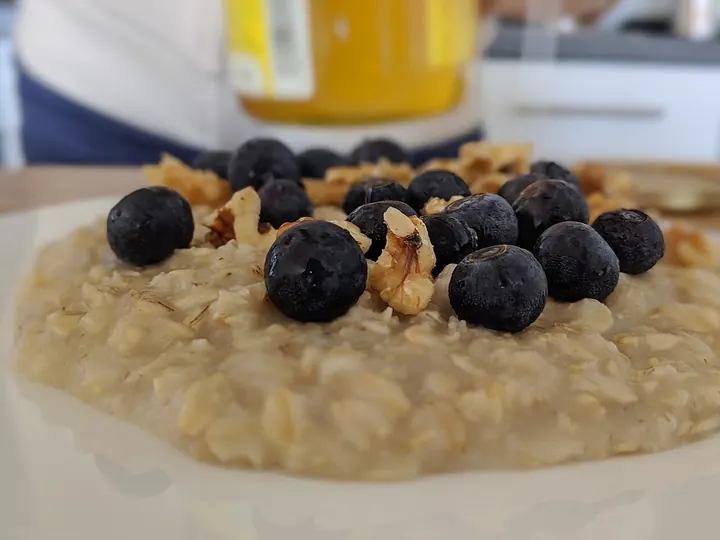
Not sure how to log a plate of food? Let your camera do the first draft. Here is a real breakfast and what CareClinic made of it.
- On Nutrition, open More options, choose Browse Recipes and tap Scan a meal. Free accounts get a small number of scans each month, and CareClinic Premium includes more.
- Take a photo of your plate from above, in good light.
- Under Looks like..., CareClinic names the dish and estimates calories, protein, carbs and fat.
- Looks right? Tap Log this meal and the dish is added to Nutrition. Not quite? Tap Try another.
- Check the serving in Nutrition, then tap Save Check-in.
Track water and other drinks
Staying hydrated helps with headaches, dizziness, kidney health and more. Seeing your total makes it easier to drink enough.
- Tap Fluids. Water is usually waiting at the top.
- Use Search or Add Fluids for coffee, tea, an electrolyte drink or anything else.
- Set the Quantity and Unit, and tap Save Check-in.
Find your food triggers
This is where the effort pays off. Your meals and symptoms share one Timeline, so you can see what came before a bad afternoon.
- Tag eating late, a skipped meal or a heavy meal in Factors.
- Open Timeline and read a day from top to bottom: meals, drinks, symptoms and medications in time order.
- In Insights, compare Nutrition with Symptoms over a few weeks.
Tip Want ideas for meals that suit your goals? The same Browse Recipes screen has healthy recipe ideas.
Common questions
Do I have to count calories?
No. You can log a meal by name only. Calories and macros are there if you or your dietitian want them.
Can I use CareClinic as a food diary for IBS or reflux?
Yes. Log meals, tag triggers like late eating, and rate your symptoms. The Timeline shows them together so you can spot what tends to come first.
Can water intake sync from another app?
If your app saves water to Health Connect or Apple Health, connect it in More, then Integrations, and choose fluids.