
CareClinic for Mac
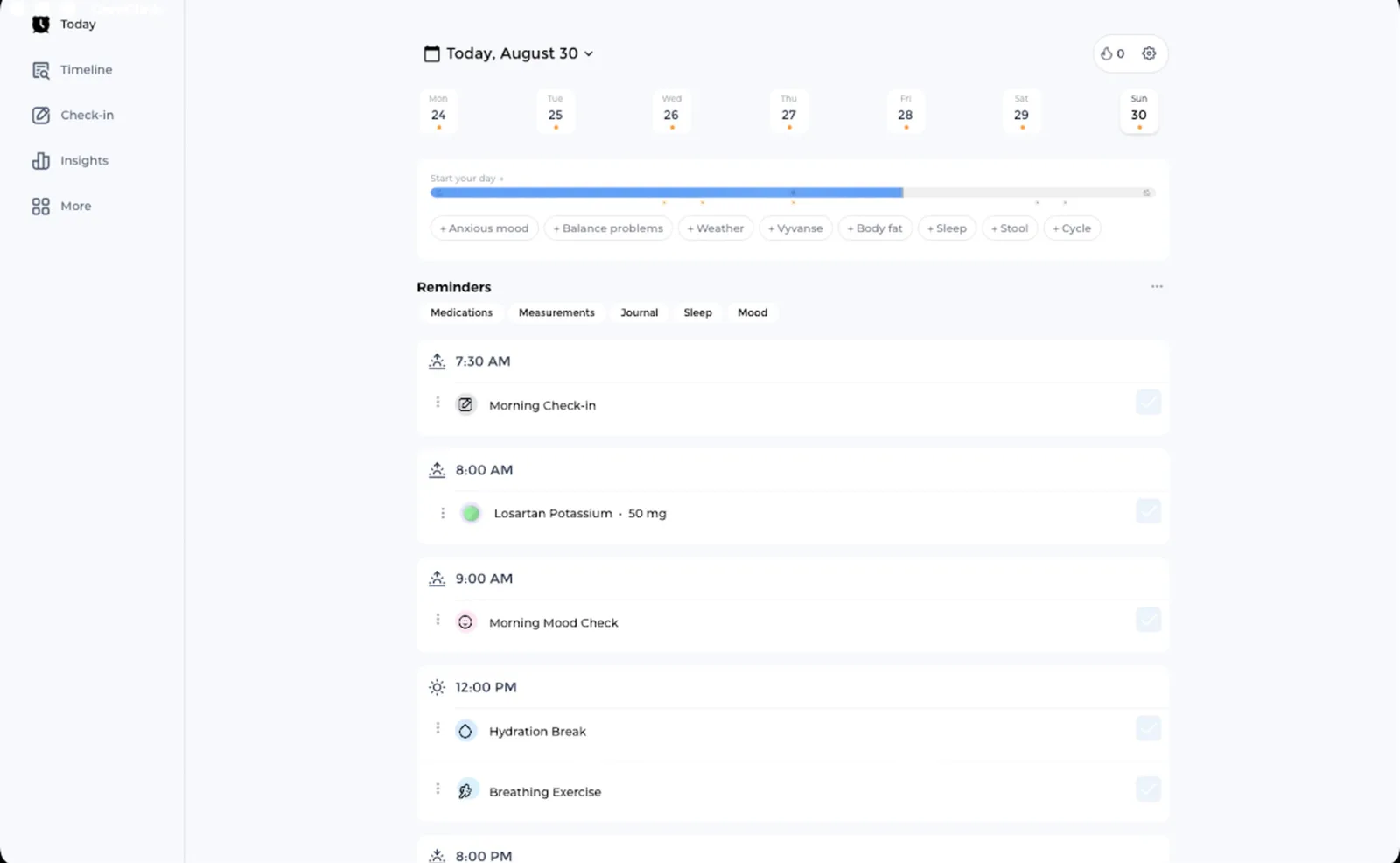
CareClinic for Mac lets you track symptoms, medications, mood, sleep, and daily habits on a full-size screen. Review charts, compare what changed, and prepare clearer updates for your care team.
Requires macOS 14.0 or later. Your account, health record, and history stay the same across Mac, iPhone, iPad, and Apple Watch.
 Easier to read and type on
 Syncs with phone and watch
 Works online and offline
 Encrypted and private
Track symptoms, medications, mood, sleep, blood pressure, heart rate, nutrition, activity, and diary notes.
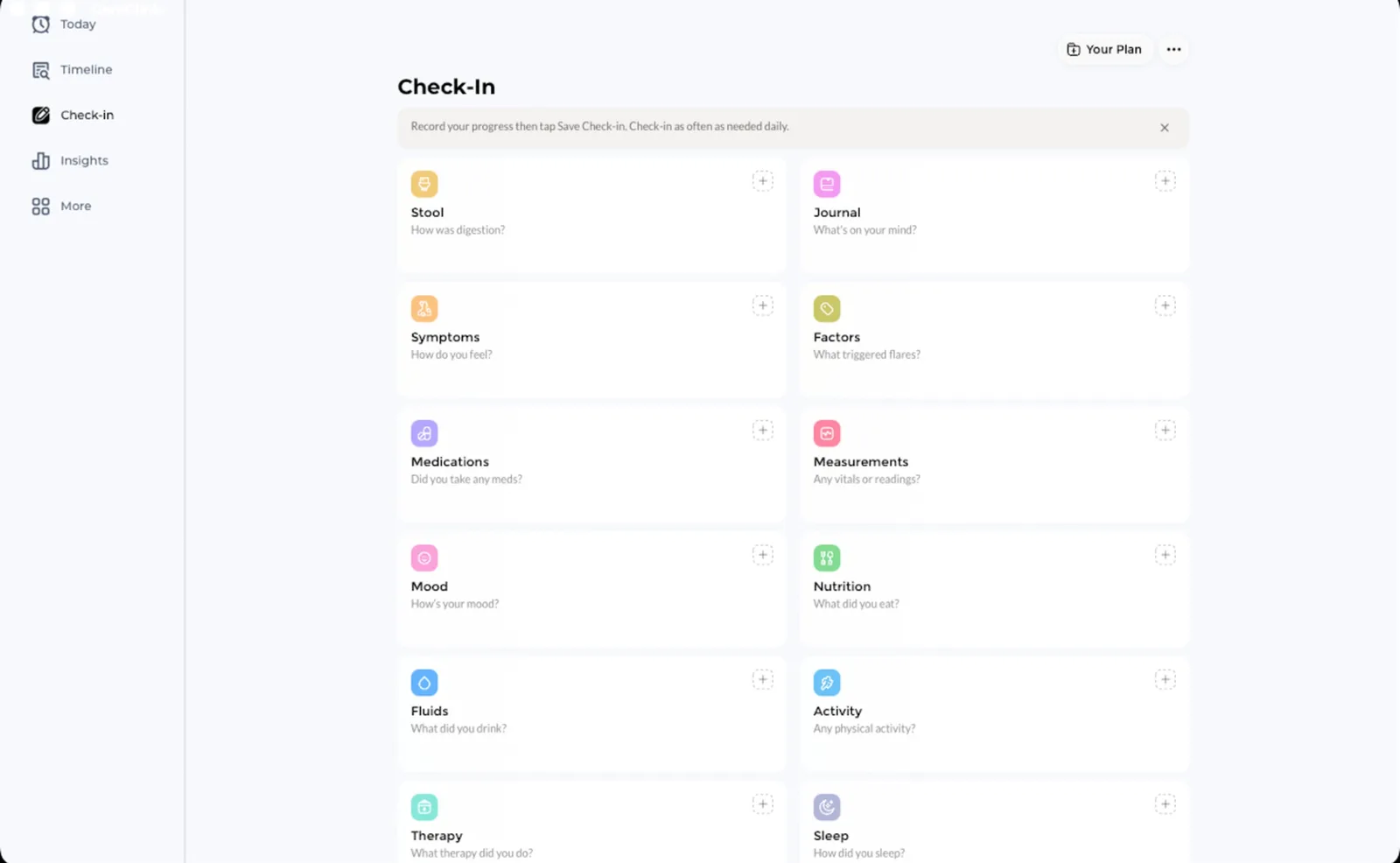
Daily check-ins
Writing it down on a phone is the reason people stop
Describing a flare-up with your thumbs is slow, so entries get shorter until they stop being useful. A full keyboard gives you room to record what actually happened, in your own words, while you still remember the details.

Symptoms and severity
Log symptoms with severity, body locations, and flare-up details.

Medications and therapies
Record medications, vitamins, supplements, and treatments you take.

Mood, sleep, and habits
Track mood, sleep, activity, nutrition, fluids, and daily routines.

Measurements
Keep blood pressure, heart rate, weight, and temperature together.
Charts and history
A pattern is hard to see through a phone-sized window
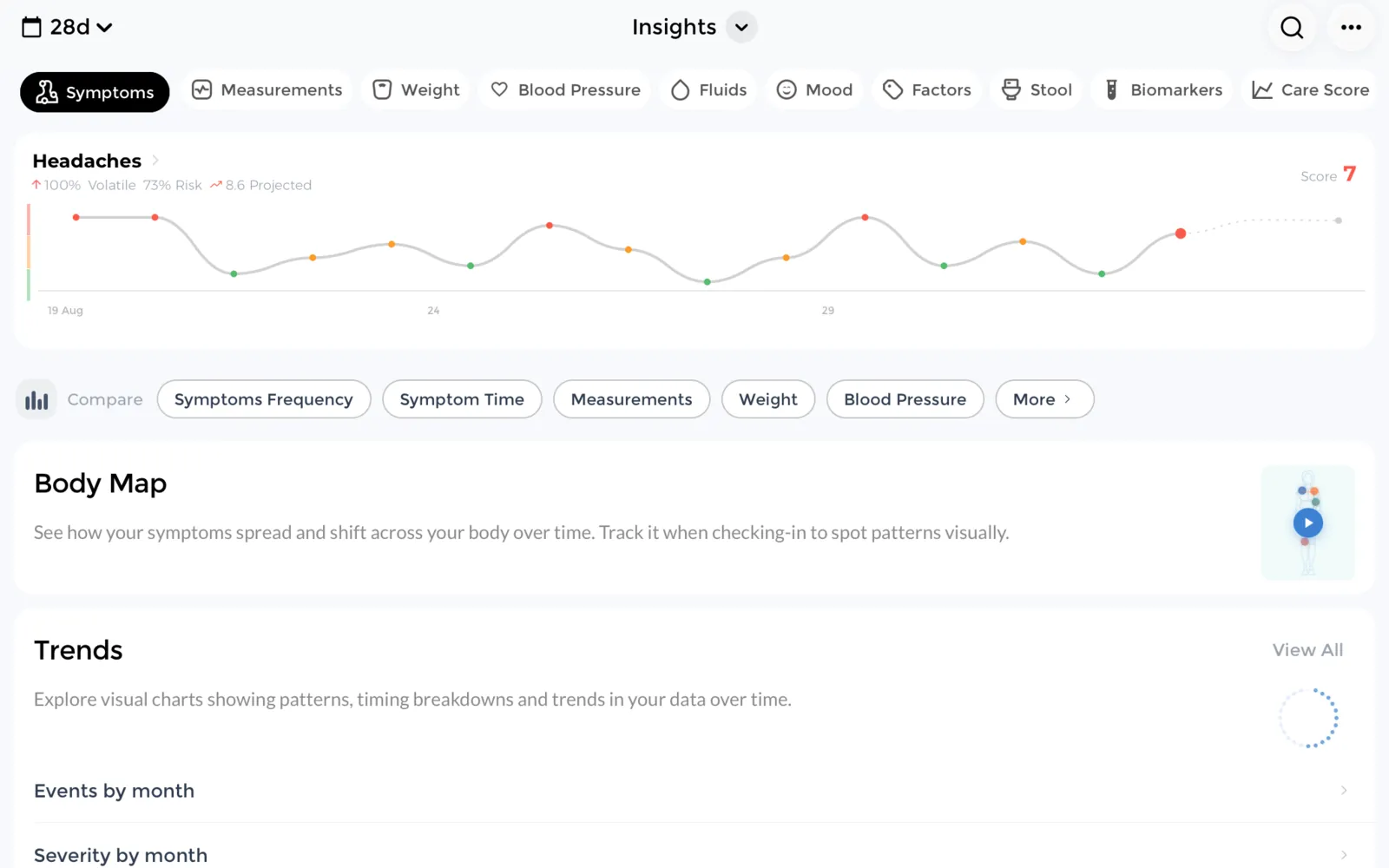
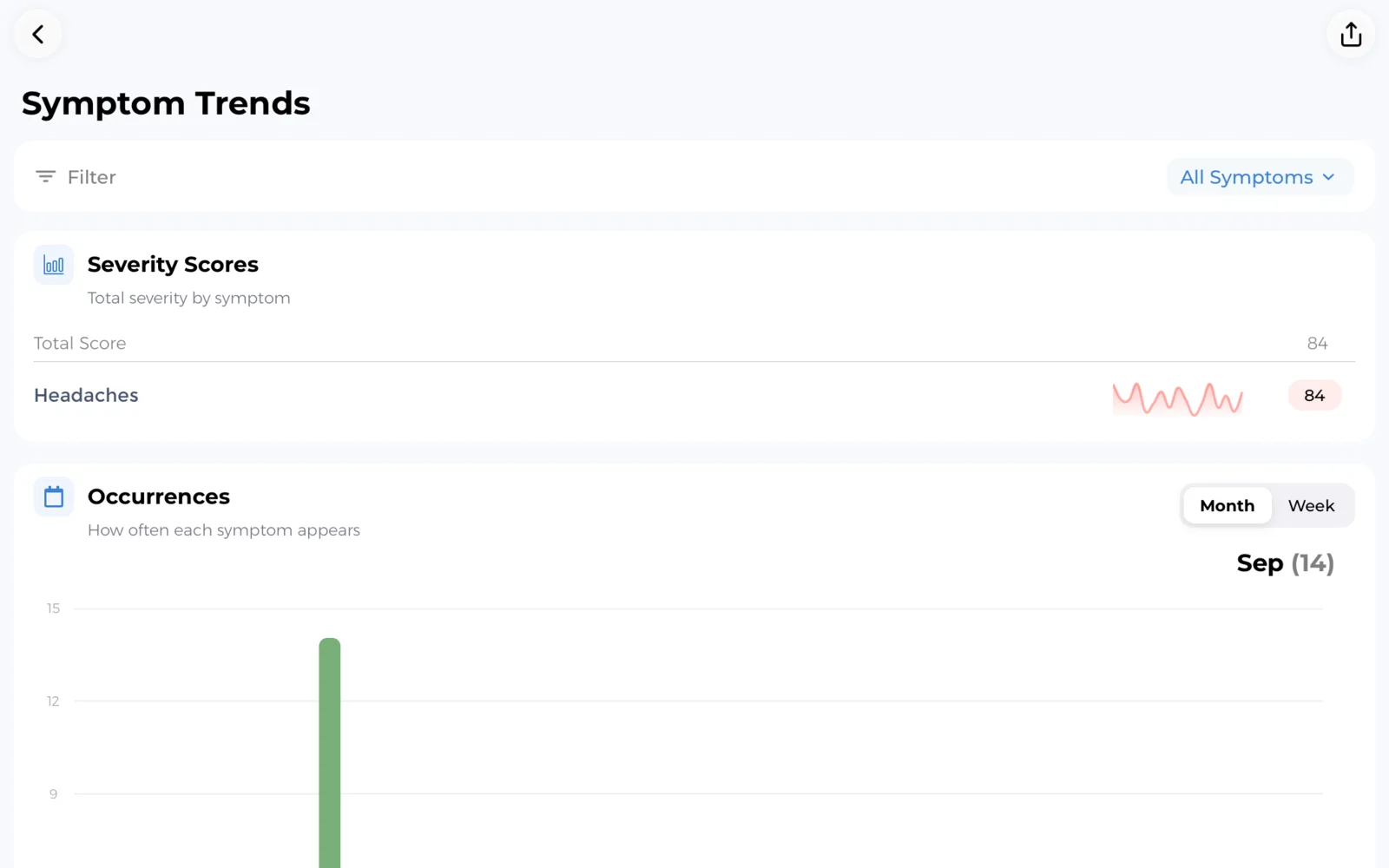
Most people can describe last week. Almost nobody can describe the last three months from memory. Two months of entries on a full screen is where a trigger stops being a hunch and becomes something you can point at.
That matters when a real decision is waiting. Did the new dose actually reduce your headache days, or did a quiet month make it look that way? Are the bad days landing on the nights you slept under six hours? Charts answer questions like these with your own recorded entries instead of a guess.
- Line up a symptom against the week a medication changed
- Count good and bad days over a month instead of estimating
- Check whether short sleep and flare days keep landing together
- Bring a summary to an appointment instead of rebuilding it aloud
Before your next appointment
Ten minutes with a specialist goes further with a record
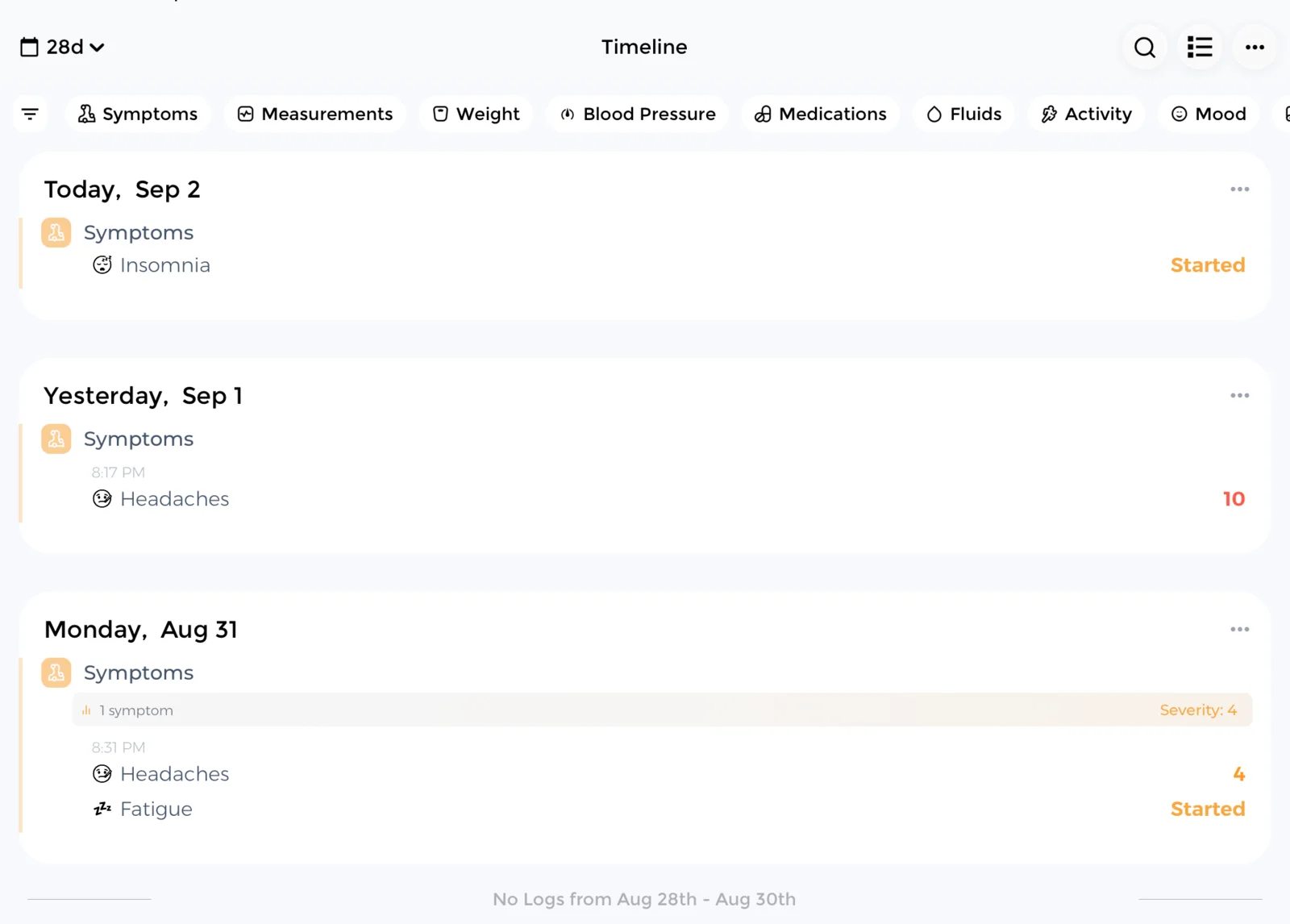
Appointments are short and the questions come fast. "How long has this been happening?" is much easier to answer from a timeline than from memory, and the answer changes what gets investigated.
The Timeline fills itself from the trackers you turn on. Symptoms and severity, medications and treatments, mood, sleep, nutrition, fluids, activity, therapy, measurements, assessments, and diary notes all land on the same dated history, so you are reading one story instead of six separate logs.
That is usually where the useful detail surfaces. You can see that the cough started eleven days before the fever, not the week you half remembered. You can see the two-week stretch where doses were missed on the nights you worked late. You can see that the new supplement began three days before the rash. None of that is a diagnosis, and it is exactly the kind of specific answer a short appointment runs on.
Allergies, conditions, immunizations, lab results, imaging, and appointments sit alongside those daily entries, so the background detail is there when it comes up.
Accessibility and comfort
Built to be readable on a hard day
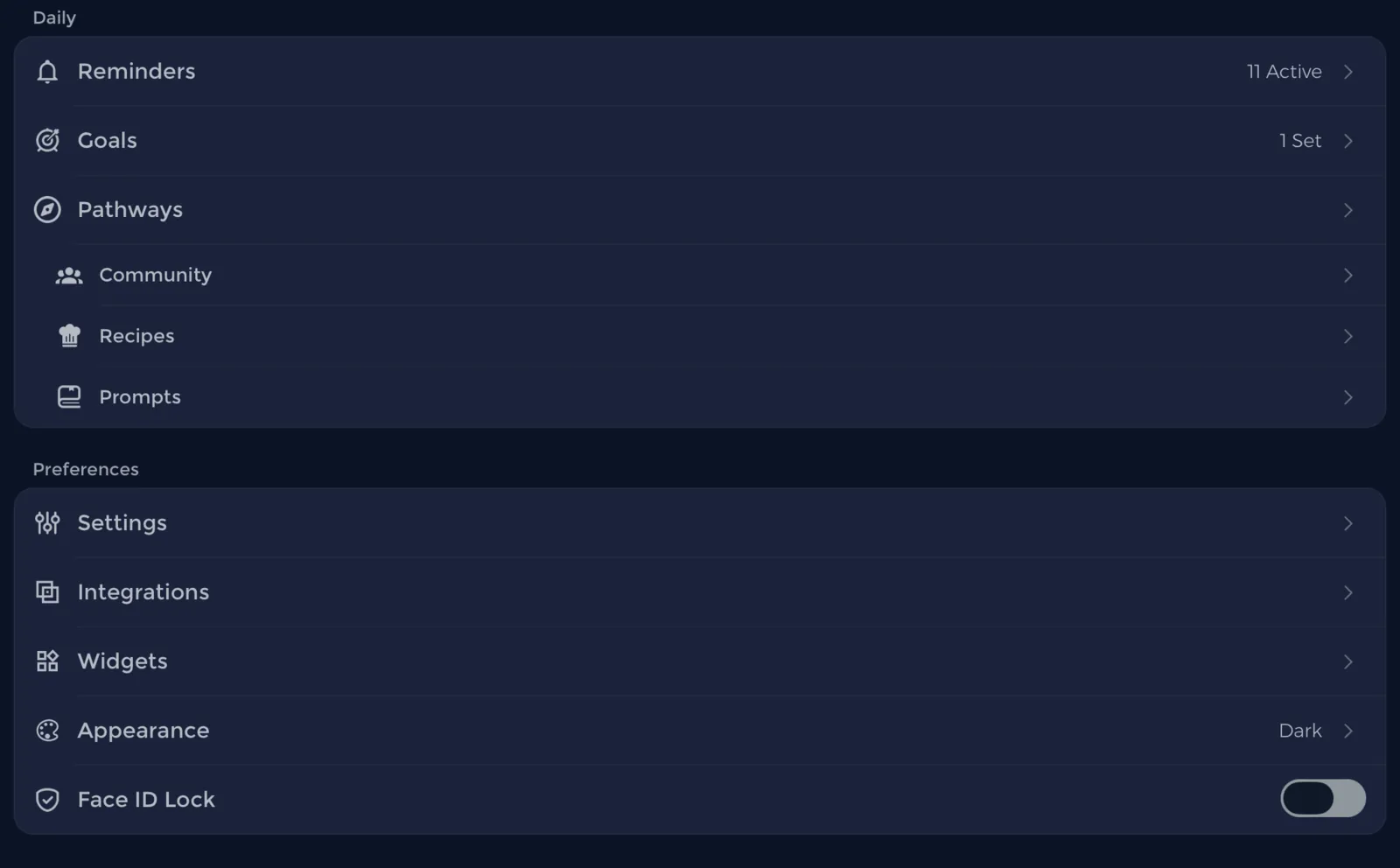
Fatigue, brain fog, migraine, and tremor all make small text and small targets harder to use. A larger screen with adjustable text is not a luxury when your hands are shaking or light hurts your eyes, so accessibility is handled in the settings you already control rather than buried in a separate mode.
- Dark mode for light sensitivity, light mode when you prefer it
- Text size follows the macOS system setting, and the app adds its own adjustment on top of it
- The window adapts as you resize it, keeping a full sidebar on a wide window and a compact icon rail on a narrow one
- Buttons and controls carry screen-reader labels, so VoiceOver can announce what each one does
- Choose from 50 languages, 9 fully translated and the rest handled by on-device translation
- Turn off the trackers you do not use and keep the screen quiet
Your health record
The paperwork that never lives in one place
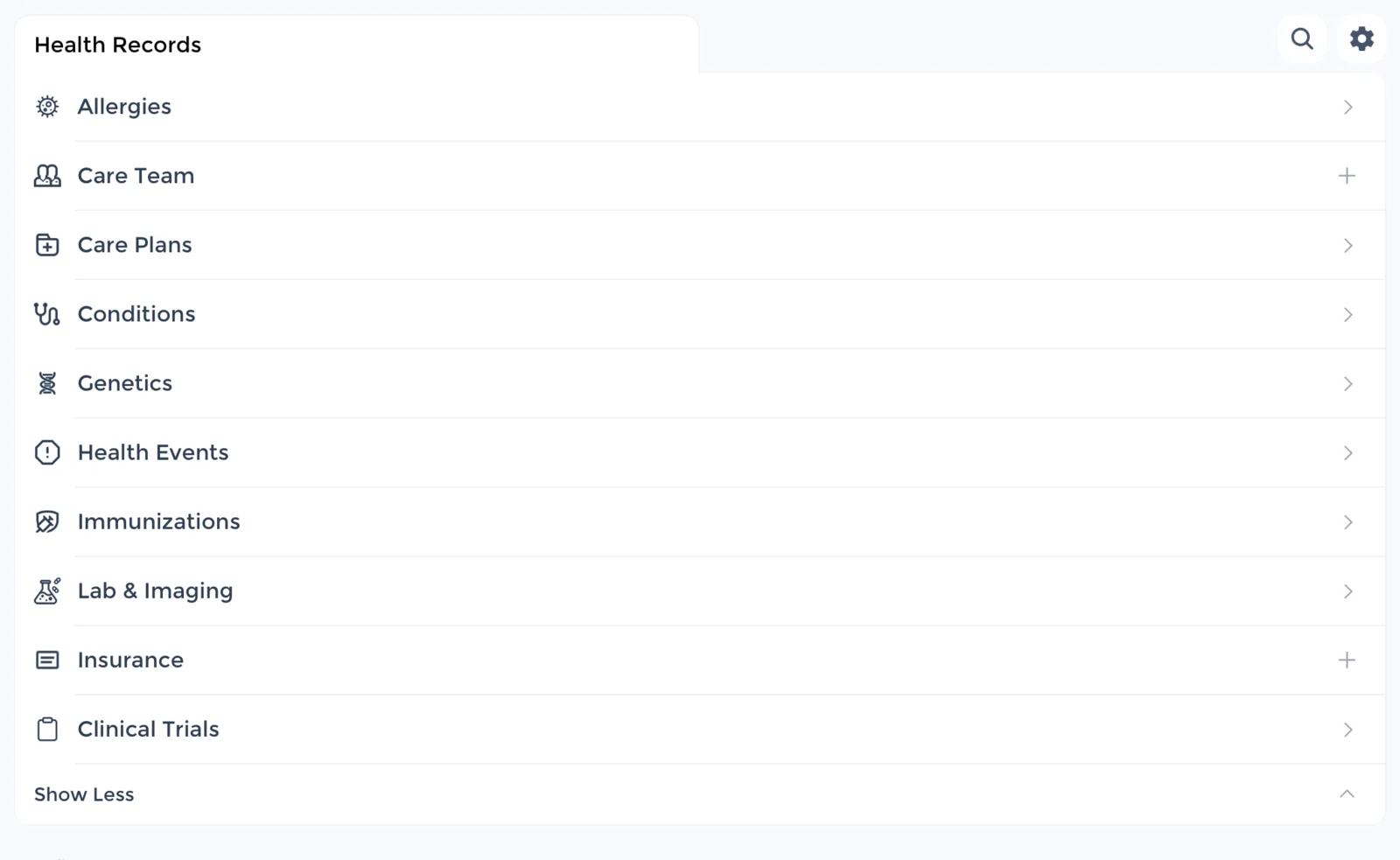
Lab results are in an email, the imaging report is on paper, and the name of the medication you stopped taking in March is somewhere in a text thread. Keeping them beside your daily tracking means you can answer a question without a search.
You do not have to type all of it in. If your clinic connects to Apple Health on your iPhone, the records it shares can be imported instead of retyped, and they appear in the same account you use here. Imported records cover conditions, procedures, allergies, immunizations, lab and test results, and prescribed medications. Measurements such as steps, heart rate, sleep, weight, blood pressure, blood glucose, body temperature, and respiratory rate can come in the same way.
Records are encrypted on your device and on our servers, and nothing is shared unless you choose to share it.
- Allergies, conditions, immunizations, labs, and imaging
- Records imported from Apple Health rather than retyped
- Appointments and care team contact details
- Journal notes and photos for context
- Separate profiles for a child or someone you care for
Care sharing
Keep your care team organized in one place
CareClinic gives family members, caregivers, and clinicians a clear place in your Care Circle. Review the people you have added and manage each saved connection.
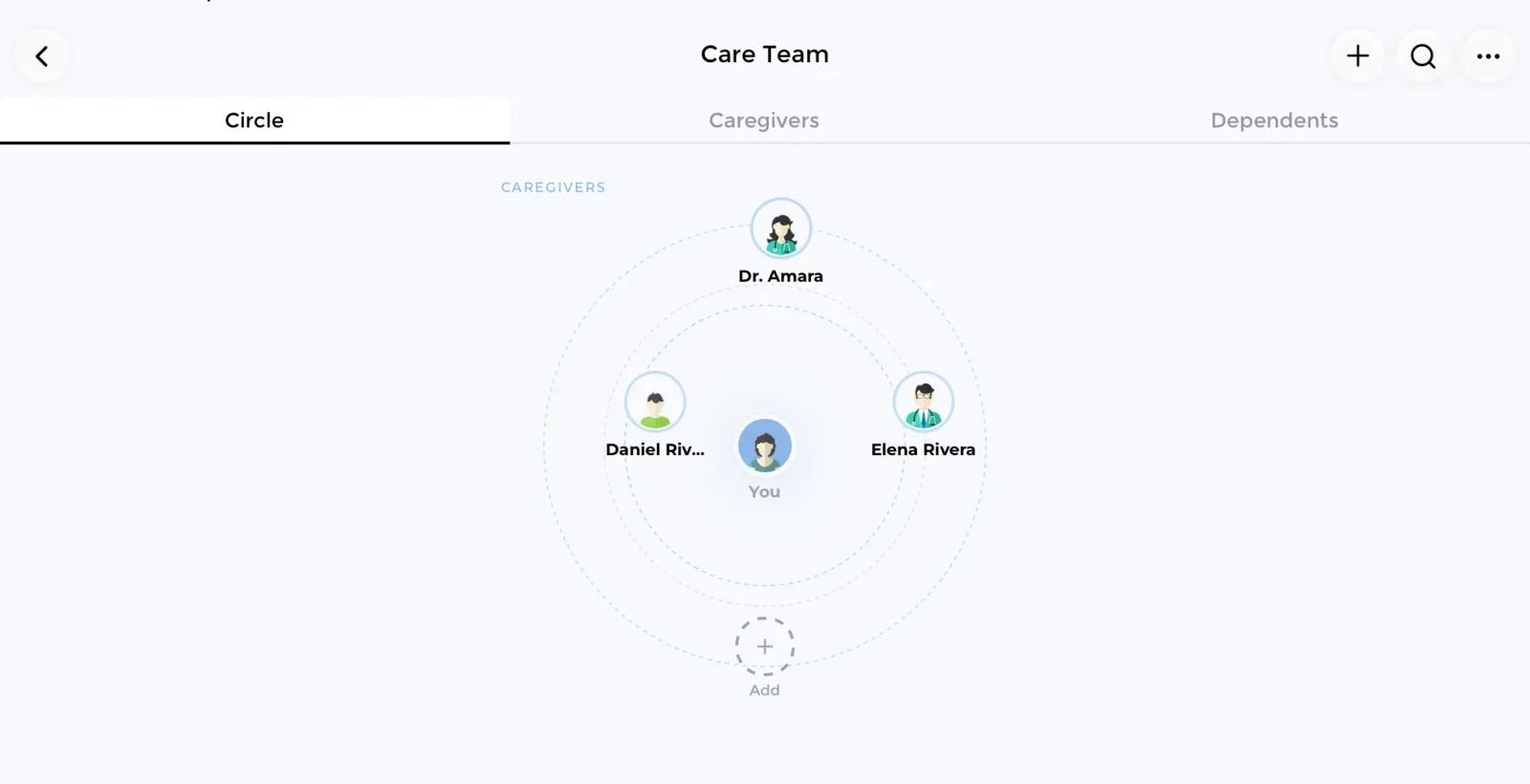
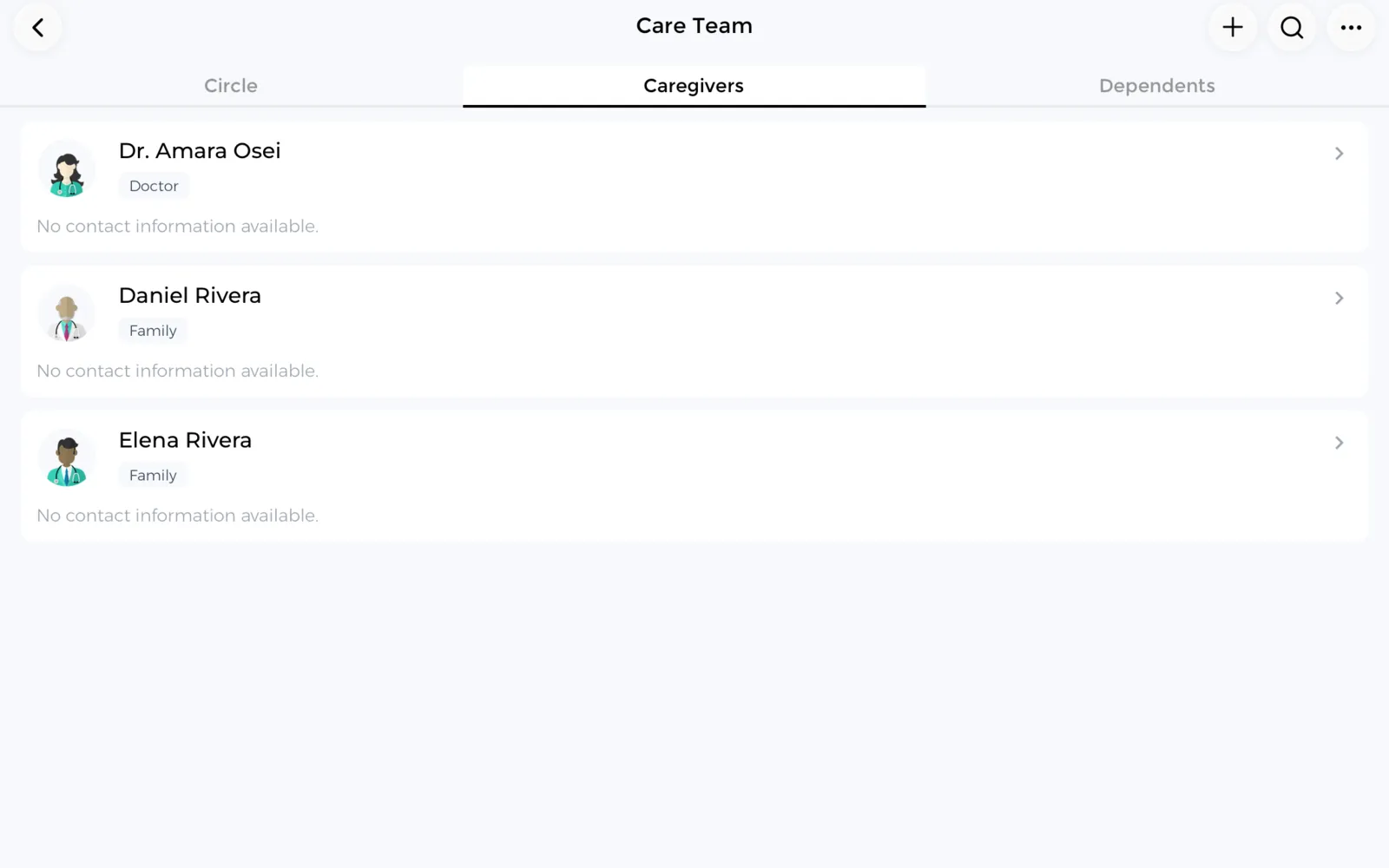
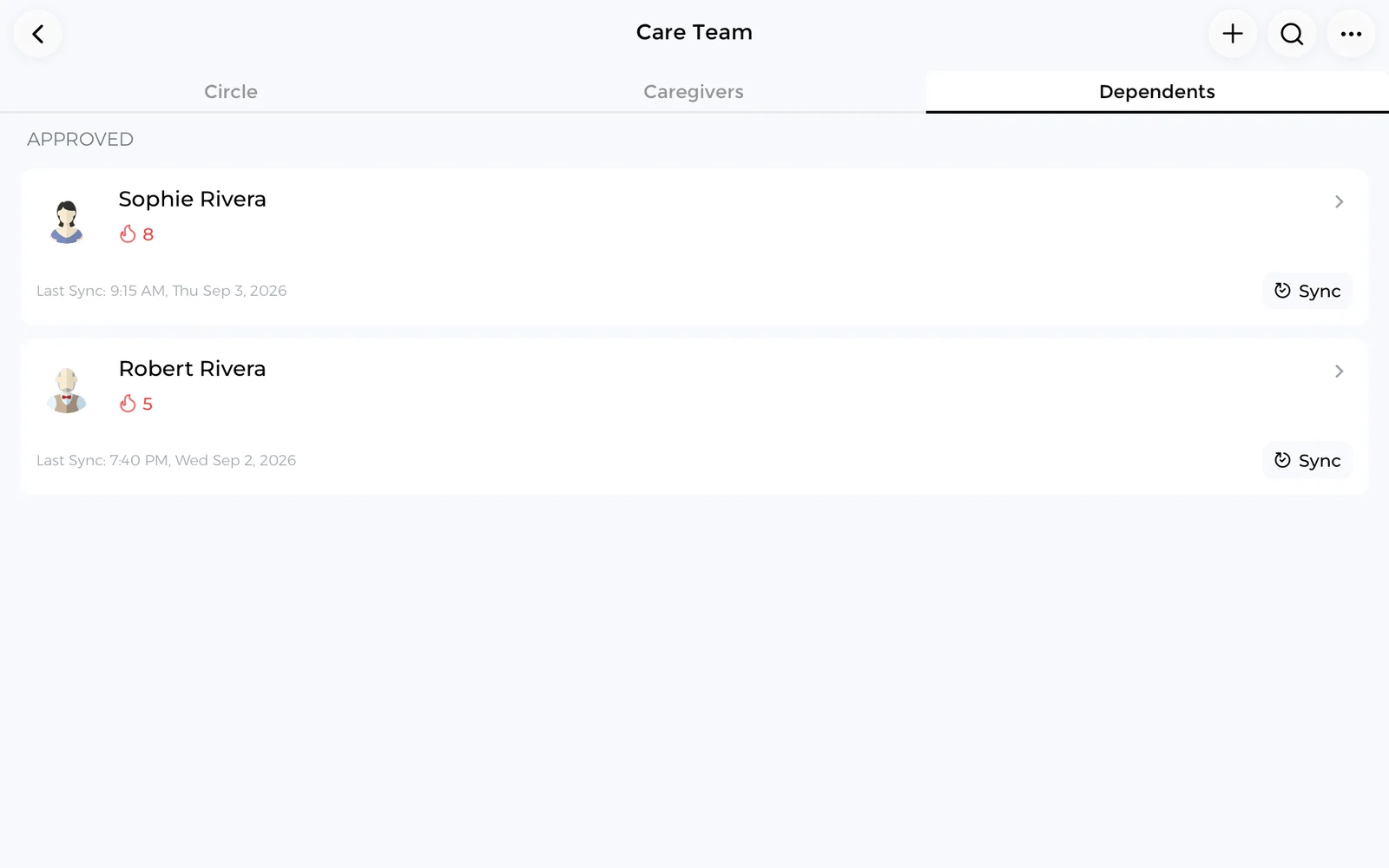
You control who appears in your Care Circle and can remove a saved contact at any time.
Your health record stays yours
Health information is sensitive. How it is handled should be easy to understand rather than buried in a policy document.
Encrypted
Your data is encrypted on your device and on CareClinic servers.
Never sold
CareClinic does not sell your personal health data.
Exportable
Export or delete your information through your account controls.
Your choice
You decide what to record and who is allowed to see it.
Getting started
Set up in a few minutes
If you already use CareClinic, your information is waiting as soon as you sign in.
Start in three steps
Nothing needs to be re-entered if you have tracked with CareClinic before.
Download from the App Store
Open the CareClinic for Mac listing on the App Store and install it.
Sign in or create an account
A free account can be created inside the app in under a minute.
Pick up where you left off
Your trackers, care plan, and history are already there.
Explore CareClinic
Learn more about the trackers you can turn on inside the app.


CareClinic for Mac FAQ
Is the Mac app a separate purchase?
No. It is part of the same App Store listing as the iPhone and iPad app, so downloading it on your Mac does not require a separate purchase.
What version of macOS do I need?
The desktop app requires macOS 14.0 or later.
Do my entries sync between my Mac and my phone?
Yes. CareClinic uses one account and one health record, so entries you make on your Mac appear on your other signed-in devices.
Does CareClinic work without an internet connection?
Yes. You can record entries while offline and they sync the next time your Mac is connected.
Can I track symptoms and medications on a Mac?
Yes. You can log symptoms, severity, medications, supplements, mood, sleep, nutrition, activity, and measurements from the Mac app.
Do I need to re-enter my history?
No. Sign in with your existing account and your trackers, care plan, and previous entries are already available.
Do I need an account before I download it?
No. You can create a free CareClinic account inside the app after installing it.
Is CareClinic available in other languages?
Yes. CareClinic is available in many languages, so you can record your health in the language you are most comfortable using.
Can family or a caregiver see my record?
Only if you invite them. You choose what each person in your care circle can see, and you can remove their access at any time.
Can I see charts and trends on my Mac?
Yes. The Insights and Timeline views show your recorded data as charts and a chronological history you can review over time.
Does CareClinic for Mac support dark mode?
Yes. You can switch between light and dark appearance and adjust text size in the app's settings.
Is my health data private?
Your data is encrypted on your device and on CareClinic servers, and CareClinic does not sell your personal health data.
Stop rebuilding your health history from memory
Every appointment starts with the same question about what changed and when. Answer it from a record instead of a guess.
Free to start. Works offline. Syncs with your iPhone, iPad, and Apple Watch.