
How to use CareClinic
From your first check-in to your next appointment. Short guides with real app screens, essentials first, then the tools that fit your day.
Already using the app? These guides show you features worth trying next.
Your Getting Started guide
A place to start.
A path to better days.
Begin with the essentials, then explore what matters to you. Each guide helps you take the next step.
01Start with the essentials
A little setup. A clearer day.
Get settled, save your first check-in and keep your medications on track.
-
Install the app, sign in with Apple, Google or email, and let a short setup build your first care plan around your main goal.
-
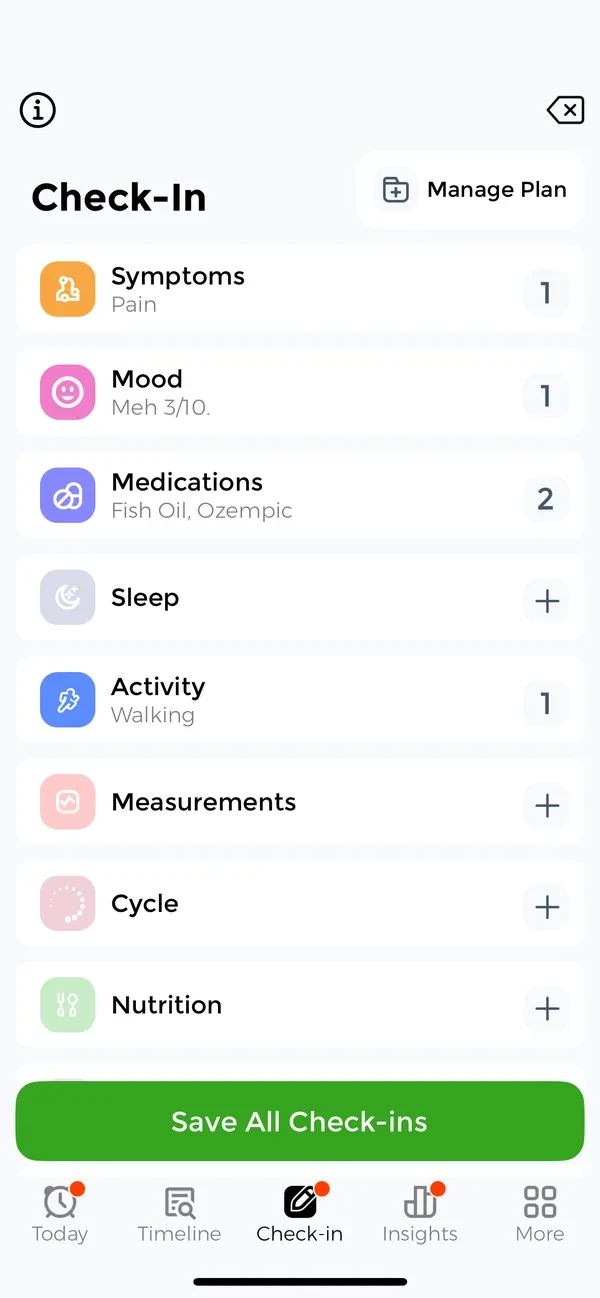
One check-in a day for medications, symptoms, mood and sleep, so the pattern behind a hard week is already written down.
-
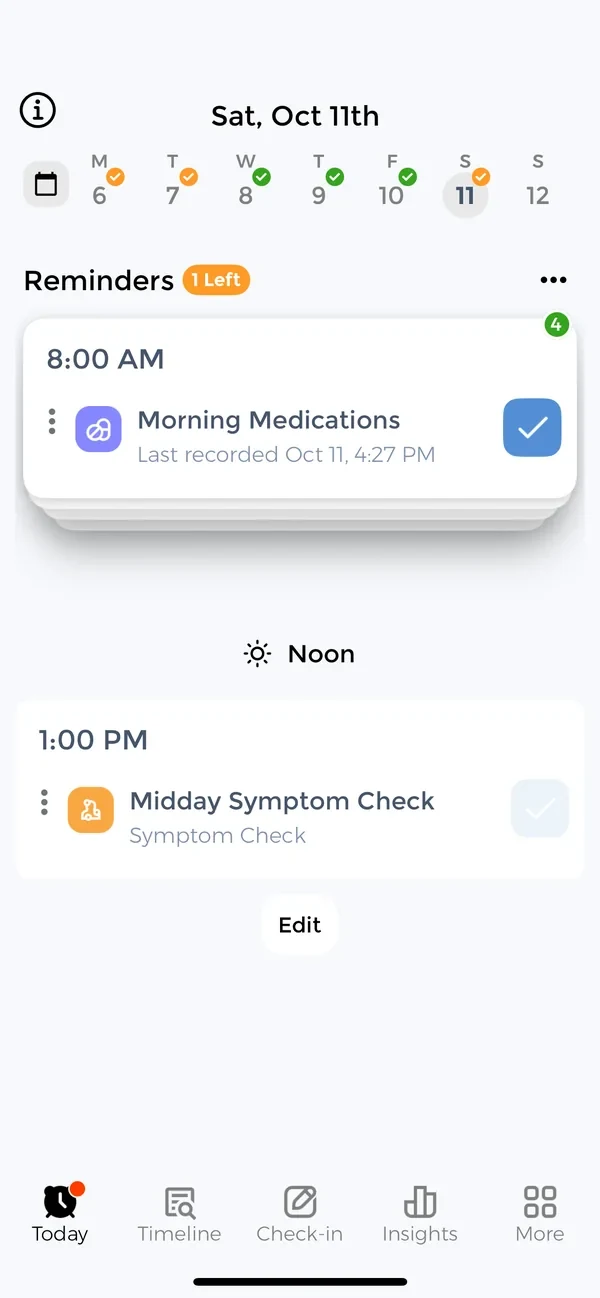
Add a medication once and get a reminder for any schedule, from a daily pill to a weekly injection.
-
Rate a symptom in seconds, mark where it hurts on the Body Map and see whether it is easing over the weeks.
-
Tell CareClinic how many doses you have and it counts down with every dose, so you can reorder before you run out.
02Build your daily routine
Small habits, made easier.
Make space for the things that shape how you feel, one day at a time.
-
Keep the medications, symptoms and measurements you track for each condition in one short, tidy plan.
-
Rate your mood, name how you feel and keep a private journal right next to your symptoms and medications.
-
08
Sleep
Log how long and how well you slept, note what woke you, and see how your nights line up with the rest of your health.
-
Log meals and drinks in a few taps, scan a meal with your camera, and see what you ate next to how you felt.
-
Log blood pressure, blood glucose, weight or any reading your doctor asks for, and see your numbers settle on a chart.
-
Set a target for weight, blood pressure or calories and watch progress fill in from what you already log.
03Understand your health
See what your days are telling you.
Turn what you track into a clearer picture of your health over time.
-
Every check-in and dose on one dated Timeline, ready to answer when something started.
-
Charts that show whether your symptoms are easing, how you sleep and how often you take your medications on time.
-
14
Carey AI
Ask about your own health data in plain words, like how your mood has been this week, and jump to the screen with the answer.
-
Take a PHQ-9, GAD-7 or another validated questionnaire and follow your score from one month to the next.
04Bring your care team together
Better prepared. Better connected.
Have the right information ready for the people who help care for you.
-
16
Appointments
Keep every visit, its address or video link and what was said, so nothing gets lost between appointments.
-
Record lab results, keep the original PDF and see your biomarkers over time in Insights.
-
Bring lab results, medications and vaccine records from your hospital into CareClinic through Apple Health on iPhone.
-
Turn your logs into a PDF report or a spreadsheet for your doctor, your clinic portal or your own records.
-
20
Care Team
Add a partner, parent or doctor and choose exactly what each person can see, log or change.
-
Keep your conditions, allergies, vaccines and other records in one place, ready for the questions every new doctor asks.
-
Connect Apple Health or Health Connect once and let sleep, steps and readings arrive in CareClinic on their own.
05Make CareClinic your own
More ways to make it work for you.
Find shortcuts, explore your devices and make the app fit your life.
-
See what is due and log a dose from your home screen, your lock screen or with your voice, without opening the app.
-
24
Apple Watch
Mark a dose as taken and log a symptom, your mood or a glass of water from your wrist.
-
25
Mac and Web
Use the same account on your Mac or in a browser, where longer notes and months of charts are easier to work with.
-
Guided care plans plus CBT lessons, soundscapes, health assessments and other self-care tools.
-
Lock CareClinic with Face ID, check what each caregiver can see, and manage your password and account.
-
Dark mode, bigger text, your language and the small habits that make CareClinic faster every day.
Still Not Using CareClinic?
Stop winging your health. CareClinic tracks, reminds, and simplifies everything in one place so you can focus on living, not remembering.
No more forgotten meds, lost notes, or wasted appointments.
What CareClinic Users Love Most:
- Never miss a dose or appointment
- All your health data in one place
- Instant reports for your doctor
- Works for every condition
Frequently Asked Questions
Do I need an account to use the app?
Yes, this lets you back-up your data and sync across devices securely.
How much does it cost?
Most features are free.
Can I share data with my doctor?
Yes. You can export reports as PDFs or CSVs and email or print them for appointments.
Can I use the app offline?
Yes, most features work offline. Your data will sync once you're connected again.
How do I track a new symptom?
Tap Check-in, then Symptoms, and tap + at the top to add a symptom that is not on your list yet. Rate it, mark where it hurts on the Body Map, and save your check-in.
What platforms are supported?
CareClinic is available on iPhone, iPad, Android, Apple Watch, Mac and the web. Sign in with the same account across your devices.