CareClinic MCP
Ask your AI Assistant about your health
Bring the health details you track into a supported AI health assistant for questions about schedules, symptoms, moods, and recorded patterns.

What you can ask
Start with the question on your mind
Choose a task to see how a question becomes a useful answer.
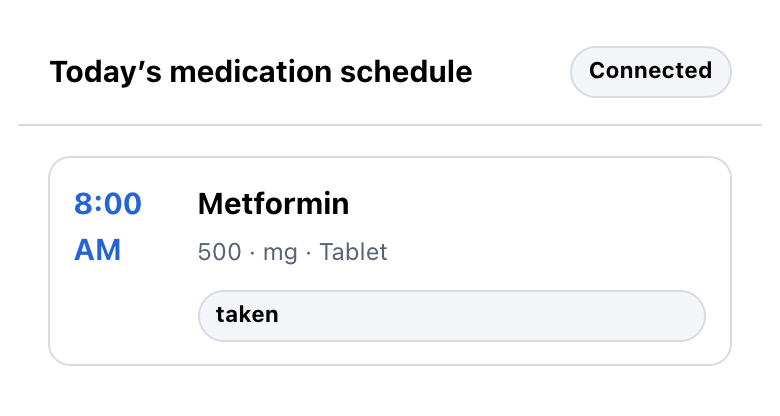
YouShow today's medication and supplement schedule from my account.
Know what is due and what is already recorded
Ask for today's medication and supplement schedule to see times, doses, forms, what is due, and what you already logged.
- See times and doses
- Check forms and instructions
- See what is upcoming, taken, skipped, or snoozed

YouShow the symptoms I logged over the last two weeks and how their severity changed.
See how your symptoms changed over time
Review each symptom, when you logged it, and its severity for the date range you choose.
- Review each recorded entry
- Compare severity over time
- Spot symptoms logged more than once
YouShow the moods I recorded over the last two weeks and summarize how they changed.
See how your mood entries changed
Bring mood labels and recorded energy into the conversation, then compare them across your chosen period.
- Review labels and dates
- Compare recorded energy
- Summarize changes across entries
YouShow when I marked Metformin as taken or skipped recently.
Review what you logged for a medication
See when you marked a dose as taken or skipped. Missing logs are not counted as skipped.
- Taken: 2 times
- Skipped: 1 time
- See the date for each entry
YouWhat patterns can you find in what I logged over the last 30 days?
Turn your entries into a useful summary
See entry counts, recorded averages, and changes across the period you choose without guessing why they happened.
- Your chosen period
- Counts and recorded averages
- No assumptions about cause

YouWhen did I last log a headache?
See the most recent entry
Your latest Headache entry was 4 days ago, with a recorded severity of 3/10.
- Logged 4 days ago
- Severity 3/10
- Latest matching entry
YouLog a Headache at severity 6 for 45 minutes.
Review a check-in before it is saved
Tell your assistant what you want to log. It shows the symptom or mood check-in for your review before anything is saved.
- See what will be saved
- Fix anything that is wrong
- Confirm or cancel

How it works
From your question to a useful answer
Connect a supported assistant, ask about what you track, and review the result.
- 01
Connect
Choose the connection in a supported AI assistant or MCP app and review the requested access.
- 02
Ask
Ask about schedules, symptoms, moods, medication entries, or patterns from what you recorded.
Show the symptoms I logged over the last two weeks.
- 03
Review
Review the answer. If you ask to log a symptom or mood, confirm or cancel before anything is saved.
Answer readySaving a check-in? Confirm or cancel.
Health data you can ask about
Turn what you track into answers you can use
Your assistant can bring selected health information into the conversation when it matches your question.

Symptoms you logged
Review when symptoms happened, how severe they felt, and how they changed.

Mood history
Compare the mood labels and energy levels you recorded across a chosen period.

Medication schedules
Check medication and supplement times, doses, forms, and recorded activity.

Recorded patterns
Summarize counts, averages, and changes across the time period you choose.
People use CareClinic as a health tracker, symptom tracker, and condition tracker for migraines, asthma, diabetes, arthritis, heart disease, anxiety, depression, ADHD, insomnia, and other ongoing conditions.
Through the MCP connection, your assistant can work with selected schedules, symptoms, moods, medication entries, and patterns from what you logged. Supported assistants can also show a symptom or mood check-in for review before saving.
Privacy and control
Your record stays under your control
CareClinic remains the source of your health record. A supported assistant receives only the selected data needed for your task.
- You approve access
Allow or deny the connection.
- The host applies its policy
Shared results follow the connected platform's data policy.
- Nothing saves silently
Review the check-in, then confirm or cancel.
For developers
Connect CareClinic MCP with standard tools
The service uses Streamable HTTP and OAuth. It returns scoped record data and keeps symptom or mood saving behind a separate confirmation step.
Read developer setup- Endpoint
https://mcp.careclinic.io/mcp - Registry ID
io.careclinic/health-tracker- Transport
- Streamable HTTP
- Authorization
- OAuth
CareClinic MCP FAQ
What can I ask?
Ask about today's medication and supplement schedule, symptoms, moods, or medications you logged, and patterns over a period you choose. Supported assistants can also show a symptom or mood check-in for review before saving.
Does my AI assistant see my entire record?
No. The assistant receives only the information needed for your question. Notes and technical record IDs that are not needed are left out.
How does CareClinic connect through MCP?
A supported AI assistant or MCP app connects to the CareClinic MCP endpoint using OAuth. After you approve access, it can request only the selected health information needed for your question. The connection does not give the assistant unrestricted access to your account.
How can I review or change medications?
Review medication schedules and what you logged through the connection. Add or change medications in CareClinic, where those changes stay in your health record for your next AI-assisted conversation.
What can I ask ChatGPT about my health?
Ask ChatGPT to review medication schedules, summarize symptoms or moods you logged, compare entries over a period you choose, or prepare a symptom or mood check-in for your review. Results stay informational and do not diagnose, determine cause, or recommend treatment.
Does the connection provide medical advice?
No. Results are informational and based on what was recorded in your account. The connection does not diagnose conditions, infer causes, recommend treatment, monitor emergencies, or replace advice from a qualified healthcare professional.
What information is shared?
The connection shares selected health information needed for the request with your AI assistant. That assistant may retain the result under its own policy. You can deny access or cancel a check-in before saving.
How do I disconnect?
Open the connection settings in your AI assistant and remove the connection. After access is revoked, the assistant cannot make another request unless you authorize it again.
Get started
Ask about the health information you already track
Use a supported assistant to review schedules, symptoms, moods, medications, and patterns in the health information you track.
Show the symptoms I logged over the last two weeks and summarize any patterns.
Use the health information you track with a supported AI assistant or MCP app.