


Caring for a parent means chasing records, doses and siblings at the same time. This look at the Slothwise app and CareClinic shows how each one pulls that into one place, so every appointment starts with a clear story.
This guide is for the adult child who handles a parent's appointments, pills and paperwork, often with a brother or sister sharing the load.
What a medical records app for a parent should do
Your parent probably sees a family doctor, a specialist or two and maybe a hospital clinic. Each one keeps its own file, but none of them sees what happens at home. So the best app for medical records does more than store test results. It also makes daily care easier for the people doing it.
In practice, a family usually needs four things from it:
- Records from different clinics in one place, so you stop asking each office for printouts.
- A simple way to log symptoms and doses between visits.
- Sharing that shows each relative the right amount.
- Finally, a short summary to bring to the next appointment.
Above all, it should stay easy to use. For example, a caregiver who opens the app at 11 at night needs to find the medication list fast, without scrolling past screens nobody uses.
Slothwise and CareClinic start from different places
Slothwise, made by 360H Inc., describes itself as a health partner for medical records and caregiving. Its promise is one place that knows a person's health history, keeps it current and brings it to the doctor. Two things set it apart. First, it says it connects to Medicare and more than 70,000 hospitals, clinics and insurance portals. Second, much of its caregiving runs through text messages. You can also read more on the Slothwise website.
CareClinic, however, starts from the everyday. On a normal day, you might note how your parent feels and check off the morning pills. You enable only the trackers you need, and the others stay off, so the app shows only what your family uses. Then, as needs change, you can add more trackers or a care plan later. The app starts simple yet handles more complex care too, such as several conditions or a dependent's profile. It suits people of any age, from teens to older adults and the family members helping them.
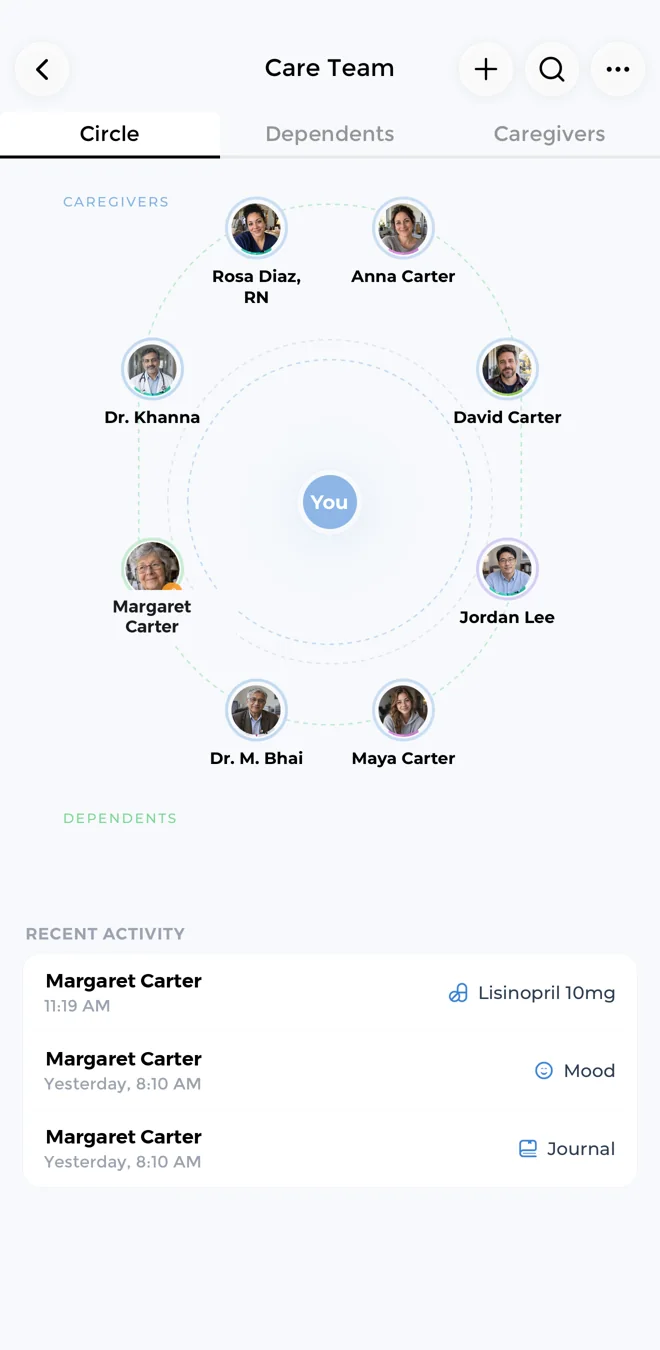
When you need more, CareClinic also has two areas that many tracking apps leave out. The health record holds a parent's lab results, imaging, immunizations and medical documents. In addition, the Care Team lets you add caregivers and manage your parent's profile as a dependent, so you can track for them.
Getting a parent's records into one place
Most caregivers start here because the records are spread across so many offices. When the records sit together, you can answer a nurse's question without three phone calls.
Slothwise pulls records from portals
Slothwise connects to patient portals and insurance accounts, then combines records, labs, medications and wearable data into one history. Its FAQ describes texting a keyword, confirming your identity on a secure page, and then receiving records in about 10 minutes. So if your parent's care is spread across many health systems, that portal reach is the main reason to look at Slothwise.
CareClinic keeps records next to daily care
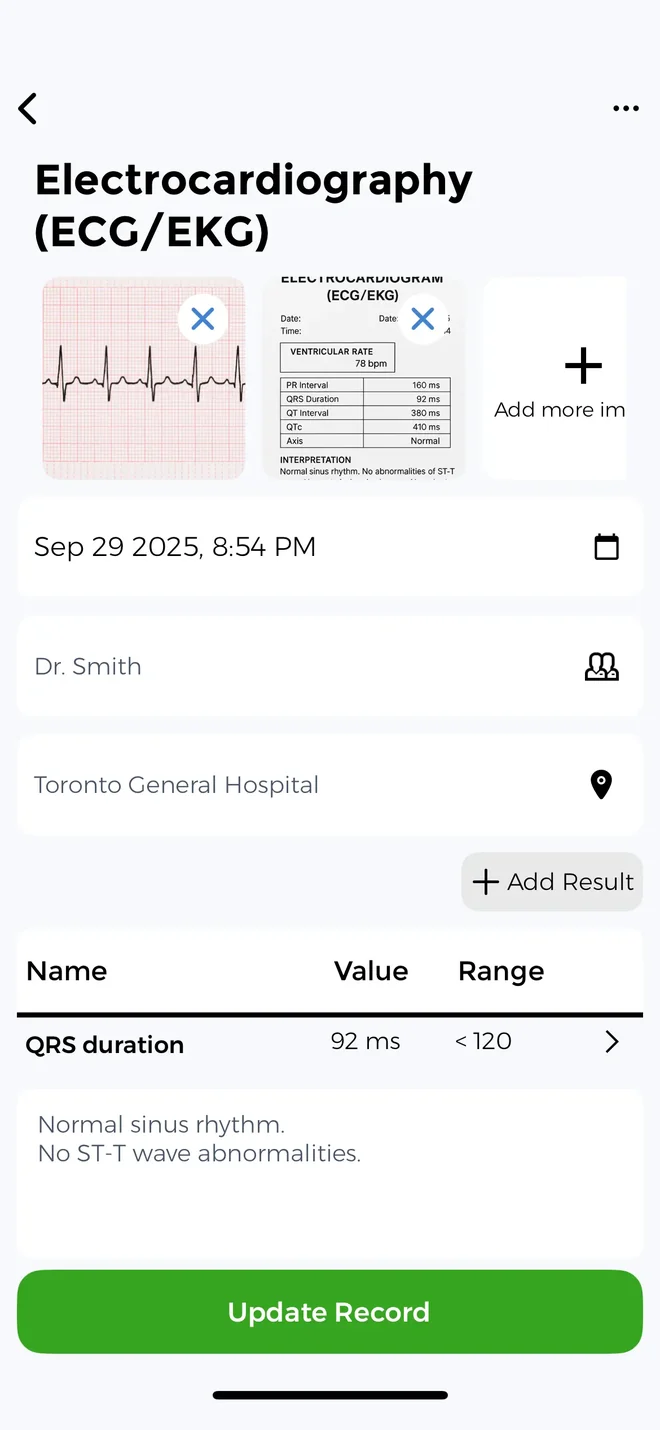
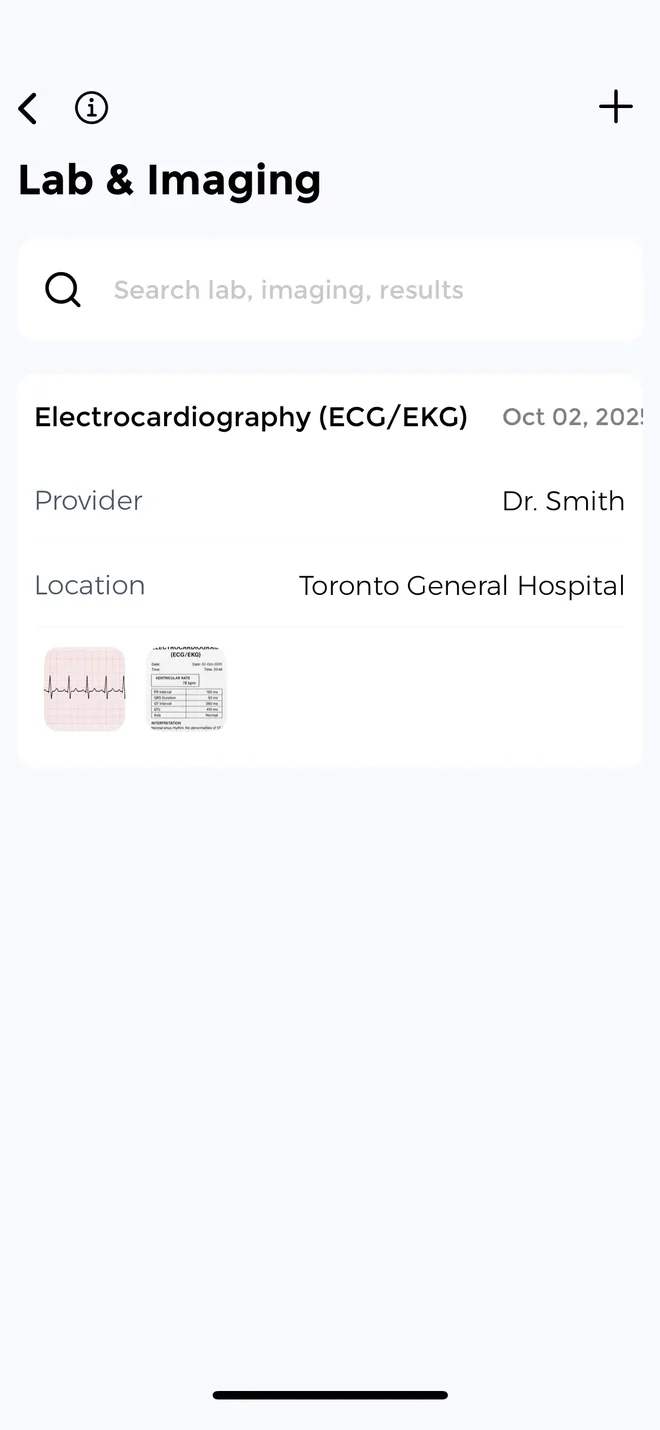
First, CareClinic imports hospital records through Apple Health Records on iPhone. Its health record then holds lab results, imaging, immunizations and medical documents in one place.
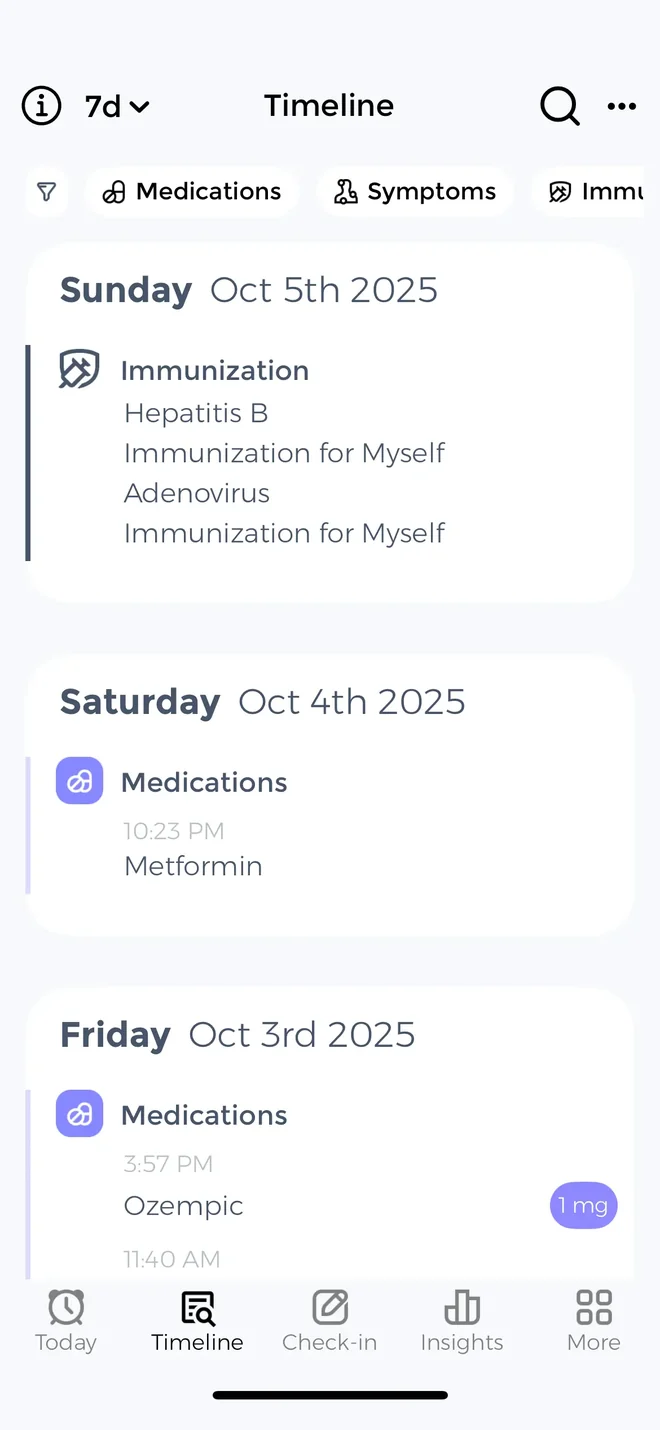
Those records also sit on the same Timeline as your parent's daily entries. For example, a potassium result appears next to the week of fatigue, missed doses and poor sleep around it. Records tell you what happened at the clinic, while daily logs tell you what happened at home. The CareClinic personal health record keeps both together, so you see the whole picture on one screen.
Caregiver tip: Apple Health Records lives in the Health app on iPhone. If your parent uses an iPhone, connect the hospital account in the Health app on that phone first, then import the records into CareClinic there.
What happens between appointments
Appointments are short, but the weeks between them are where you notice that Mom is dizzier in the mornings or that Dad's swelling returns after salty meals. So the app should make those changes easy to record and easy to see.
In CareClinic, a typical day might be one or two entries. You pick symptoms from a large built-in symptom list, and you can also add any symptom you want, such as "foggy after lunch".
If you need more detail, the symptom tracker app can place a symptom on a body map with its severity and how long it lasted. As a result, "Dad's knee hurt last week" becomes a record of where it hurt, how much and for how long.
Anything you do not use can stay off. Then, when the doctor asks about sleep or fluids, you can turn those trackers on. Likewise, if a parent tires easily, an energy budget helps you pace the day. Meanwhile, the weather is logged automatically, and a journal holds notes from the day.
Readings can also come in from Apple Health, Health Connect, Google Fit and Fitbit. CareClinic connects with Garmin, Dexcom and Oura too, and it has its own Apple Watch app. It supports more than 3,500 conditions, so it fits a parent with heart failure, diabetes, Parkinson's or several conditions at once.
Spotting patterns before the next appointment
Over time, CareClinic turns those entries into charts. It also shows correlations between symptoms and factors such as sleep, fluids or weather, with flare markers right in the charts. A symptom forecast shows a flare risk percentage, so you can plan a quieter day or call the clinic sooner. Correlations point to patterns worth raising with the doctor, but they do not prove a cause.
Keeping a parent's medications on track
For many adult children, medications are the daily worry. Did Dad take the evening pill? Is the blood thinner about to run out?
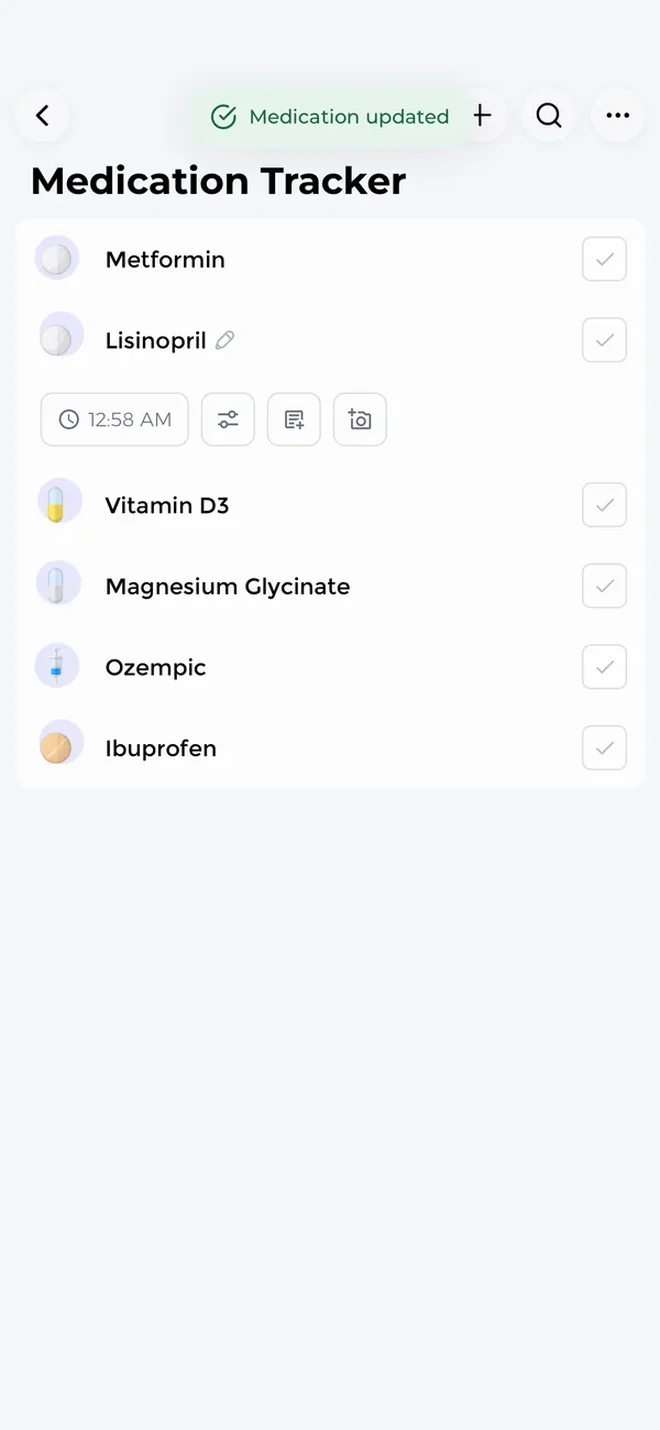
First, CareClinic covers the basics with reminders and a taken and missed history. So when Dad says he took his evening pill, you can check. In addition, refill alerts warn you before a prescription runs out.
Adding a medication is simple, too. Instead of typing a long drug name and dose, you can photograph the bottle or label. The CareClinic medicine tracker handles each of these steps.
CareClinic and Slothwise for families sharing care
Caregiving is rarely a solo job. A sister may handle appointments while a brother handles bills, and a home nurse needs current information on visit days.
CareClinic: a Care Team with permissions
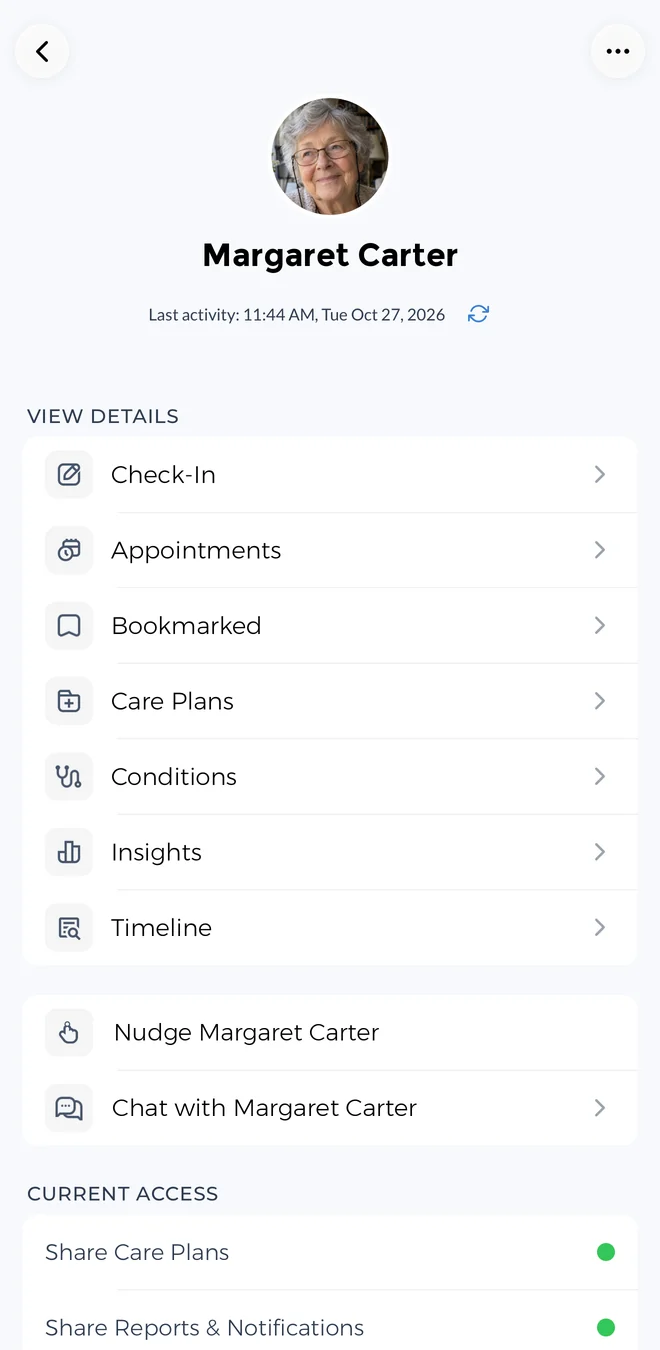
CareClinic is built as a caregiver app for the whole family. In the Care Team, you add caregivers and manage your parent's profile as a dependent, so one person can track for another. You then invite each person by text or link.
Caregivers can also follow along on the web without installing the app. That is especially useful for a relative who lives far away or uses a work computer. CareClinic for web shows the same information they would see on a phone.
Choosing what each person can see
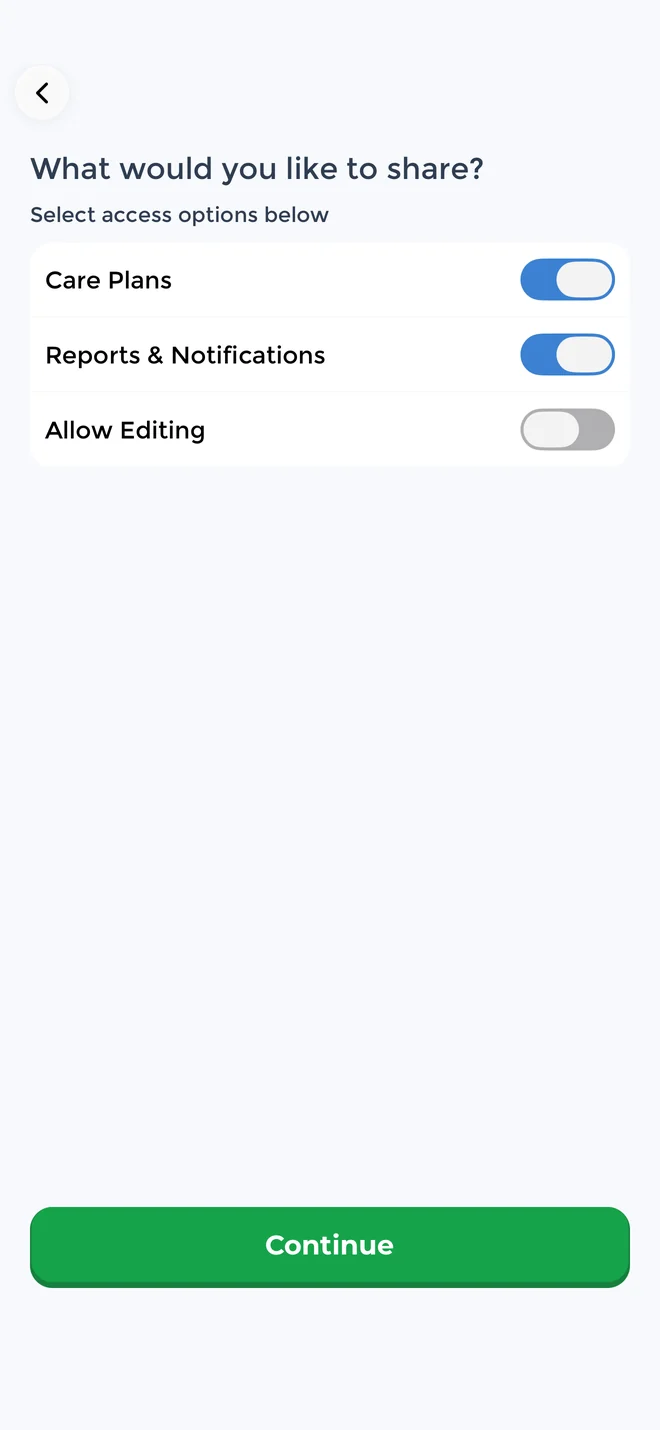
You set permissions for each person, so you decide who sees your parent's health information. You can also change that at any time as roles shift.
Example: two siblings and a home nurse
Your sister, who lives nearby and drives to appointments, gets full access. Meanwhile, your brother overseas follows along on the web from his laptop. Unlike them, the home nurse sees only what she needs for her visits. Everyone still works from the same record, so nobody forwards screenshots in a group chat.
Slothwise: caregiving by text
With Slothwise, you invite a parent by text, and that parent can then send questions and logs by text without downloading anything. So this route suits a parent who will not open a new app.
Getting ready for a doctor appointment
A 15 minute appointment goes quickly, so walking in with a clear summary helps the doctor focus on what changed.
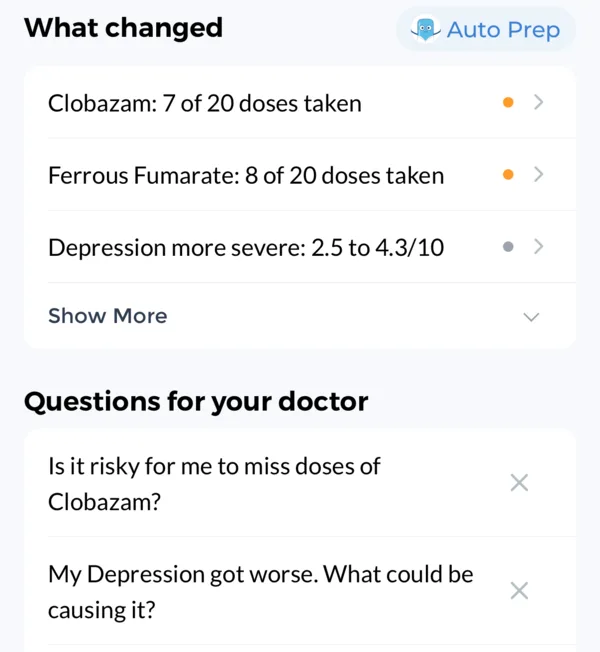
Before a visit, ask Carey, the CareClinic AI health assistant, for a visit summary and questions for the doctor. Carey then builds both from what you have logged and from your parent's records. If the doctor prefers paper, create a PDF doctor report for a date range you choose, such as the weeks since the last visit. A specialist who wants the raw numbers can also get a CSV export.
Slothwise takes a different route to the same appointment. Instead, it makes a visit preparation PDF that it says is tailored to the specialty. You can request it in the app, in the chat or by texting the word doctor.
Asking questions about a parent's health record
Occasionally you need one fact fast, standing in a pharmacy line or on the phone with a nurse. Slothwise answers health questions by text or voice, using saved records and published sources.
Carey, however, answers from your parent's logged data and records together, and it remembers the history you have built over time. Carey also works fully by voice, so you can ask with your hands full. For example, you might ask:
- When did Mom's blood pressure start rising this spring?
- How many evening doses did Dad miss this month?
- What did the last kidney function test show?
Slothwise vs CareClinic feature comparison
The tables below cover the features caregivers ask about most, grouped by caregiving job.
How to read the tables: Slothwise features come from its App Store listing and website at the time of writing. "Not listed" means the feature did not appear in those public materials.
Records and reports
| Feature | CareClinic | Slothwise |
|---|---|---|
| Bring in hospital records | Apple Health Records on iPhone | Connected portals |
| Records next to daily logs | Yes, on the Timeline | Yes |
| Imaging, immunizations and documents | Yes | Not listed |
| PDF doctor report | Yes, for dates you choose | Visit prep PDF |
| CSV export | Yes | Not listed |
Daily tracking and medications
| Feature | CareClinic | Slothwise |
|---|---|---|
| Symptoms | Yes, plus a body map | Yes |
| Mood and sleep | Yes | Yes |
| Vitals and measurements | Yes | Yes |
| Water and fluids | Yes | Not listed |
| Energy budget | Yes | Not listed |
| Automatic weather logging | Yes | Not listed |
| Correlations and flare markers | Yes | Not listed |
| Symptom forecast | Yes | Not listed |
| Wearables and health apps | Yes, including Garmin, Dexcom, Oura and an Apple Watch app | Yes |
| Medication reminders | Yes, with dose history | Yes |
| Refill alerts | Yes | Not listed |
| Add medications with the camera | Yes | Not listed |
Caregiving
| Feature | CareClinic | Slothwise |
|---|---|---|
| Manage a parent's profile from your account | Yes, as a dependent | Yes |
| Invite family | By text or link | By text |
| Take part without installing the app | Yes, on the web | Yes, by text message |
| Permissions for each person | Yes | Not listed |
| Guided care plans and CBT lessons | Yes | Not listed |
| Community discussions | Yes | Not listed |
AI assistant
| Feature | CareClinic | Slothwise |
|---|---|---|
| Answers from your own records | Yes, plus daily logs | Yes |
| Voice | Yes | Yes |
| Remembers your history | Yes | Not listed |
| Visit summary and doctor questions | Yes | Yes |
Platforms and privacy
| Feature | CareClinic | Slothwise |
|---|---|---|
| Platforms | iPhone, iPad, Android, Mac, web, Apple Watch | iPhone, Android, web |
| Privacy | HIPAA compliant, GDPR and PIPEDA aligned, AES-256 encryption, no sale of data | Digital Medicine Society certified |
| App lock | Face ID or passcode | Not listed |
| Languages | Multiple | Not listed |
What the Slothwise app costs
The Slothwise app is free to download. However, its paid plans cost $9.99 per month, $49.99 per year or $249.99 for lifetime access at the time of writing, according to its App Store listing.
Which app fits your family
Most families need both halves of the job: the records from the clinic and the care that happens at home. CareClinic covers both and stays simple on a normal day. On the other hand, Slothwise makes sense when portal reach or caregiving by text matters most.
Slothwise suits you if
- Your parent's records sit in many portals, and you want them pulled in directly.
- Your parent would rather text than use an app.
- You want a visit prep PDF tailored to each specialist.
- A paid plan fits your budget.
CareClinic suits you if
- You want records, symptoms and medications on one Timeline.
- You want an app that shows only the trackers you use.
- You need refill alerts and a dose history siblings can check.
- You want each sibling or helper to see only what they need.
- You want Carey to prepare a visit summary from your parent's own data.
For more side by side reviews, see all CareClinic app comparisons.
CareClinic and Slothwise questions
Cost, AI and reviews
Is the Slothwise app free?
It is free to download, but its paid plans cost up to $249.99 for lifetime access at the time of writing. The monthly plan costs $9.99, while the yearly plan costs $49.99.
Is Slothwise AI powered?
Yes. Slothwise answers health questions by text or voice and can draw on saved records and published sources. However, its App Store listing says these general explanations are educational and not medical advice. You can also ask its AI chat to prepare for a specialist visit.
Is Slothwise legit, and what do Slothwise reviews say?
Yes. Slothwise is a real app from 360H Inc., available on the App Store and Google Play. Its early reviews are positive, including one from a reviewer who expected to dislike it. However, there are only a handful of ratings so far.
What is a good Slothwise alternative for managing a parent's care?
CareClinic is a Slothwise alternative built around daily care. It keeps records next to symptoms and medications, sends refill alerts and lets siblings follow along with permissions you set. Caregivers can also follow along on the web without installing anything.
Records, privacy and devices
Is there a medical records app for caregivers?
On iPhone, CareClinic imports hospital records through Apple Health Records, and its health record holds lab results, imaging, immunizations and medical documents. In the Care Team, you can also manage a parent's profile as a dependent.
Is CareClinic a MyChart alternative?
No. CareClinic instead works best alongside MyChart and other patient portals. On iPhone, CareClinic imports the hospital records a health system shares through Apple Health Records, then keeps them with the daily tracking, medications and notes that a portal does not hold.
Is a parent's health data safe in CareClinic?
Yes. CareClinic is HIPAA compliant and aligned with GDPR and PIPEDA. It encrypts data with AES-256 at rest and TLS in transit, and it never sells health data or uses it for advertising or AI training. It also supports Face ID or a biometric lock and a passcode, and you choose who sees your parent's information by setting permissions for each caregiver.
Do Slothwise and CareClinic work on Android and iPhone?
Yes. Both apps work on iPhone and Android. CareClinic also runs on iPad, Mac, Apple Watch and the web. However, importing hospital records through Apple Health Records requires an iPhone.