


On a low energy day, the best companion app is the one that remembers your history for you. Here is how the Rox chronic illness app and CareClinic catch a slipped dose, flag a flare early and get you ready for the doctor.
Rox, listed on the App Store as Rox: Chronic Illness Care, is an AI companion for iPhone and iPad. CareClinic is a health app with an AI assistant called Carey, and it also runs on Android and the web. This Rox app review follows both apps through an ordinary week, then looks at platforms, doctor reports, cost and privacy.
What a chronic illness companion app should do
On a good day, almost any app can record a symptom. The harder tests come on a flare day, when typing feels like work, and in the doctor's office, when you have ten minutes to explain a month. A companion app is worth keeping when it helps in both moments.
In practice, that comes down to a few things:
- It remembers your history, so you do not repeat yourself.
- Logging takes a minute, and you can use your voice when typing is too much.
- It connects symptoms with sleep and medications, so patterns show up without a spreadsheet.
- It reminds you about a dose before you miss it.
- It turns your record into something a doctor can scan quickly.
- The people who help you see what they need, and nothing more.
It should also stay simple. An app that asks for twenty fields every morning soon gets ignored, so the best setup is the smallest one that still answers your questions.
What Rox is built for
The Rox chronic illness app is aimed at people with POTS, ME/CFS, fibromyalgia, Long COVID, endometriosis, EDS and lupus. It describes itself as an always available bestie for chronic illness. The AI keeps track of your history, baseline, triggers and priorities, then asks follow-up questions about flares, sleep and upcoming appointments.
Rox charges only for the AI conversation, so symptom, medication and wearable tracking, patterns and doctor reports are free. Outside the app, its website also offers browser-based trackers and worksheets. The Rox FAQ also states that wearable readings are not part of its pattern analysis today.
Rox vs CareClinic at a glance
| Feature | Rox | CareClinic |
|---|---|---|
| AI companion that remembers you | Yes | Yes, Carey |
| Symptom logging | Severity and custom symptoms | Built-in symptom list, any symptom you add, body map |
| Energy pacing | Spoon based | Energy budget and energy curve |
| Medication tracking | Yes | Yes |
| Medication reminders and refill alerts | Not listed | Yes |
| Add a medication by photo | Not listed | Yes |
| Wearable data in pattern analysis | No, shown beside your logs | Yes, used in correlations |
| Flare risk forecast | Not listed | Yes |
| Automatic weather logging | Not listed | Yes |
| Period and cycle tracking | Not listed | Yes |
| Health record with labs and imaging | Not listed | Yes |
| Doctor report | Five-section PDF | PDF, CSV and Carey visit summary |
| Caregivers and dependents | Not listed | Care Team with per-person permissions |
| Community discussions | Not listed | Yes |
| HIPAA | Not a covered entity, per Rox | HIPAA compliant |
| Data protection | Encryption, no sale of data, no model training | AES-256 encryption, no sale of data, no AI training, GDPR and PIPEDA aligned |
| Platforms | iPhone and iPad | iPhone, iPad, Android, web, Mac, Apple Watch |
Not listed means we could not find the feature in the Rox App Store listing, website or FAQ at the time of writing.
The CareClinic column is longer, but you turn on only the trackers you use.
A week with CareClinic and Rox
Picture an ordinary week with POTS and fibromyalgia, then see how each app handles the same days.
Monday: logging how you feel
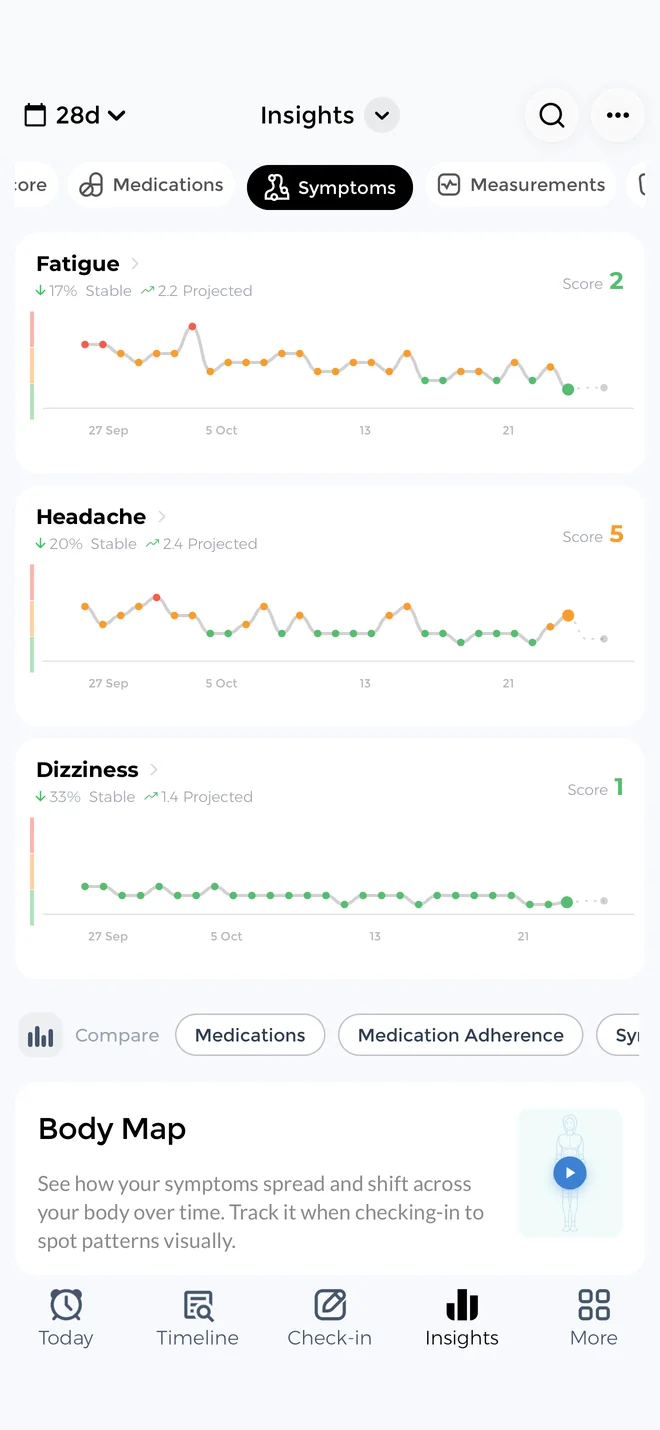
In CareClinic, you pick a symptom from the built-in list or add any symptom you want. Then you tap where it hurts on a body map, rate the severity and set a start and end time. Later, you can see how long a dizzy spell or a pain flare lasted. CareClinic also records the weather for you, so Monday's conditions sit next to your symptoms with no extra step.
If you need more, the same symptom tracker app can also log sleep, mood, water and meals, with a photo scan for meals. Until you turn those on, they stay hidden.
Rox, meanwhile, records symptoms, flares and recovery with a daily severity score and symptoms you define yourself.
Tuesday: talking to the AI
Conversation is the center of Rox, so you write to it the way you would text a friend. It asks what got worse, how you slept and what is coming up, then keeps that context for next time.
Carey, the assistant in CareClinic, also remembers your history, and it answers from the data you have logged. Ask why this week felt harder than last, and Carey works from your actual entries, medications and measurements. You can also talk to Carey by voice and hear its replies, which helps when typing takes too much. Because Carey reads your logs, its answers point back to your own data, and that is the main job of an AI health assistant app.
Wednesday: what your watch picked up
CareClinic connects with Apple Health, Health Connect, Google Fit and Fitbit. It connects with Garmin, Dexcom and Oura too, and there is a CareClinic app for Apple Watch. Readings from WHOOP or Samsung devices that sync to your phone come along as well. Synced readings then become factors that CareClinic checks against your symptoms. If short sleep tends to come before a pain spike, your charts can show it.
Rox connects with Apple Watch, Oura, Garmin, Fitbit and Amazfit, and shows sleep, stress, activity, HRV and resting heart rate next to how you feel. According to the Rox FAQ, these readings sit beside your entries and are not part of its pattern analysis today. Instead, its patterns come from how often symptoms happen, how severe they are, which ones appear together and the notes around them.
Thursday: a flare
In Rox
You log the flare and talk it through. Rox then asks what changed beforehand and compares the day with what it knows about your baseline.
In CareClinic
The flare appears as a marker on your charts next to your sleep, medications, energy and weather. When you scroll back, you can see what came before it, such as a short night, a busy day or a missed dose.
The flare risk forecast
CareClinic also looks ahead. Its symptom forecast uses your own patterns to give a flare risk percentage, so you can plan a lighter Friday when the risk is high. Rox does not list a forecast or flare alert in its public materials.
Pacing after the flare
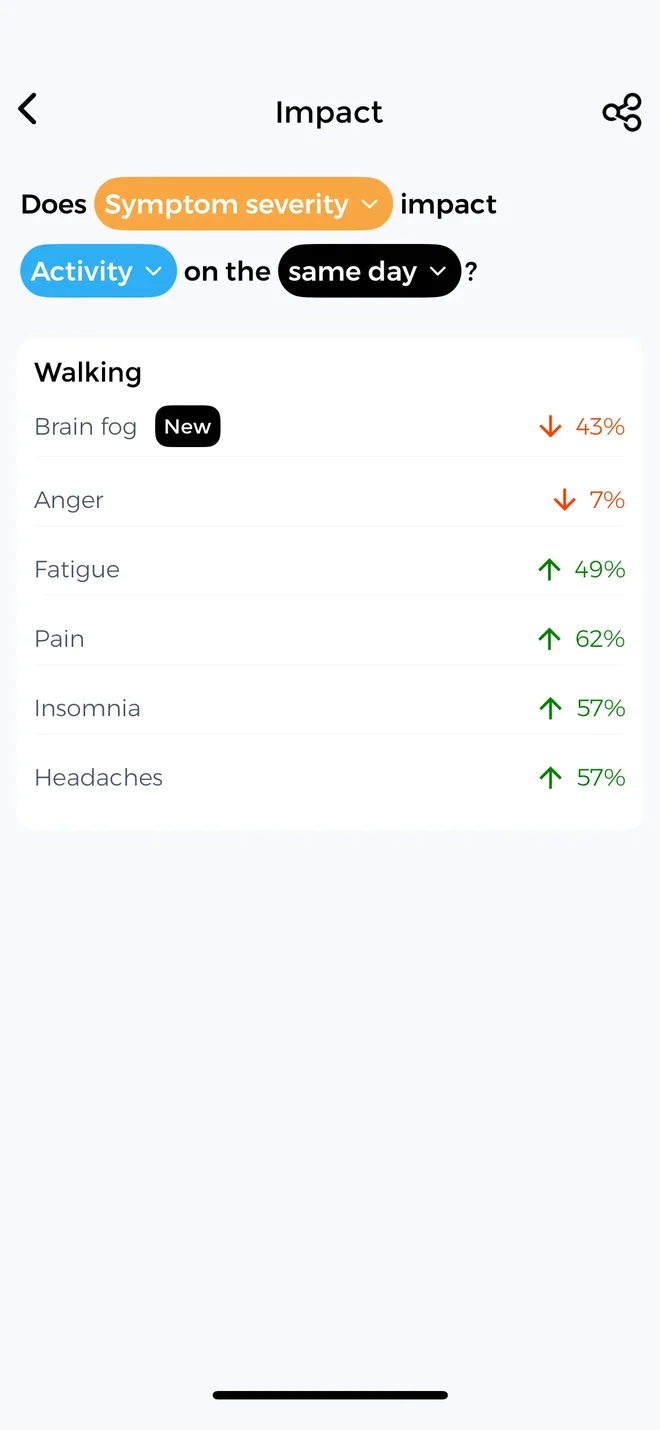
Rox uses spoon-based pacing, while in CareClinic you give activities an energy cost and set a daily energy budget. The energy curve then shows which days you stayed inside it and how you felt afterward. If you do not pace, you can leave this tracker off.
Friday: a dose change
When your doctor raises a dose, you update it in the CareClinic medication tracker, or add a new medication by photographing the bottle or label. Reminders and refill alerts follow from there, along with a history of taken and missed doses. A few weeks later, the change shows up on your charts next to your symptoms, so you can see whether anything moved.
Rox keeps track of medications, treatments and dose changes. However, its public materials do not list medication reminders or refill alerts.
Saturday: getting ready for the doctor
Rox and CareClinic both turn your logs into a PDF for the dates you choose. Rox does not list a place for lab results or other records. In CareClinic, the report sits next to your health record, so a lab result from March is in the same place as the symptoms that followed it. The full report comparison comes after the week.
Sunday: letting family in
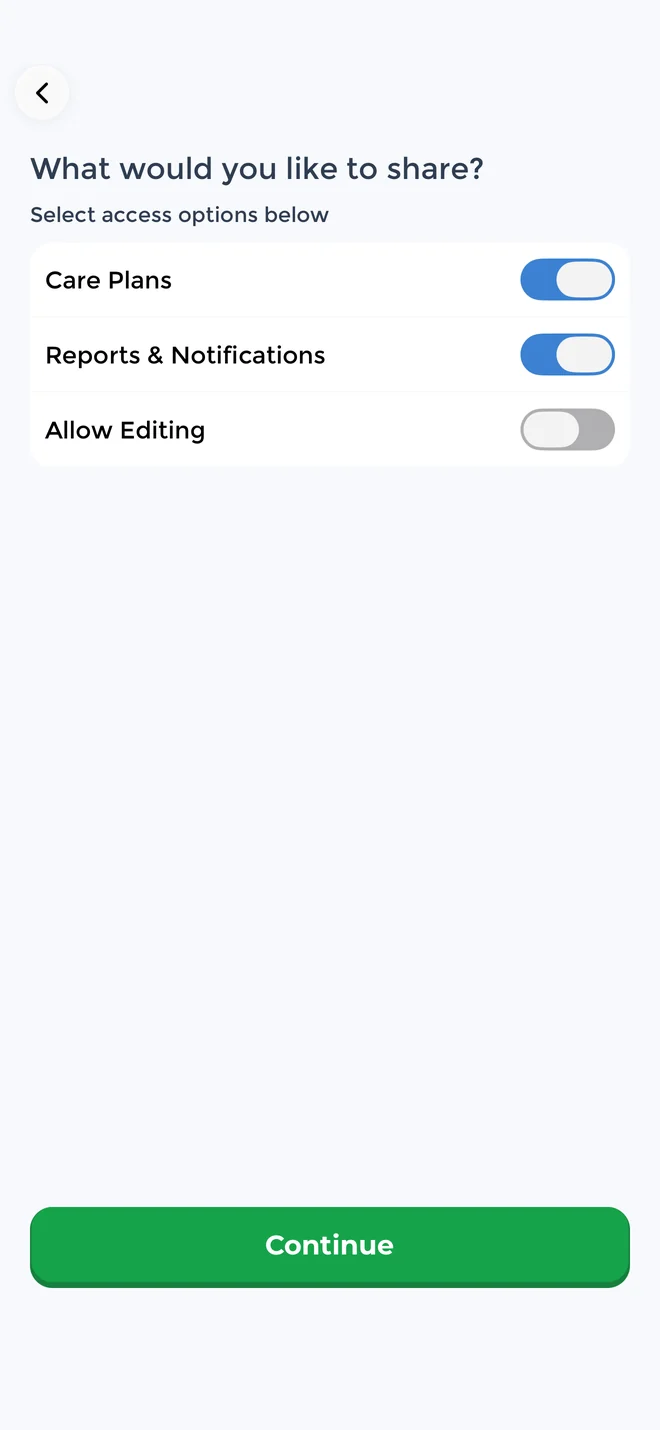
With the caregiver app features in CareClinic, you add a parent, partner or caregiver to your Care Team by text or link. Then you choose what each person can see. They can follow along on the web without installing the app, so your mom can check in on your week from her laptop.
With Rox, you save or print the report and choose when to share it. Rox does not list a caregiver or family sharing feature.
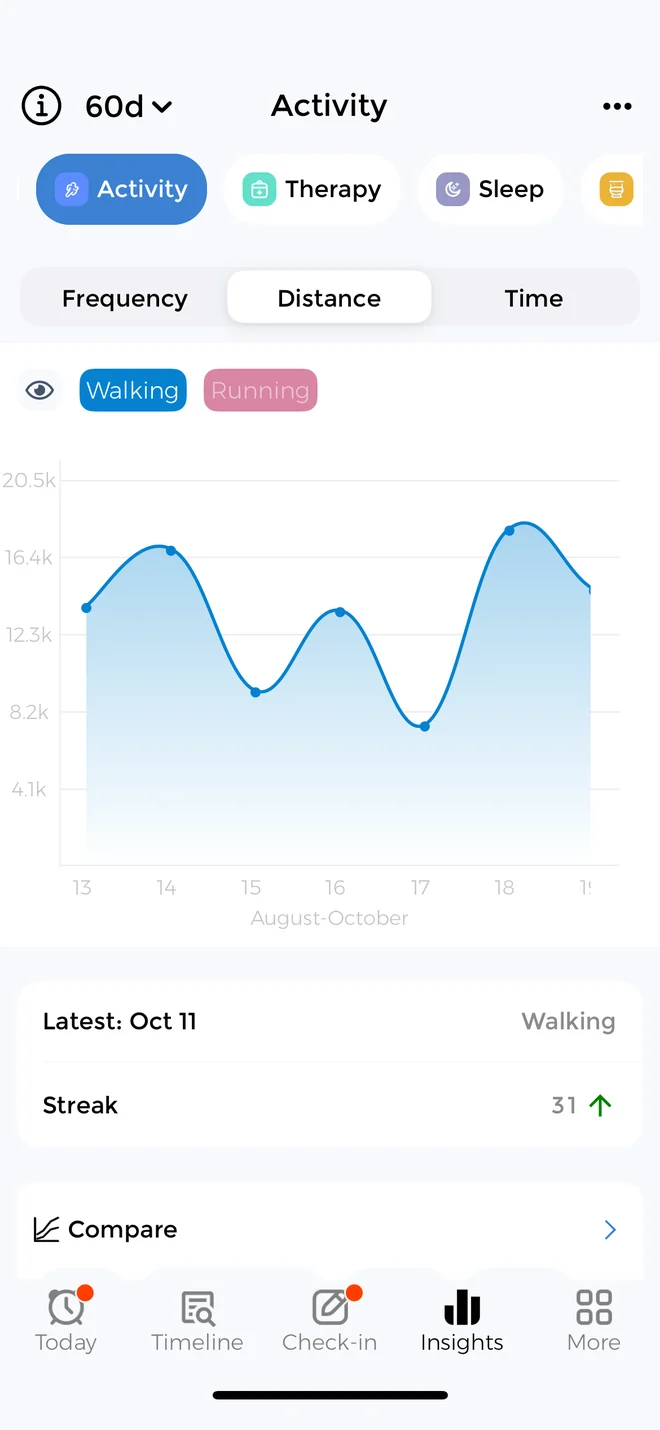
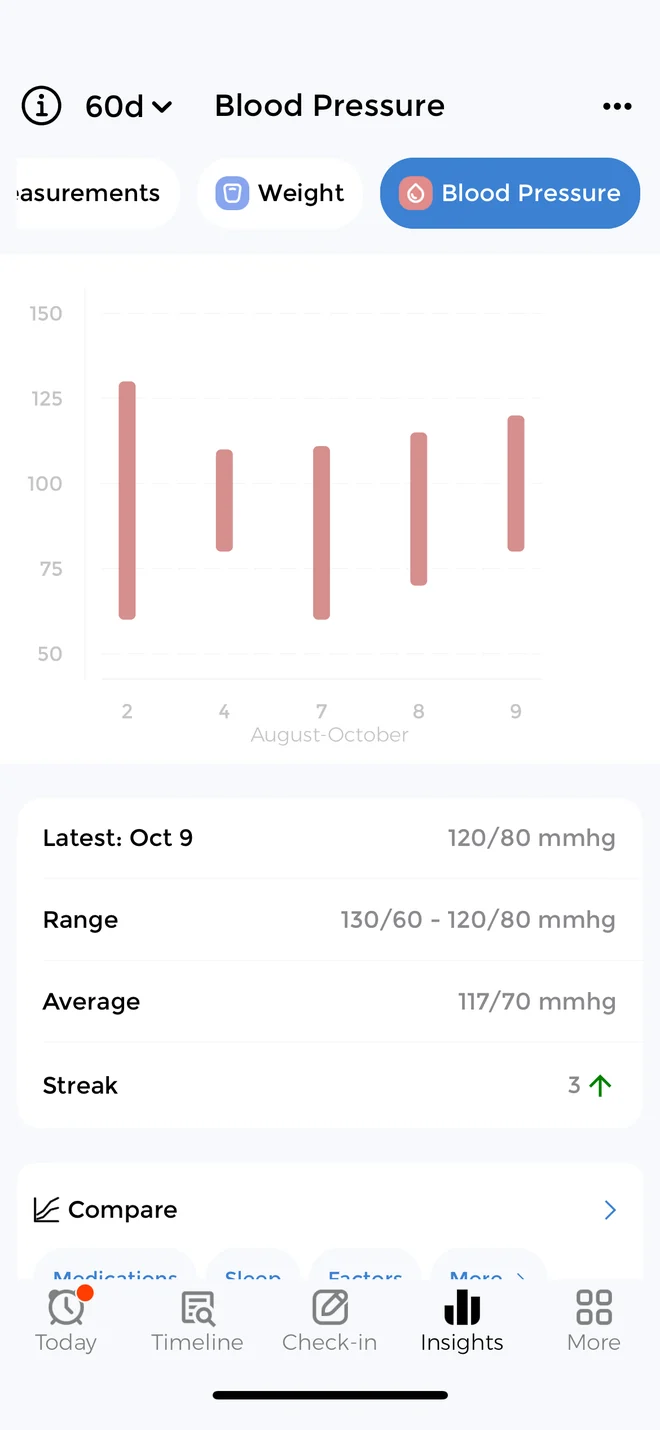
Simple to start, with more when you need it
CareClinic can do a lot, but you set up only what you need. When you set it up, you enable only the trackers you need, such as symptoms and medications, and the others stay off. Later, when a new diagnosis or a doctor's request comes up, you add a tracker or a care plan at that point.
The same app handles more complex care when you need it, such as several conditions, a care plan, a dependent's profile or your records. It suits people of any age, from teens tracking on their own to older adults and the family members who help them.
A health record in the same app
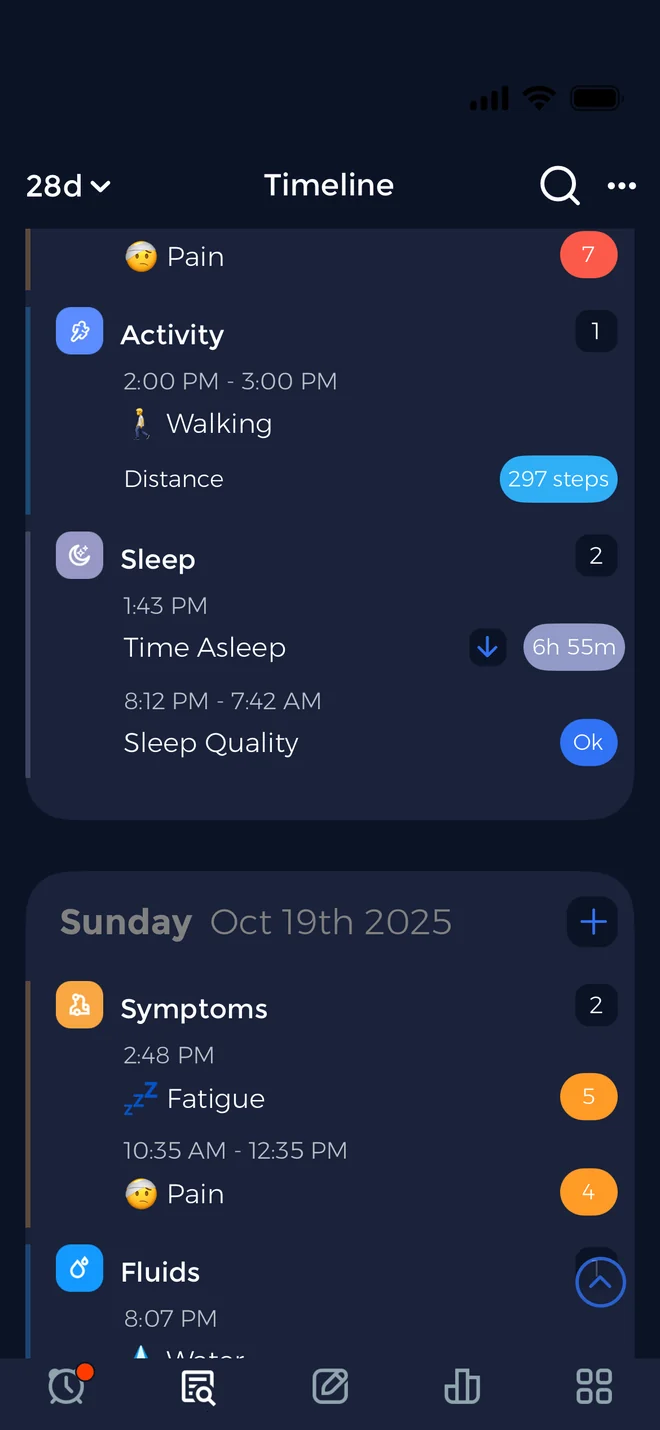
Many symptom trackers stop at daily logs, while CareClinic also keeps a personal health record for lab results, imaging, immunizations and medical documents. On iPhone, you can import hospital records through Apple Health Records. Because your records sit in the same Timeline as your symptoms, a new result and the weeks around it are easy to read together.
A Care Team for someone you look after
The Care Team also works the other way. A parent can manage a teenager's profile and track for them, and an adult child can do the same for an older parent. So one person can keep their own health and someone else's in order without a second app.
Where Rox and CareClinic run
Rox runs on iPhone and iPad, although its FAQ says an Android app is in development. CareClinic runs on iPhone, iPad, Android, the web, Mac and Apple Watch, in multiple languages. As a result, a household with mixed phones can use one app, and you can review months of logs on a big screen with CareClinic for web.
| Platform | Rox | CareClinic |
|---|---|---|
| iPhone | Yes | Yes |
| iPad | Yes | Yes |
| Android | No, in development | Yes |
| Web app | Not listed. Website has worksheets | Yes |
| Mac | Not listed | Yes |
| Apple Watch | Reads Watch data | Yes, its own Watch app |
The doctor report, side by side
The CareClinic PDF covers any date range with your symptoms, medications and adherence, vitals and notes. You can also export your data as CSV.
The Rox doctor report is a five-section PDF for the dates you pick. It holds a plain-language summary, symptom trends, medications and adherence, energy and vitals, and your notes, and you decide when to share it.
| Report detail | Rox | CareClinic |
|---|---|---|
| Date range you choose | Yes | Yes |
| Plain-language summary | Yes | Yes, Carey visit summary |
| Symptoms and trends | Yes | Yes |
| Medications and adherence | Yes | Yes, taken and missed doses |
| Vitals | Yes, with energy | Yes, with measurements |
| Your notes | Yes | Yes |
| Suggested questions for your doctor | Not listed | Yes, from Carey |
| Patterns to raise | Symptom patterns | Correlations and flare risk |
| Labs, imaging and hospital records | Not listed | Yes, in your Timeline |
| Raw data export | Not listed | CSV |
| Family access | Share the PDF | Care Team views on the web |
How Carey prepares you for the visit
A report is only as useful as the patterns behind it. Since Rox keeps wearable data beside your logs, its summary centers on what you wrote down. CareClinic draws on the factors you track, so you walk in with specific patterns to ask about, such as how your sleep lines up with your flares.
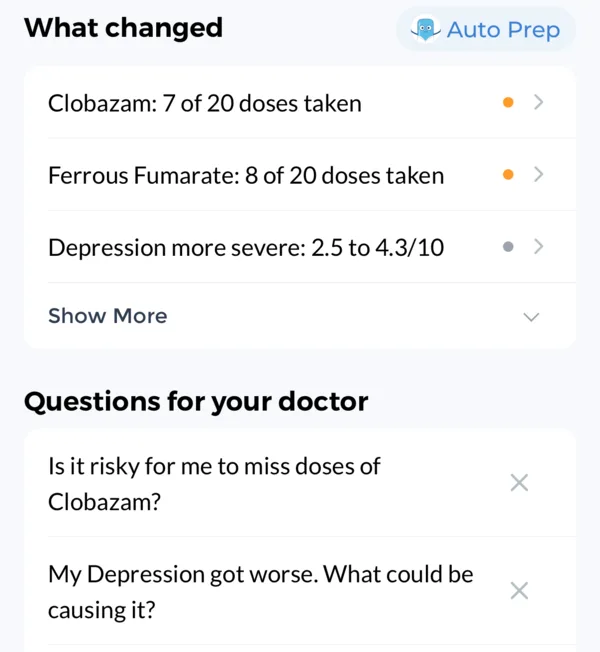
Before the appointment, Carey prepares a visit summary and a list of suggested questions for your doctor. You then arrive with your history, your patterns and your questions on one screen.
Cost and privacy in CareClinic and Rox
What the Rox AI app costs at the time of writing
Rox charges up to $99.99 per year for its AI chat at the time of writing. The App Store also lists a monthly option, and Rox offers a free trial of the chat. The download is free, and so are its tracking, patterns and doctor reports.
Privacy and security
CareClinic is HIPAA compliant and aligned with GDPR and PIPEDA. It encrypts your data with AES-256 at rest and TLS in transit, never sells your health data, and does not use it for advertising or AI training. You can delete your account at any time, lock the app with Face ID, another biometric lock or a passcode, and decide what each Care Team member sees.
Rox says it does not sell health data, build advertising profiles or train foundation models on your information. It also encrypts data in transit and at rest and lets you delete your account. However, Rox states that it is not a HIPAA covered entity, so HIPAA generally does not protect what you share with it.
Is the Rox chronic illness app right for you?
If you use an iPhone and mainly want an AI to talk things through with, Rox is built around that conversation. If you want the conversation to lead somewhere, CareClinic adds the parts that act on it: a reminder before a missed dose, a warning before a flare and a parent who can see your week. It works on iPhone and Android.
Start with the two or three trackers that matter to you, and add more as your needs change. CareClinic supports more than 3,500 conditions, and our CareClinic app comparisons show how it compares with other trackers.
Questions about Rox and CareClinic
About the Rox app
What is the Rox app used for?
The Rox chronic illness app is an AI companion and tracker for conditions such as POTS, ME/CFS, fibromyalgia and Long COVID. You log symptoms and medications, pace your energy, talk with the AI and create a PDF report for appointments. Rox says it is not a doctor or a medical device and does not diagnose or treat.
Is the Rox app free?
Rox is partly free. The download, tracking, patterns and doctor reports cost nothing, while the AI chat costs up to $99.99 per year at the time of writing, with a monthly option and a free trial.
Is there a Rox app for Android?
Rox runs only on iPhone and iPad for now, although its FAQ says an Android app is in development. CareClinic already works on Android, as well as iPhone, iPad, the web, Mac and Apple Watch.
Is the Rox app safe for your health data?
Rox says it never sells health data, encrypts your information and does not train foundation models on it. It also states that it is not a HIPAA covered entity, so HIPAA generally does not apply to what you give it. CareClinic matches those protections and is also HIPAA compliant and aligned with GDPR and PIPEDA.
Does Rox use my wearable data to find patterns?
Rox shows sleep, HRV, resting heart rate and activity next to your logs, but its FAQ says those readings are not part of its pattern analysis today. CareClinic, by contrast, checks your wearable data against your symptoms and forecasts your flare risk.
About switching to CareClinic
What is the best Rox alternative?
CareClinic is a strong Rox alternative if you want more than a conversation. Carey remembers your history, and the app adds flare risk forecasts, medication reminders and a health record. It also runs on Android.
Can I track health for my child or a parent in CareClinic?
Yes. The Care Team lets you manage a dependent's profile and track for them, and you can also invite caregivers who follow along with their own permissions. Rox does not list caregiver or family features.