Health Data Integrations
Your devices, records and apps in one place.
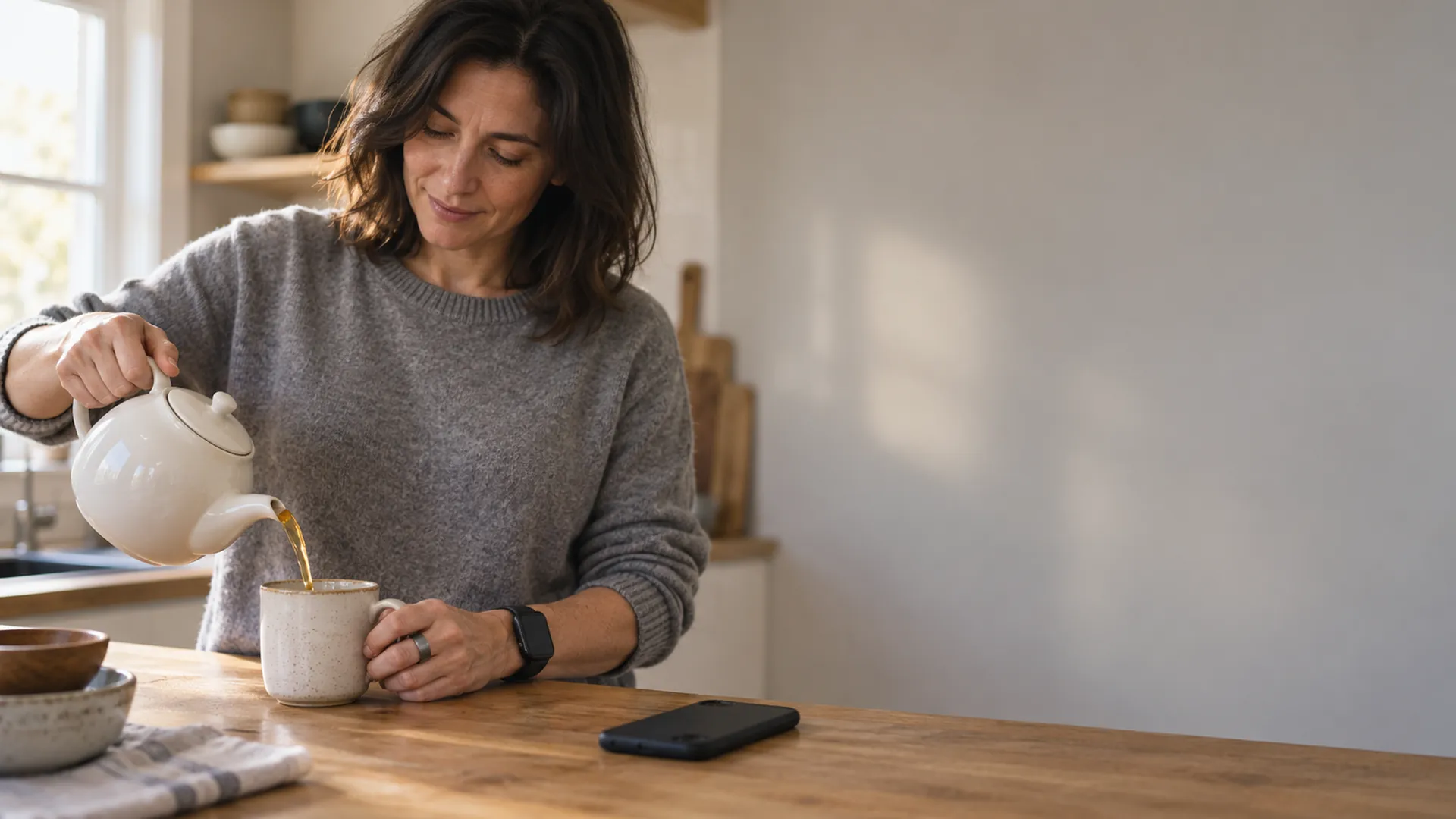
Connect Apple Health, Health Connect, your wearables and your patient portal once. New readings and records arrive in CareClinic with each check-in, next to the symptoms and medications you log.
HSA/FSA eligible
 Health Connect
 Garmin
 Dexcom
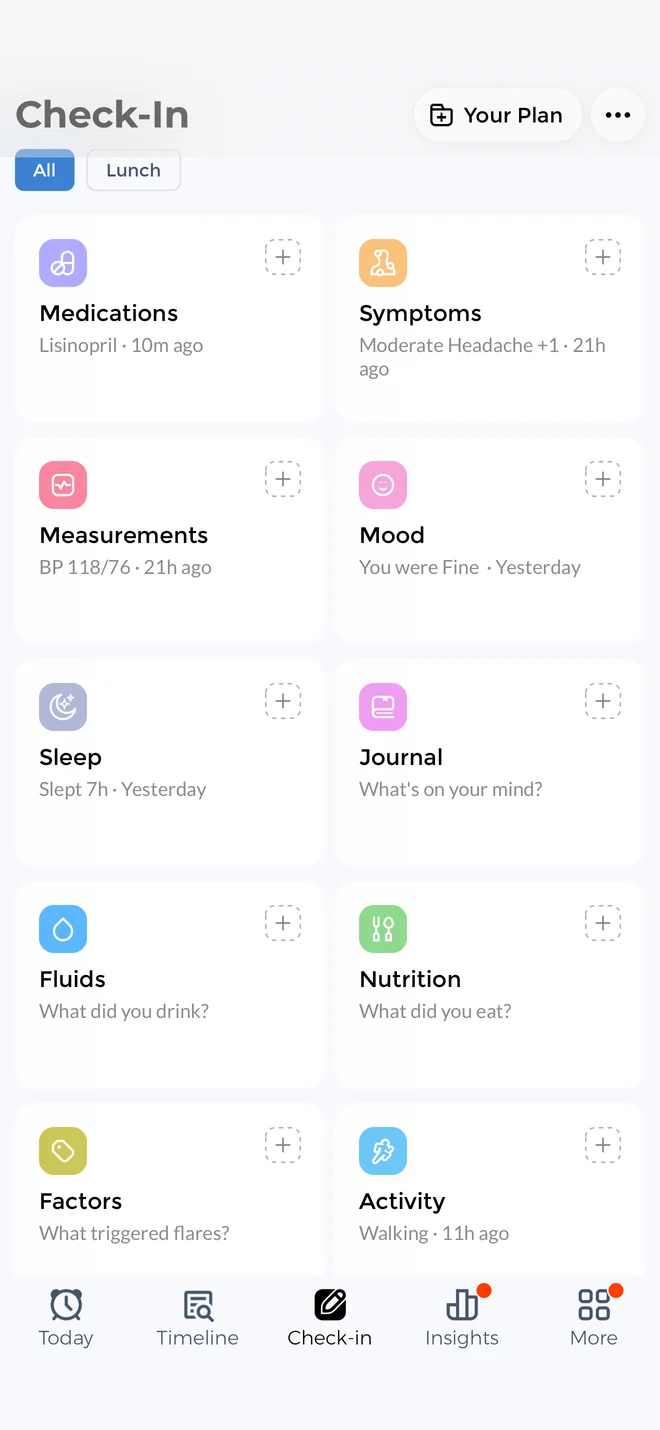
What changes when your data connects
-
Readings spread across apps
One timeline
Sleep, steps, glucose and records sit next to the symptoms and medications you log.
-
Typing numbers in by hand
Fills in on its own
Connected readings arrive with each check-in.
-
Guessing what affects how you feel
Patterns you can see
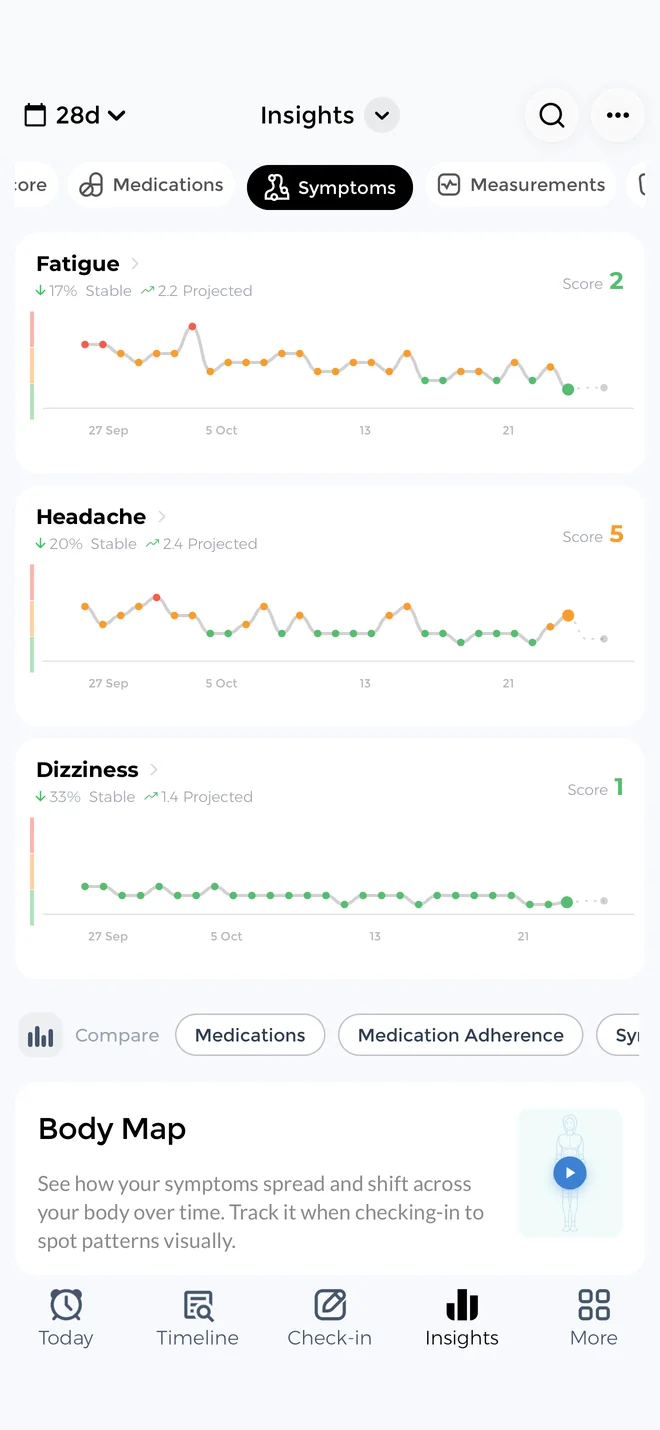
Charts line up sleep, activity and vitals with your symptoms.
-
Visits that start from memory
One report for your doctor
Share a PDF with your synced data and notes.
How it works
Set it up once. After that, your data keeps arriving on its own.
-
01
Connect once
Open More, then Integrations, and turn on the sources you use. You choose each type of data and can change it at any time.

-
02
Syncs at check-in
New readings arrive with your daily check-in, so sleep, steps and vitals sit next to the symptoms and medications you log. No typing.
-
03
See patterns
Charts show how sleep, activity and vitals line up with your symptoms over weeks and months. Use them to set goals or share a report with your doctor.
Health apps and wearables
Connect once. CareClinic keeps syncing in the background.
Apple Health
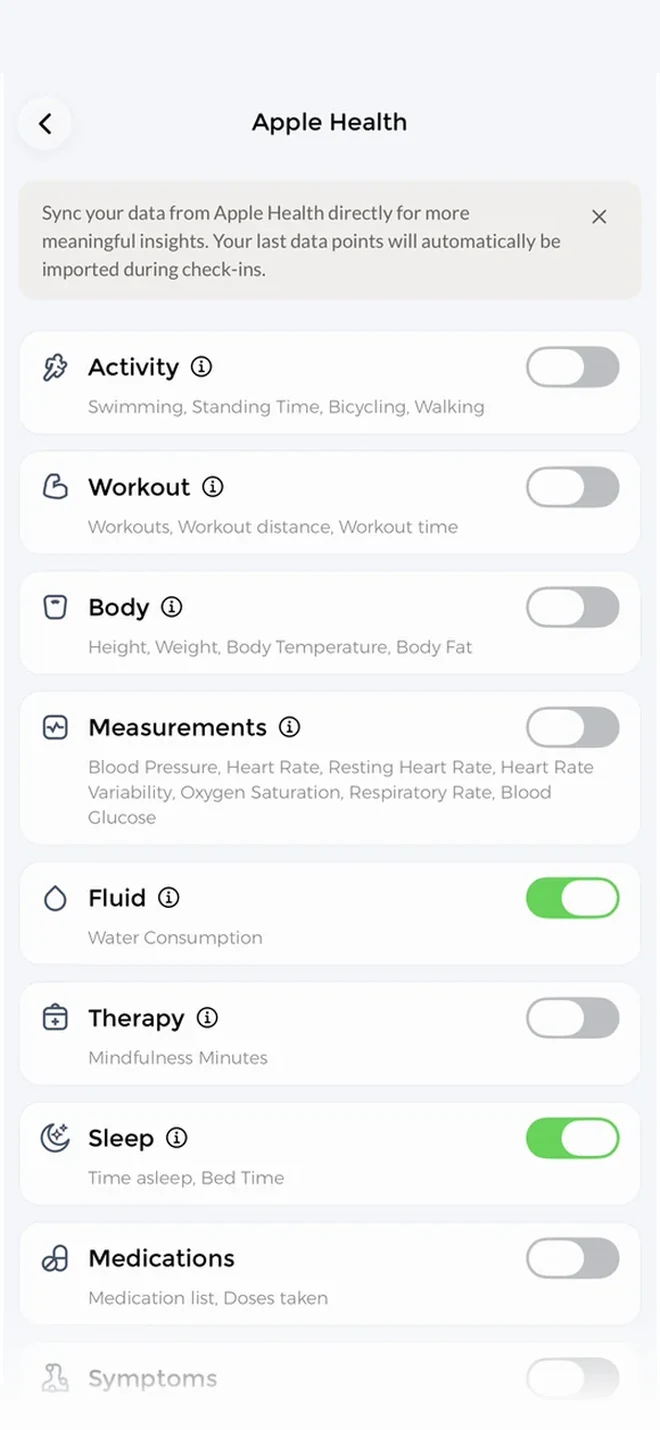
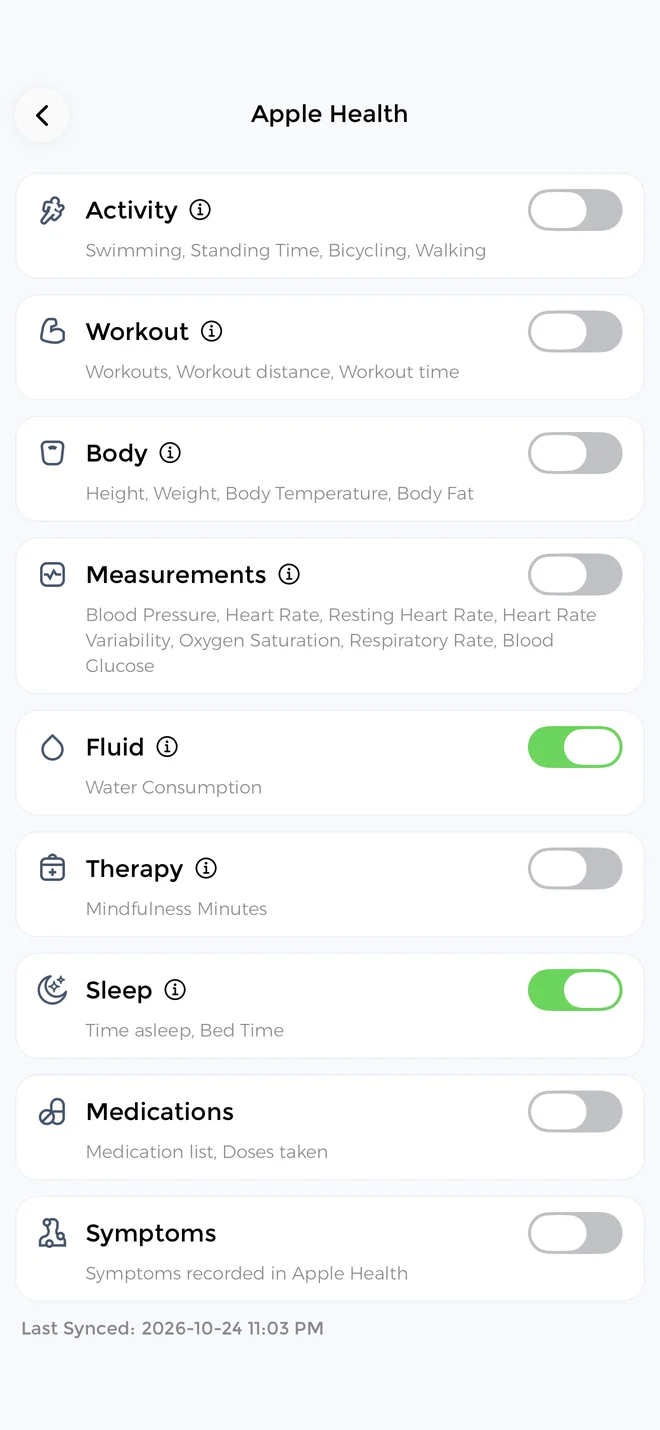
On iPhone, sync sleep, workouts, activity, body measurements, vitals and fluids from Apple Watch, smart scales and any app that saves to Apple Health.
Health Connect
On Android, sync steps, workouts, sleep, heart rate, blood pressure, glucose, oxygen, weight, water and nutrition. Samsung Health shares through Health Connect, and you pick its categories in Samsung Health settings.
Direct connections
Link Dexcom and Oura to your CareClinic account from CareClinic for Web. Glucose, sleep, steps and heart rate then arrive on their own.
Wearables and monitors that save to Apple Health or Health Connect work too
CareClinic also has its own apps for Apple Watch and Wear OS, for reminders and quick check-ins. CareClinic on Apple Watch ›
What syncs automatically
Synced data arrives with your daily check-in. Turn each category on or off at any time.
- Activity
- Steps, distance, calories and workouts, including cycling, swimming and running.
- Vitals
- Heart rate, resting heart rate, HRV, blood pressure, blood oxygen, respiratory rate, temperature and blood glucose.
- Sleep
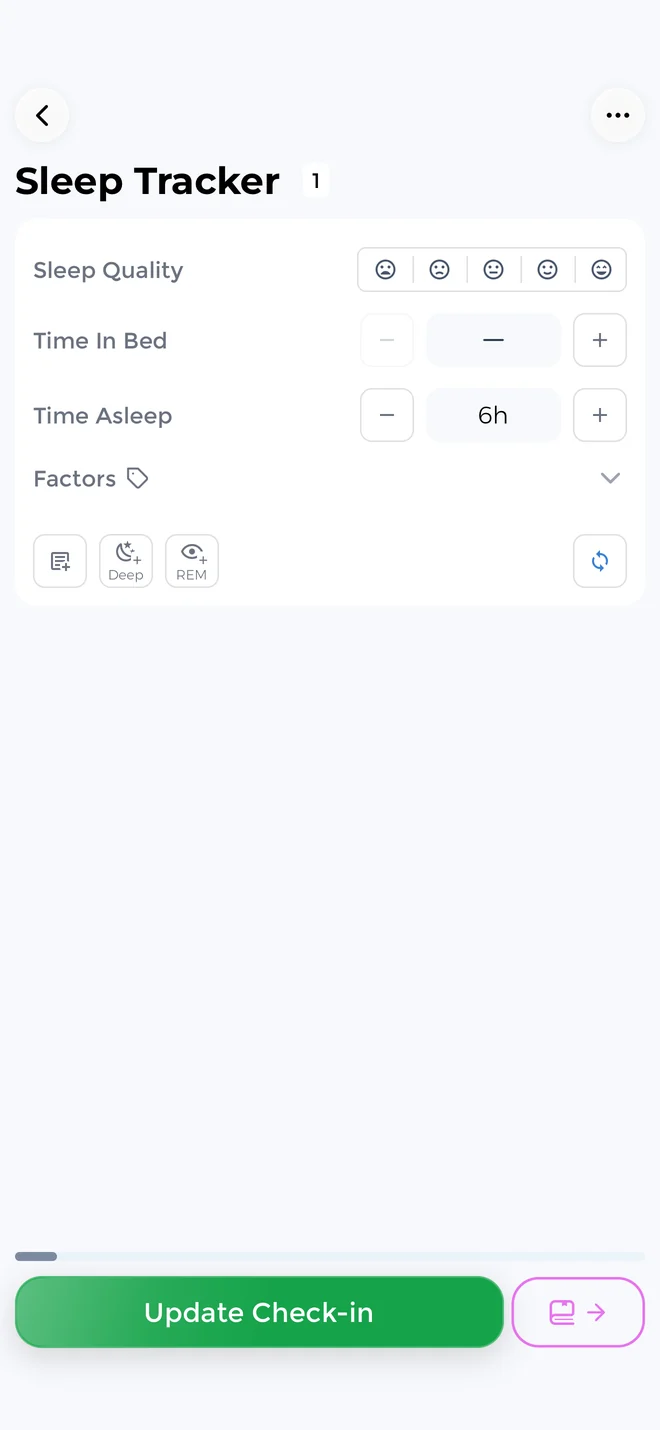
- Time asleep, time in bed, sleep stages and sleep quality.
- Body
- Weight, height, BMI and body fat.
- Nutrition and water
- Food logs, calories and water from connected nutrition apps.
- Weather
- Temperature, pressure and conditions where you are, logged automatically.
Medications and symptoms you logged in the Apple Health app can come in too. You confirm each one before it is saved. Set up Apple Health and Health Connect ›
Medical records
Bring labs, medications, conditions and immunizations from your hospital into CareClinic.
Apple Health Records
On iPhone, connect your hospital in the Health app, then open More, Integrations, Import Records in CareClinic.
Patient portals
In the US, sign in to your Oracle Health (Cerner), Epic (MyChart), NextGen or athenahealth patient portal, or your Anthem, Florida Blue, Devoted Health, Excellus BCBS or Blue Cross MN health plan, from CareClinic. You sign in on your health system's own page, so CareClinic never sees your password.



Apple Health Records covers 500+ hospitals and clinics, including Johns Hopkins, Cleveland Clinic, Mayo Clinic, Kaiser Permanente and the VA, plus Quest and Labcorp results. How to import your medical records ›
Beyond health data
More ways CareClinic connects
CareClinic also works with your Home Screen, your voice assistant, AI assistants and your web browser, so you can check and log from wherever you are.
Widgets and Live Activity
Check and log from your Home Screen and Lock Screen.
Widgets
See today's reminders and open any tracker in one tap, on iPhone and Android.
Live Activity
On iPhone, today's progress and your next reminder stay on the Lock Screen.

Log by voice
Say it to Siri on iPhone and build your own shortcuts on iPhone and Mac. On Android, Google Assistant opens your trackers.
- Hey Siri, log my symptom in CareClinic
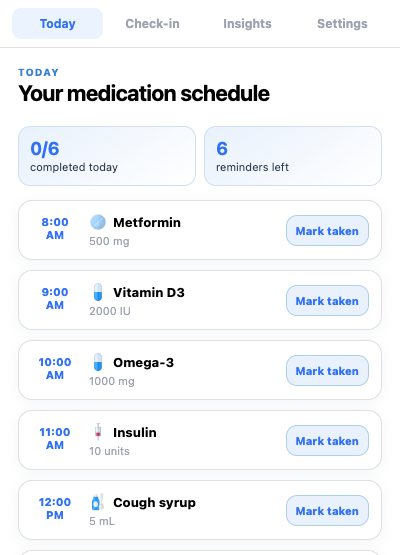
- Hey Siri, mark Metformin as taken in CareClinic
- Hey Siri, log my sleep in CareClinic
Talk to AI about your health data
Ask in your own words, by typing or out loud.
Carey
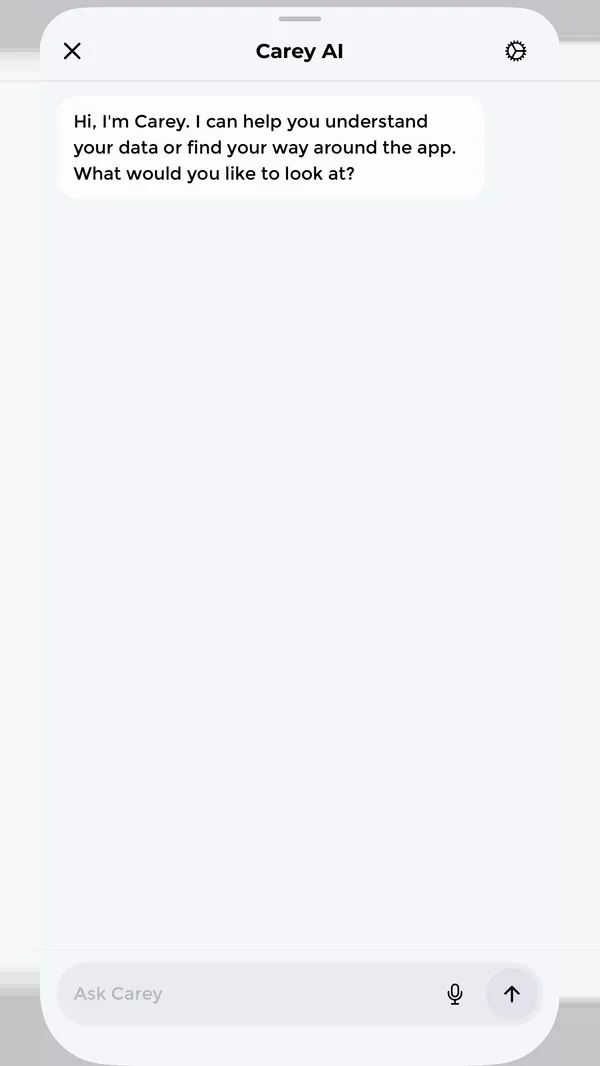
Tap the mic and ask Carey about your data, or where to find something in the app.
Claude and ChatGPT
Connect CareClinic to a supported AI assistant through CareClinic MCP. Ask about your schedule, symptoms, moods and patterns. Check-ins save only after you confirm.
Browser extensions
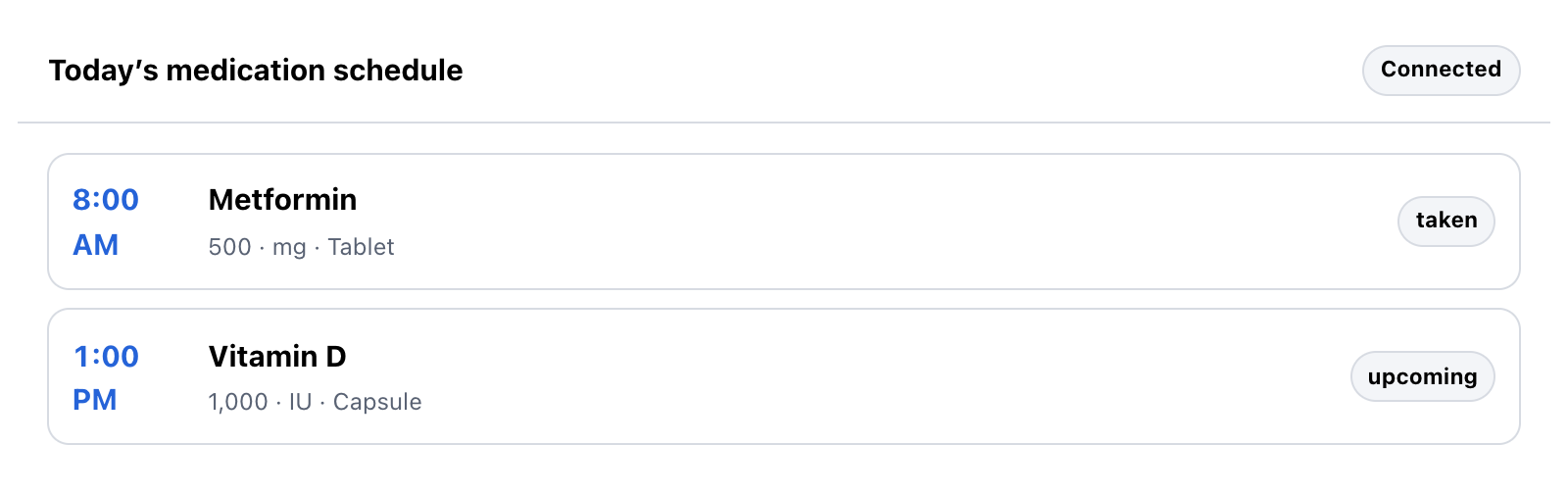
Mark medications taken, log symptom check-ins and get desktop reminders without leaving your browser.
Your data stays private
Synced data is stored in your account and shared only when you choose. How we protect your data
- Synced health data is encrypted in transit and at rest.
- HIPAA-compliant data storage and transmission.
- You choose what syncs, one category at a time.
- Disconnect any integration at any time.
- Your data is never sold to third parties.
Questions
Does CareClinic work with Apple Health and Health Connect?
Yes. CareClinic syncs with Apple Health on iPhone and with Health Connect on Android. It can import steps, heart rate, sleep, workouts, body measurements, blood pressure, blood glucose and more. CareClinic asks only for the permissions you allow, and you can turn each data type on or off at any time under More, then Integrations.
How do I connect my Fitbit to CareClinic?
On Android, turn on Health Connect sharing in the Fitbit app, then turn on Health Connect in CareClinic under More, then Integrations. Steps, heart rate and sleep then sync during your daily check-in.
Which smartwatches and fitness trackers work with CareClinic?
Dexcom and Oura connect directly. Apple Watch, Fitbit, Garmin, WHOOP, Polar and other wearables connect through Apple Health and Health Connect. Any wearable that saves to Apple Health or Health Connect works too, including devices from Samsung, Withings and OMRON. CareClinic also has its own apps for Apple Watch and Wear OS.
What health data does CareClinic import from my wearable?
CareClinic can import activity (steps, distance, calories, workouts), vitals (heart rate, HRV, blood pressure, SpO2, respiratory rate, temperature), sleep (duration, quality, stages), body measurements (weight, height, body fat) and nutrition (food logs, water intake). What is available depends on your device and platform, and you choose which types sync.
Can I connect my patient portal?
Yes, in the US. Sign in to your Oracle Health (Cerner), Epic (MyChart), NextGen or athenahealth patient portal, or your Anthem, Florida Blue, Devoted Health, Excellus BCBS or Blue Cross MN health plan, from CareClinic. The connection imports your conditions, lab results, medications, allergies and immunizations. On iPhone you can also import records through Apple Health Records. The Import Medical Records guide shows each step.
Can I use CareClinic with ChatGPT or Claude?
Yes. Connect CareClinic to a supported AI assistant, such as Claude or ChatGPT, through CareClinic MCP. Then ask about your medication schedule, symptoms, moods and patterns. The assistant receives only what your question needs, and a check-in is saved only after you confirm it. See CareClinic for AI Assistants.
Is there a CareClinic browser extension?
Yes. CareClinic has browser extensions for Chrome, Microsoft Edge, Firefox, Safari and Naver Whale. Sign in with your CareClinic account to mark medications taken, log symptom check-ins and get desktop reminders. See CareClinic browser extensions.
Can I use Siri to log symptoms and medications?
Yes. CareClinic supports Siri and Shortcuts for hands-free logging. Say "Hey Siri, log my symptoms" or "Hey Siri, log my medication" to open the right logging screen. You can also build your own shortcuts for the trackers you use most.
Can I sync my blood pressure monitor?
Yes. If your blood pressure monitor saves to Apple Health or Health Connect, as OMRON, Withings and QardioArm monitors do, CareClinic imports the readings during your daily check-in. You then see your blood pressure trend over time next to your medications, stress and other factors you track.
Can I import glucose readings from a CGM?
Yes. If your continuous glucose monitor, such as Dexcom or FreeStyle Libre, saves readings to Apple Health or Health Connect, CareClinic imports them automatically. You can also connect Dexcom directly from CareClinic for Web. Your glucose trends then sit next to your meals, medications, activity and symptoms.
Is my synced health data secure and private?
Yes. Synced health data is encrypted in transit and at rest, and CareClinic is HIPAA compliant. CareClinic never sells your health information. You control what syncs and can disconnect any integration at any time. Read how we protect your data.
Can I share my synced data with my doctor?
Yes. Reports include your synced data from wearables along with the symptoms, medications and other entries you log. Export a PDF or CSV, choose the date range and share it by email. See Export and Share.
Can I see how sleep affects my symptoms?
Yes. Sync sleep from Apple Health or Health Connect and CareClinic imports your sleep duration and quality each night. Log your symptoms each day, and CareClinic's charts show how nights of poor sleep line up with symptom severity. People with fibromyalgia, migraines and autoimmune conditions use this to spot sleep-related triggers.
Why track heart rate variability (HRV)?
Heart rate variability (HRV) is a measure of your nervous system's resilience and recovery. Lower HRV often goes along with stress, inflammation or an upcoming flare. CareClinic imports HRV from Apple Watch and other compatible devices, so you can follow its trend next to your symptoms.
Can I track how weather affects my pain?
Yes. Weather Auto Sync logs temperature, barometric pressure and conditions for your location. Many people with arthritis, fibromyalgia and migraines report flares when the weather changes. Comparing weather with your symptom logs shows whether low pressure, humidity or temperature swings line up with your pain.
How is CareClinic different from Apple Health?
Apple Health collects data from the apps and devices on your iPhone. It does not send medication reminders, log symptoms, compare your data or share with your care team. CareClinic imports data from Apple Health and adds medication management, symptom and mood tracking, insights and reports for your doctor.
Can I see if medication side effects improve?
Yes. Log each medication with its dose and time, and track symptoms such as nausea, fatigue or dizziness each day. Over the following weeks, CareClinic's charts show whether side effects ease or persist. Synced sleep and activity show whether a medication affects your energy or sleep, which gives you concrete data for your prescriber.
Can I track my family's health in one app?
Yes. CareClinic supports several family profiles under one account. Caregivers can manage medications, symptoms and appointments for children, parents or other dependents, and each person keeps their own health profile and synced data.
Can I find patterns between my diet and symptoms?
Yes. Log meals in the nutrition tracker or sync them from apps connected to Apple Health or Health Connect, and log how you feel each day. Over time, CareClinic's charts can show whether certain foods line up with symptoms such as bloating, headaches or fatigue.
Connect your health data
Connect your apps, devices and records once. New data arrives with each check-in.
Works with


- Oura Ring