
Insurance Records
Insurance cards, ready at check-in.
Scan your medical, dental, vision and prescription cards once. CareClinic fills in the details, keeps the front and back photos, and lets you share your coverage in seconds.
Scan a card, skip the typing
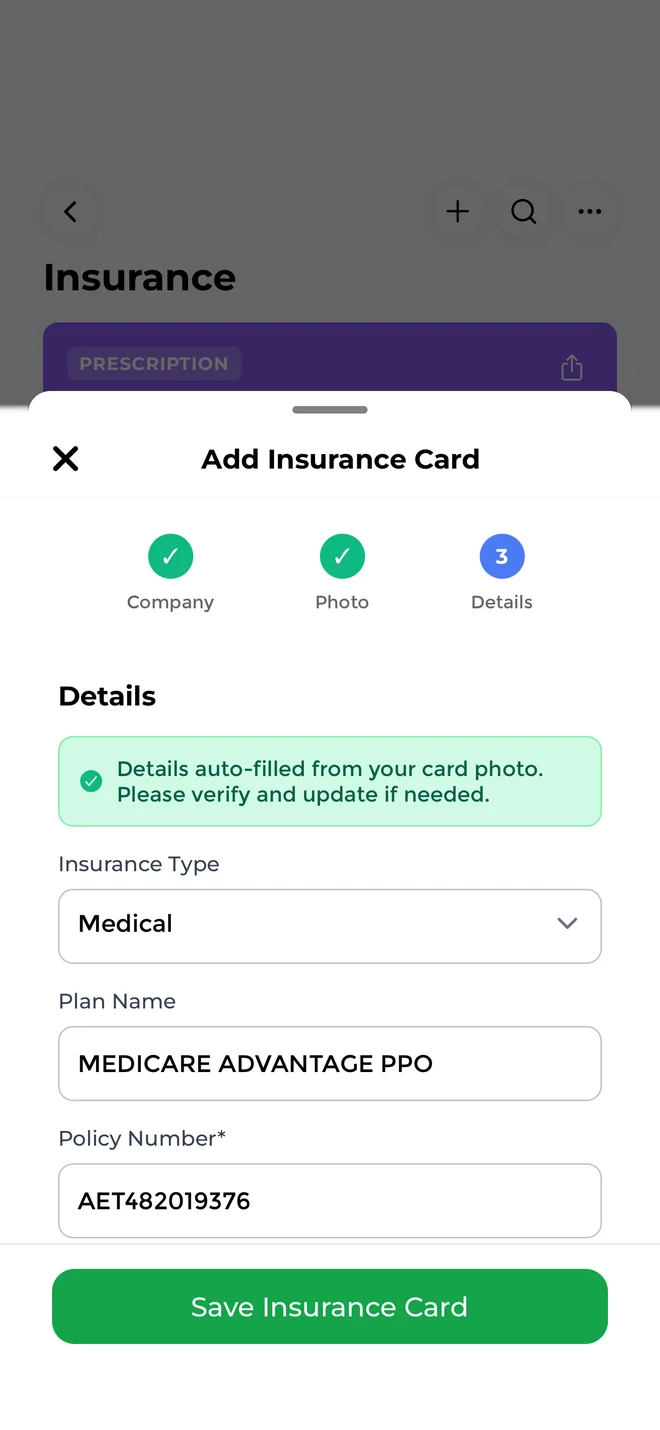
Take a photo of the front of your health insurance card and CareClinic reads the member ID, group number and other details for you. Check the fields, add the back of the card and save.
- Auto-fill from a photo
- Front and back images
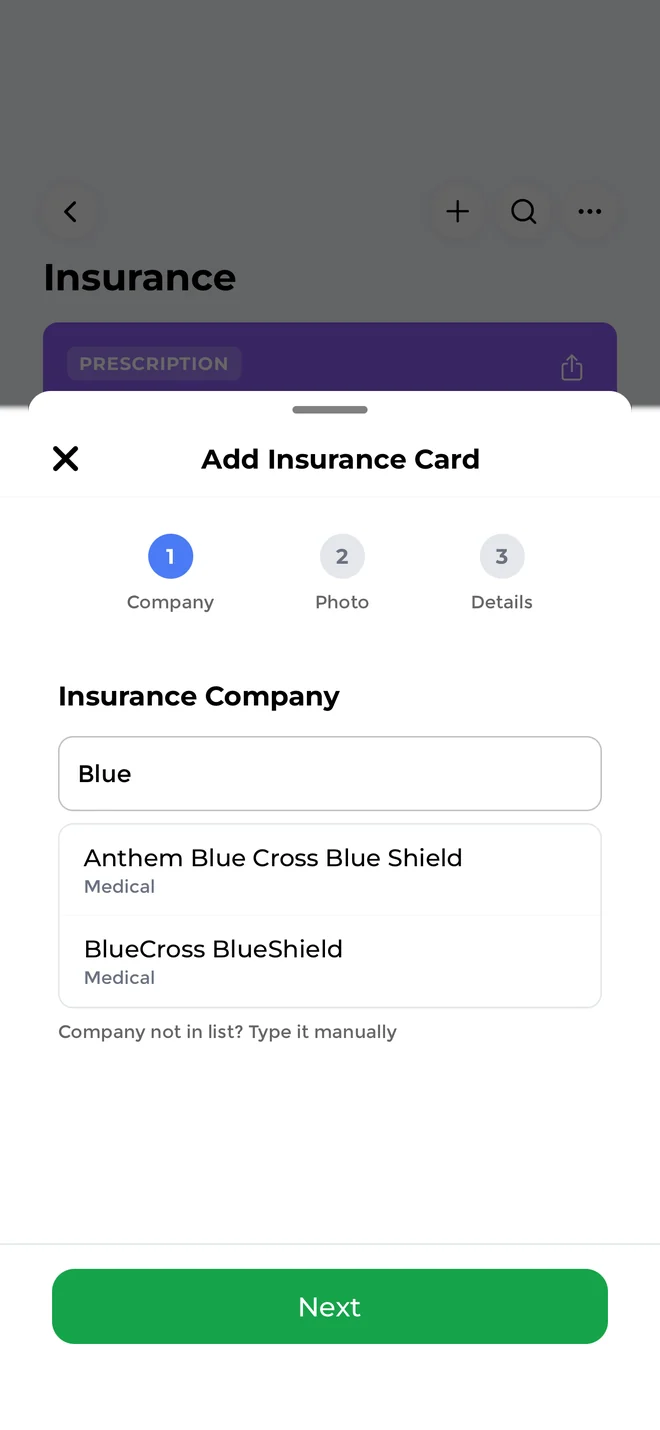
- Pick your insurer from a list for your country or type it in
Every plan in one place
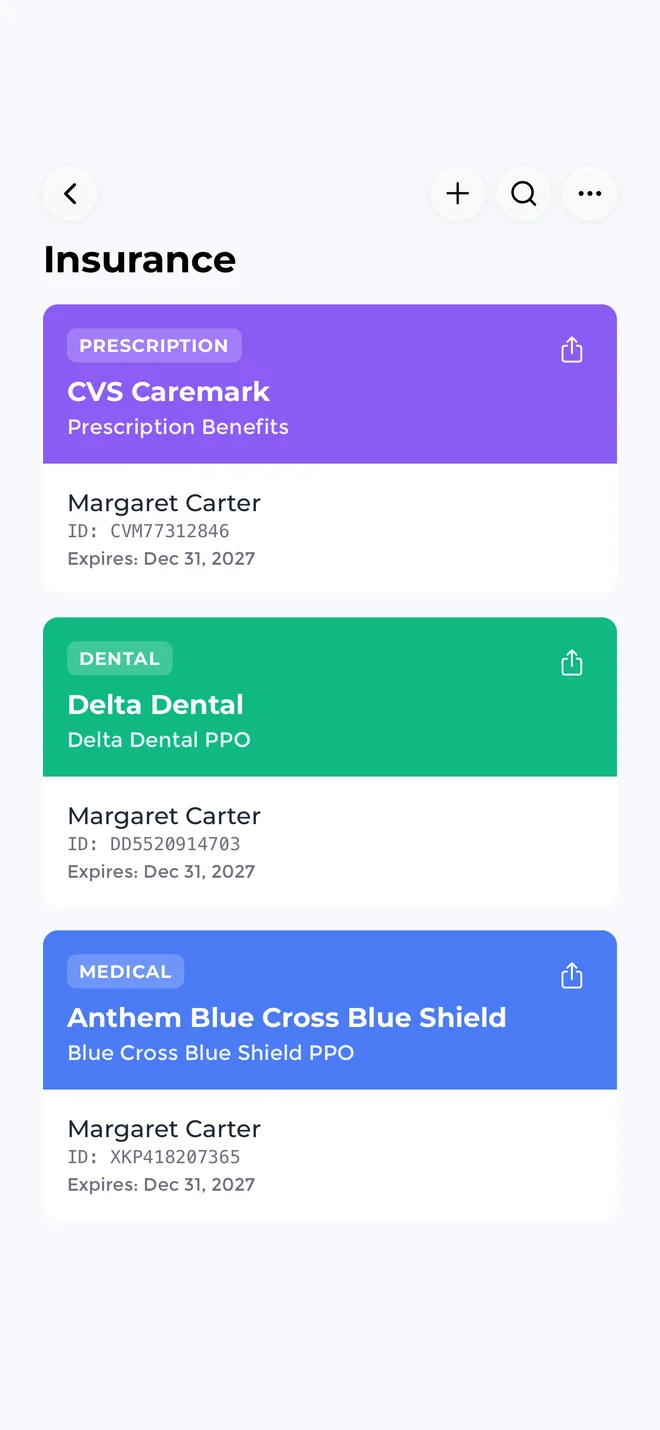
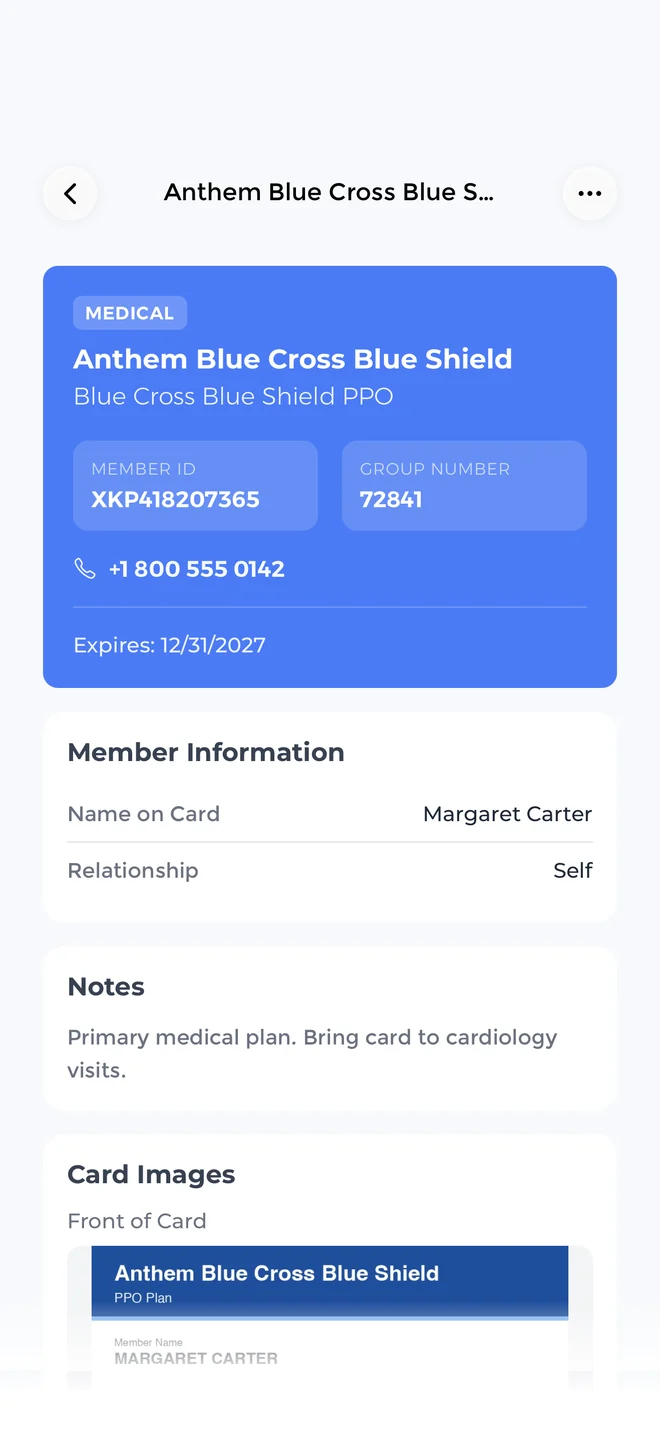
Cards for medical, dental, vision and prescription coverage. Each card keeps the insurer, plan name, member name and ID, group number, customer service phone, expiration date and your notes.
- Copays and deductibleNote them on the card, for example $20 for primary care and $50 for a specialist.
- Expired cards stand outA card past its expiration date is marked Expired, so you hand over the current one.
- More than health plansLong term care, disability and life insurance cards fit in the same list.
- Find a card fastSearch your cards by insurer, plan, member name or ID.
Cover the whole family
Add cards for yourself, a spouse, children or parents and mark who each card belongs to. Caregivers can find the right card when they take someone to an appointment.
- Keep a parent's Medicare card next to your own plan
- See whose card it is at a glance in your list
Share coverage at check-in
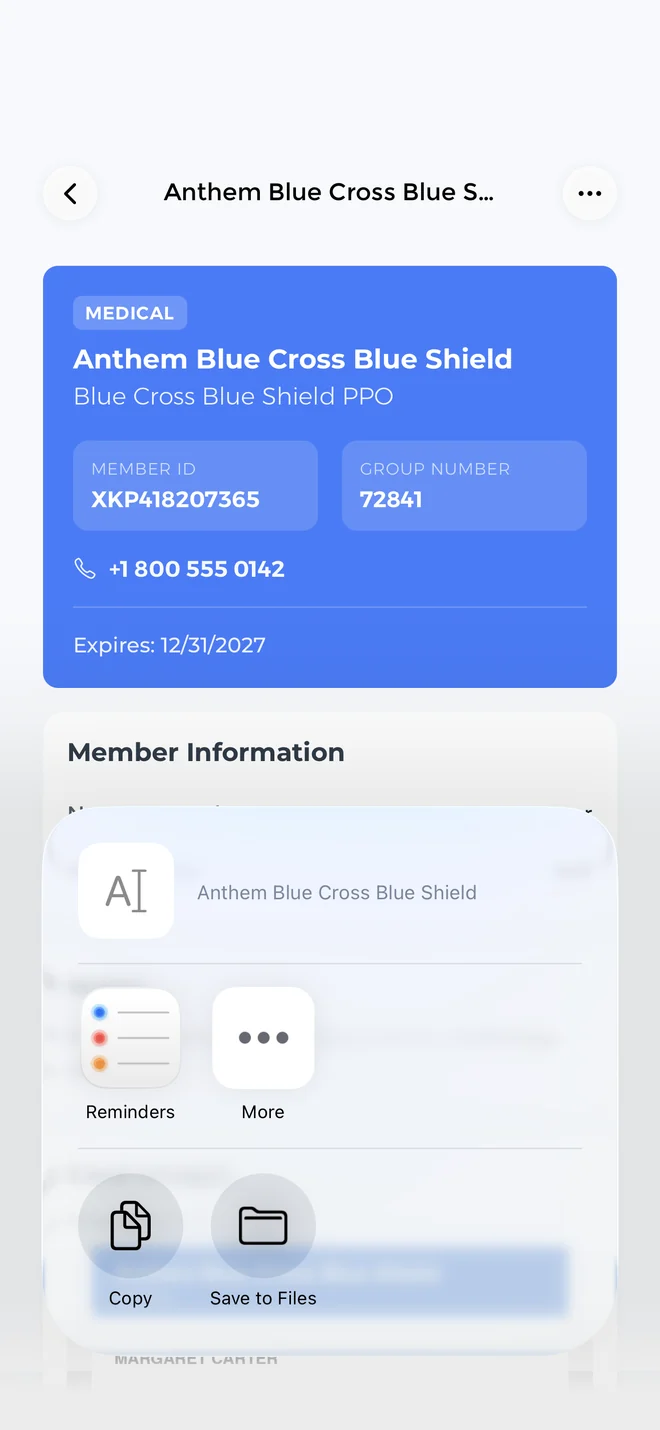
Send a card's details by message or email from the share sheet: insurer, plan, member, member ID, group, phone and expiry. No more reading numbers over the phone.
At the desk, open the card to show its front and back photos as a digital insurance card.
For the person who keeps the cards
Caregivers, people in ongoing care and HSA or FSA users keep their cards, claims and receipts together in CareClinic.
Caregivers
Keep a parent's Medicare card, a child's dental plan and your own coverage in one list, each marked with who it belongs to.
Chronic and ongoing care
Regular visits mean regular claims. Keep each explanation of benefits with the card that paid it and follow your deductible for the year.
HSA and FSA users
Save receipts as you go, tag them, and pull them together at tax time or when you request reimbursement.
HSA and FSA receipts, ready at tax time
Store HSA and FSA receipts so they are easy to find at tax time. Each one stays tagged and linked to the card it belongs to.
Save the receipt
Take a photo of a pharmacy, dental or clinic receipt, or add a PDF from your email.
Tag it
Mark it HSA or FSA and add your own tags, such as the tax year or who the care was for.
Link it
Attach it to the insurance card that covered the visit and to the bill or EOB in Medical Documents.
Find it at tax time
Filter by tag and year to pull every receipt you need for your taxes or a reimbursement claim.
Claims, EOBs and coverage dates
With ongoing care, every visit brings paperwork. Keep each claim and explanation of benefits (EOB) next to the card that paid for it.
Claims and EOBs
Keep claims, explanations of benefits and prior authorizations next to the card they belong to.
Expiry reminders
Get a reminder before a card expires.
Deductible and out-of-pocket
Keep track of your deductible and out-of-pocket spending for the year.
CareClinic stores and organizes your insurance information. It does not bill your insurer or submit claims.
Private by default
Your cards are stored in your account and shared only when you choose. How we protect your data
- Your card photos, member IDs and receipts are encrypted and stored securely.
- Care team members see only the records you choose to share with them.
- CareClinic staff cannot view your cards unless you ask for support that needs limited, logged access.
- Export or delete your cards and receipts at any time.
Works with your other records
Your cards sit next to the documents, visits and people they relate to.
Questions
Can CareClinic read my insurance card automatically?
Yes. Take a photo of the front of the card and CareClinic fills in the member ID, group number and other details. Check them before you save.
What types of insurance can I store?
Medical, dental, vision and prescription cards, with as many cards as you need.
Can I store insurance cards for my family?
Yes. Each card has a relationship: you, a spouse, a child, a parent or someone else.
How do I share my insurance card with a clinic?
Open the card, tap Share Card and choose how to send it. The message includes the insurer, plan, member ID, group number and customer service phone.
Can I show my insurance card on my phone?
Yes. Open the card to show the saved front and back photos, or send the details with Share Card. Some offices still ask for the physical card, so keep it with you.
Where is the member ID on my insurance card?
It is usually on the front of the card, labeled Member ID, ID or Policy Number. When you scan the card, CareClinic reads it into the Policy Number field.
Does CareClinic submit claims to my insurer?
No. CareClinic keeps your cards, claims and receipts organized, and you submit claims through your insurer as usual.
Can I keep HSA or FSA receipts?
Yes. Store receipts with your other insurance records so they are easy to find when you need them. Tag each one HSA or FSA and link it to the card that covered the visit.
Every card in one place
Scan your cards once and have them ready at every visit.
Download for Free.