Juno charges up to $99.99 a year for Juno Pro, so the fair question is what that buys you. Here is what the Juno app and CareClinic each do for bad days, doctor visits and the people who help you, and what a year of each costs.
What a chronic illness tracker should do
With a chronic illness, the tracker you keep using matters more than the one with the longest feature list. So before you compare apps, it helps to know what one needs to do for you.
- Logging should still work on a bad day, even when you only manage a few taps or a few words.
- Your doctor should get a dated record they can read before the visit starts.
- Data from the phone or watch you already wear should come in on its own, so you type less.
- The price should be one you can keep paying, because patterns often take months to show.
Also, a good tracker should not make you set up everything on day one. Instead, you should be able to start small and add more once you learn what matters.
Juno app review: built around chat and community
Juno calls itself an AI personal health assistant for chronic illness. You tell it about your day by text or voice, and then it turns what you say into symptom, pain, mood and energy entries. It also keeps the health context you choose to share and points out possible patterns as clues to raise with your doctor.
Juno also has condition groups with a feed, posts, photos, replies and private messages. Juno's FAQ compares the app with ChatGPT and says its focus on chronic illness and its memory set it apart.
The app is free to download, while Juno Pro is billed by the week, month, quarter or year. Store reviews mention its daily summaries and community. A few reviews, however, report glitches, lost entries or confusion about trial billing.

CareClinic starts with what you need
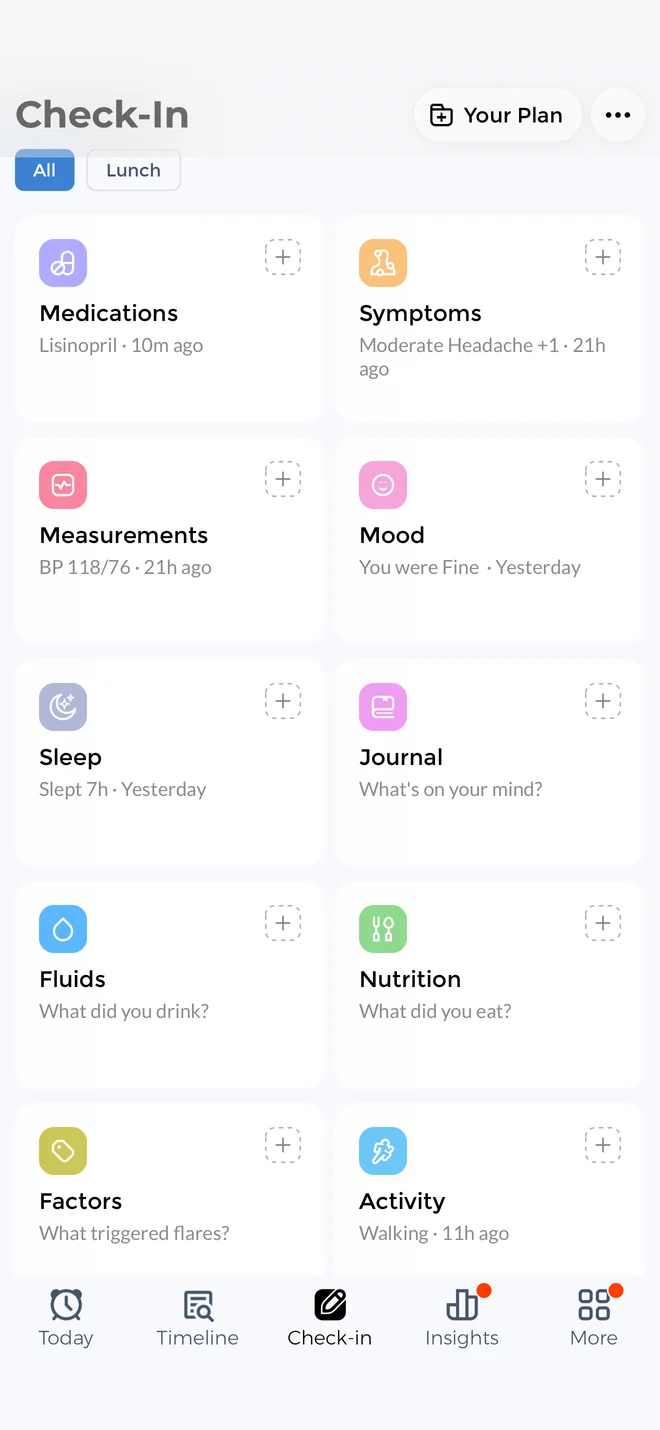
CareClinic is free to use, and you can begin with one thing, such as a symptom log or medication reminders. When you set it up, you enable only the trackers you need. The others stay off and out of your way, so the app shows just what you use.
Later, if your needs change, you can add more trackers or a care plan. For example, you can also track your cycle, your energy and pacing, or your meals and fluids.
The same app also handles more complex care, such as several conditions, caring for a dependent or keeping your health records. It suits people of any age, from teens to older adults and the family members who help them.
Logging a symptom your way
CareClinic has a large built-in list of symptoms, and you can add any symptom you want. When you log one, you can mark where you feel it on a body map and set the severity. Then add a start and end time, so you also see how long it lasted. Here is more on the CareClinic symptom tracker.
Adding a medication by photo
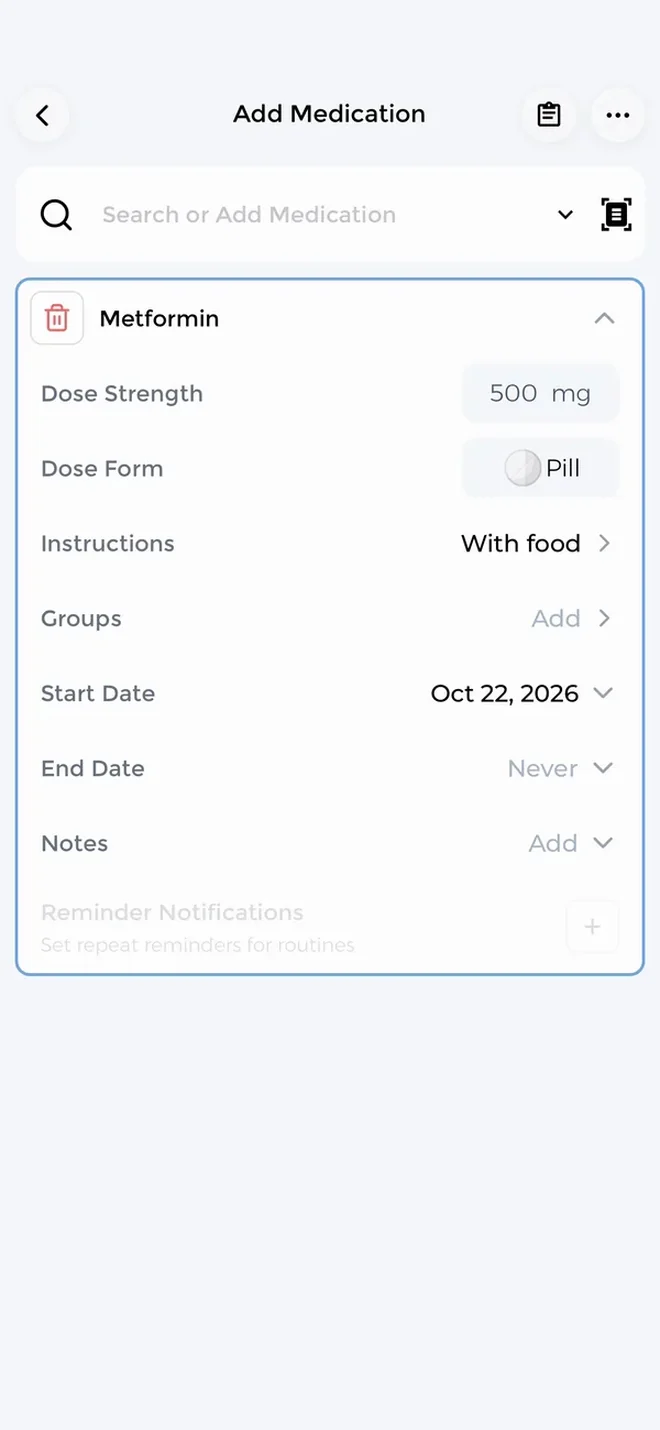
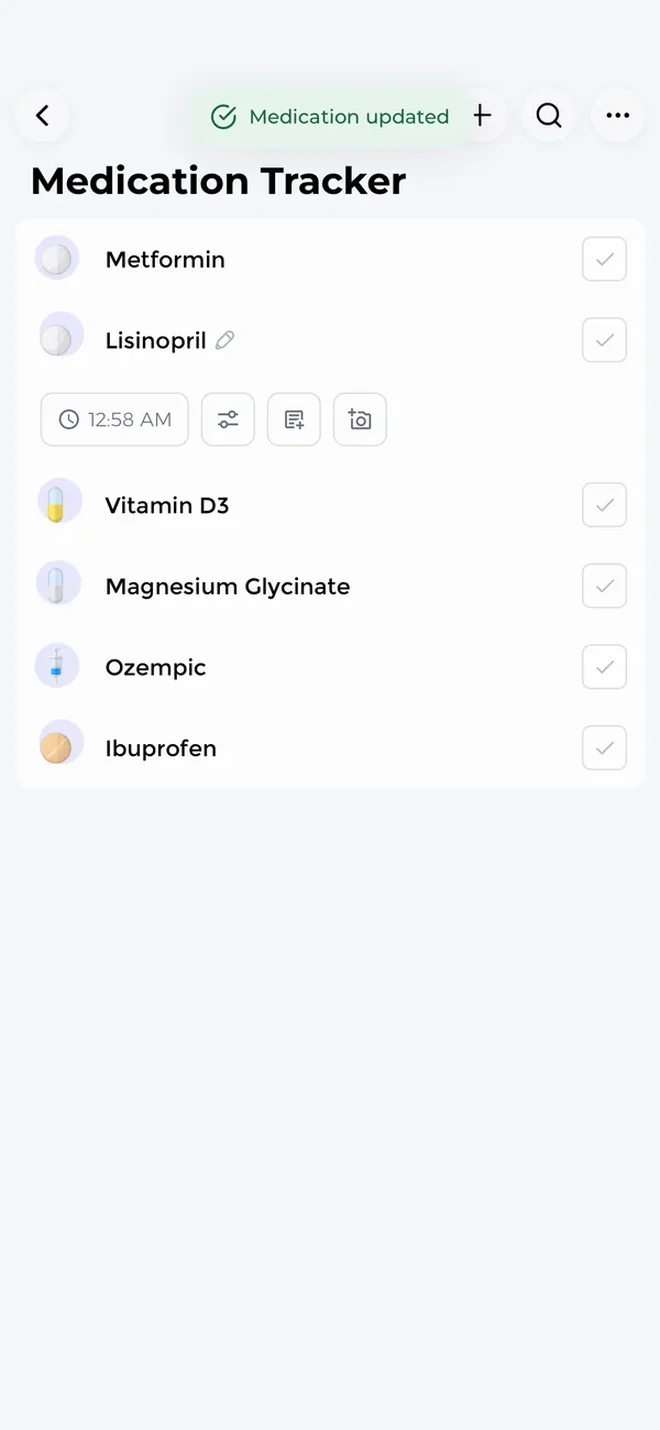
To add a medication, you can photograph the bottle or label instead of typing the name. After that, CareClinic reminds you when a dose is due and keeps track of what you took and missed. If you need them, refill alerts are there too.
Asking Carey about your own data
Carey, the AI assistant inside CareClinic, answers from everything you have logged plus your health records. It also remembers your history between conversations. So you can ask how your sleep compared with your pain this month, or when you last changed a dose, and get an answer from your own data. You can also use Carey fully by voice. See what Carey can do on the CareClinic AI page.
Getting ready for a doctor visit with CareClinic or Juno
A good visit starts with a short, dated summary that your doctor can scan before you sit down. Both apps prepare one, but they draw on different amounts of your health picture.
Carey's visit summary and your reports
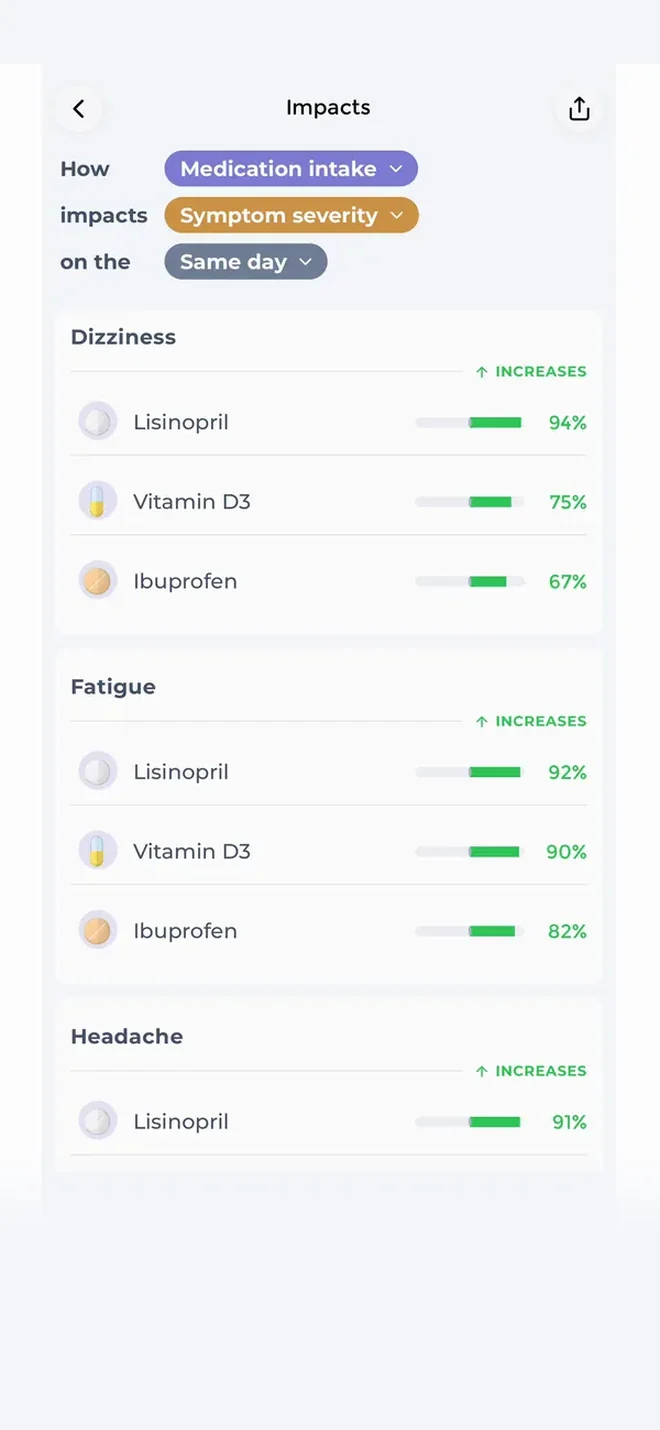
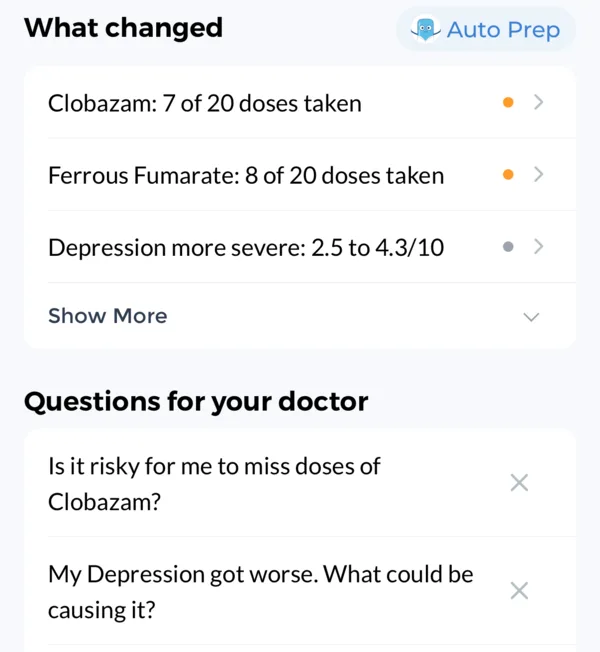
Before an appointment, you can ask Carey for a visit summary and suggested questions. You can also create a PDF report for the dates you choose, or export the raw data as CSV. Your charts also show correlations between symptoms and other factors, with your flares marked.
A health record beside your daily logs
Many trackers stop at symptoms. However, CareClinic also has a health record for lab results, imaging, immunizations and medical documents. Because results sit in your Timeline next to your daily logs, a test result and the symptoms around it appear together. Here is how the CareClinic personal health record works.
Hospital records on iPhone
On iPhone, you can import hospital records through Apple Health Records, so you do not have to type in old results.
Juno's one-page report
Juno prepares a one-page report before appointments. It covers what changed since your last visit, your main symptoms, treatment changes and your own questions. Then you can print it, email it or save it as a PDF.
Wearables, phones and bigger screens
Juno says it connects with more than 20 health and wearable platforms, including Apple Health, Fitbit, Oura, Garmin and WHOOP. It runs on iPhone and Android.
CareClinic connects with Apple Health, Health Connect, Google Fit and Fitbit. It connects with Garmin, Dexcom and Oura too, so your Dexcom glucose readings land beside your meals and symptoms. Other devices that sync to your phone, such as WHOOP or Samsung, come along through Apple Health or Health Connect.
CareClinic also has its own Apple Watch app. When you want a bigger screen, you can review your charts on an iPad, a Mac or CareClinic for web.
Sharing care with family
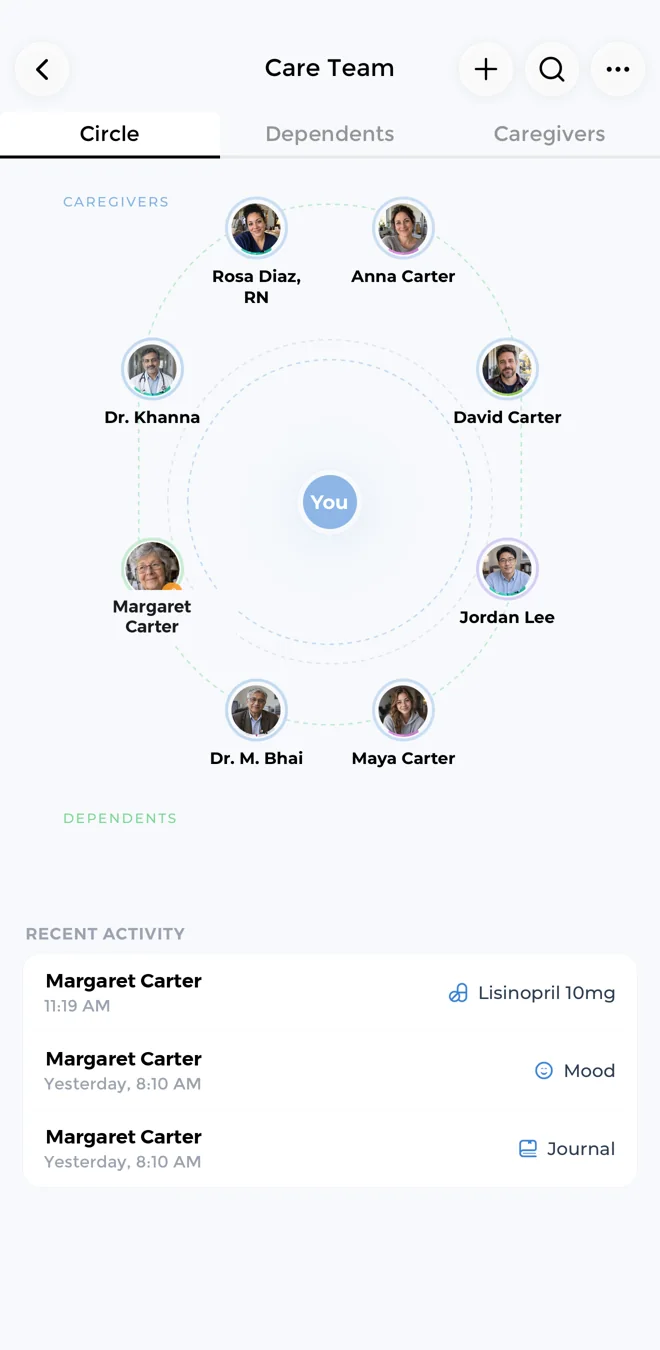
On some days, someone else drives you to appointments or keeps an eye on your medications. For those days, CareClinic has a Care Team. You invite a partner, parent or friend by text or link, then choose what each person can see. Read more about the CareClinic caregiver app.
Tracking for a child or parent
The Care Team also lets you manage a dependent's profile. That way, a parent can track a child's symptoms and doses, and a caregiver can keep the record for someone they look after. By contrast, we could not find caregiver sharing in Juno's store listings or on its website.
What a year of Juno Pro costs
This table uses the highest price for each billing period on Juno's App Store listing at the time of writing, and assumes the price stays the same.
| Option | Listed price | One year | Three years |
|---|---|---|---|
| Juno Pro, weekly | $6.99 a week | $363.48 | $1,090.44 |
| Juno Pro, monthly | $19.99 a month | $239.88 | $719.64 |
| Juno Pro, quarterly | $44.99 a quarter | $179.96 | $539.88 |
| Juno Pro, yearly | $99.99 a year | $99.99 | $299.97 |
| CareClinic | Free to use | $0 | $0 |
Juno's App Store listing also shows lower offers, such as $39.99 a year, and Google Play lists in-app purchases from $4.99 to $99.99. Also, in a reply to a reviewer, Juno's developer said its seven-day free trial applies to yearly plans and that monthly plans are billed upfront.
Paying weekly costs the most, since over a year it comes to more than three times the yearly price. So if you choose Juno, the yearly plan gives you the most for your money. If you would rather not pay at all, CareClinic is free to use.
Juno vs CareClinic at a glance
This table lines up the features people with a chronic illness tend to use. "Not listed" means we could not find the feature in Juno's store listings or on its website at the time of writing.
| Feature | Juno | CareClinic |
|---|---|---|
| Cost for a year | Up to $99.99 for Juno Pro | Free to use |
| AI assistant | Chat companion | Carey, answers from your logs and records |
| Voice | Log and chat by voice | Use Carey fully by voice |
| Appointment prep | One-page visit report | Visit summary, suggested questions, PDF and CSV |
| Symptom detail | Severity and context | Body map, severity, start and end time |
| Patterns | Pattern clues | Correlation charts with flares marked |
| Flare forecast | Not listed | Flare risk percentage |
| Energy and pacing | Pacing and task planning | Energy budget and activity cost |
| Medications | Reminders and dose history | Reminders, refill alerts, taken and missed |
| Add a medication by photo | Not listed | Yes, from the label |
| Period and cycle | Cycle tracking | Predictions and phases |
| Wearables | 20+ platforms | Garmin, Dexcom, Oura and Fitbit, plus Apple Health, Health Connect and an Apple Watch app |
| Health records | Not listed | Labs, imaging, immunizations, documents |
| Caregivers and dependents | Not listed | Care Team with permissions for each person |
| Community | Condition groups and messages | Community discussions |
| Privacy | Encryption, no sale of data, no AI training on chats | HIPAA compliant, GDPR aligned, AES-256 encryption, no sale of data, no AI training, Face ID lock |
| Platforms | iPhone and Android | iPhone, iPad, Android, web, Mac, Apple Watch |
Which app will you keep using?
If talking through your day is the only way you will log, and condition groups matter to you, Juno Pro may be worth its price. If you would rather start with one tracker and add a health record or a Care Team as your needs grow, CareClinic fits that path. Want to compare other options first? Browse all CareClinic app comparisons.
Questions about Juno and CareClinic
Cost
Is the Juno app free?
Juno is free to download, but Juno Pro is paid. At the time of writing, it costs up to $6.99 a week, $19.99 a month, $44.99 a quarter or $99.99 a year. CareClinic, on the other hand, is free to use, and you can keep using it for free indefinitely.
How much is the Juno Pro yearly plan?
The yearly Juno Pro plan costs $99.99 at the time of writing. Paying weekly at $6.99 instead adds up to $363.48 over a year, and paying monthly at $19.99 adds up to $239.88.
AI and safety
Does the Juno app use AI?
Yes, Juno is built around an AI chat companion that keeps the health context you choose to share. It points out possible patterns as clues to discuss with your doctor. CareClinic also has an AI assistant, Carey, which answers from your logs and health records.
Is the Juno app safe for your health data?
Juno says it encrypts data, does not sell personal health information and does not train AI on your health conversations. It also says it uses HIPAA security protocols as a benchmark. CareClinic makes the same promises and is HIPAA compliant itself. It is aligned with GDPR and PIPEDA, encrypts data with AES-256 at rest and TLS in transit, and never sells your health data or uses it to train AI. It also locks with Face ID or a passcode and lets you choose what each caregiver can see.
Devices and conditions
Is there a Juno app for Android?
Yes, Juno has apps for iPhone and Android. CareClinic also runs on iPhone, iPad, Android, the web, Mac and Apple Watch.
Which conditions does the Juno app chronic illness companion cover?
Juno lists fibromyalgia, POTS, ME/CFS, Long COVID, endometriosis and EDS, among others. It also says it supports people without a diagnosis. Meanwhile, CareClinic supports 3,500+ conditions, and you can add any symptom you want.
Can I use Juno and CareClinic together?
Yes. In fact, Juno lists CareClinic among the apps it connects with. If you want one place for your health record, reports and Care Team, CareClinic keeps them together.