Living with a chronic illness, you need a tracker you can still use on your worst days. It should remind you before a dose slips and give your doctor a clear story. This guide shows how the Human Health app and CareClinic each help you get there.
What to expect from a symptom tracker app
When you live with a chronic illness, a tracker only helps if you keep using it. So logging has to stay easy on a bad day, when long forms and endless taps feel like too much. If it takes effort, it is easy to stop.
Beyond that, most people need the same few things from a tracker:
- A fast way to record a symptom, how bad it is and how long it lasted.
- Medication reminders, plus a clear record of which doses you took.
- Charts that show what tends to come before a flare.
- A report your doctor can read in a few minutes.
- Room to grow, because needs change after a new diagnosis or treatment.
Some people also need a place for test results and scans. Others also need a way for a parent, partner or caregiver to help. Those needs vary, so a good tracker lets you add them when they matter and ignore them when they do not.
CareClinic vs Human Health at a glance
This table reflects what each company lists publicly at the time of writing.
| Feature | CareClinic | Human Health |
|---|---|---|
| Symptom tracking | Built-in list plus any symptom you add, body map, start and end time | 2,000 listed symptoms, impact, triggers |
| Medication tools | Add by photo, reminders, refill alerts, dose history | Dose schedules, reminders, refill reminders |
| Health records | Labs, imaging, immunizations, documents, Apple Health Records import on iPhone | Test results, uploads in HumanPlus |
| Doctor reports | PDF for any date range, plus CSV | PDF reports, custom reports in HumanPlus |
| AI assistant | Carey answers from your data, by text or voice | Insights from your logs |
| Wearables and health apps | Apple Health, Health Connect, Fitbit, Garmin, Dexcom, Oura, Apple Watch app | Through Apple Health and Health Connect |
| Caregivers and family | Care Team with caregivers and dependents | Profiles for loved ones |
| Platforms | iPhone, iPad, Android, web, Mac, Apple Watch | iPhone and Android |
| Cost | Free to use | Free download. HumanPlus up to $54.99 |
Both apps can read wearable data through your phone's health app. Human Health imports it when you open the app, so readings from an Apple Watch, Garmin, Oura or Fitbit can still reach it. CareClinic also connects with Garmin, Dexcom and Oura, plus Fitbit and Google Fit.
What Human Health is built around
The Human Health tracker app calls itself a personal health lab. The idea is that you log symptoms and treatments, then look at how they move together over time. Its charts and trend views sit beside a health timeline that links test results, diagnoses and journal entries.

Human Health lists 2,000 symptoms, and you rate the impact of each one and note possible triggers. CareClinic also has a long built-in symptom list, and you can add any symptom that is missing, so the size of the list rarely decides between them. Human Health also lets you log migraines and aura. In addition, the company runs an optional research program that you can join or skip.
Four everyday moments with a long-term condition
Feature lists only tell part of the story. So here is how each app handles four moments that come up again and again.
A flare day
In CareClinic
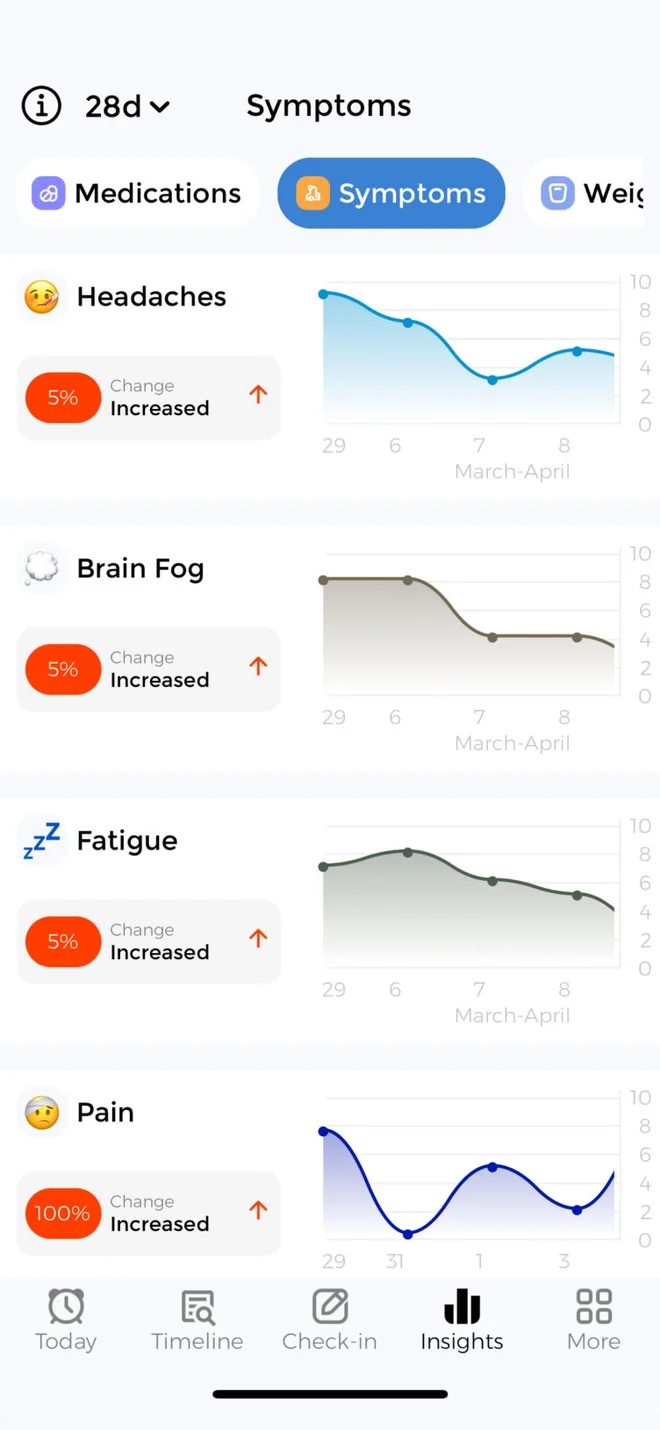
You tap where it hurts on a body map, set the severity, and note when the symptom started and ended. As a result, a four-hour headache and a four-day one never look the same in your history. When typing feels like too much, you can also tell Carey what happened by voice.
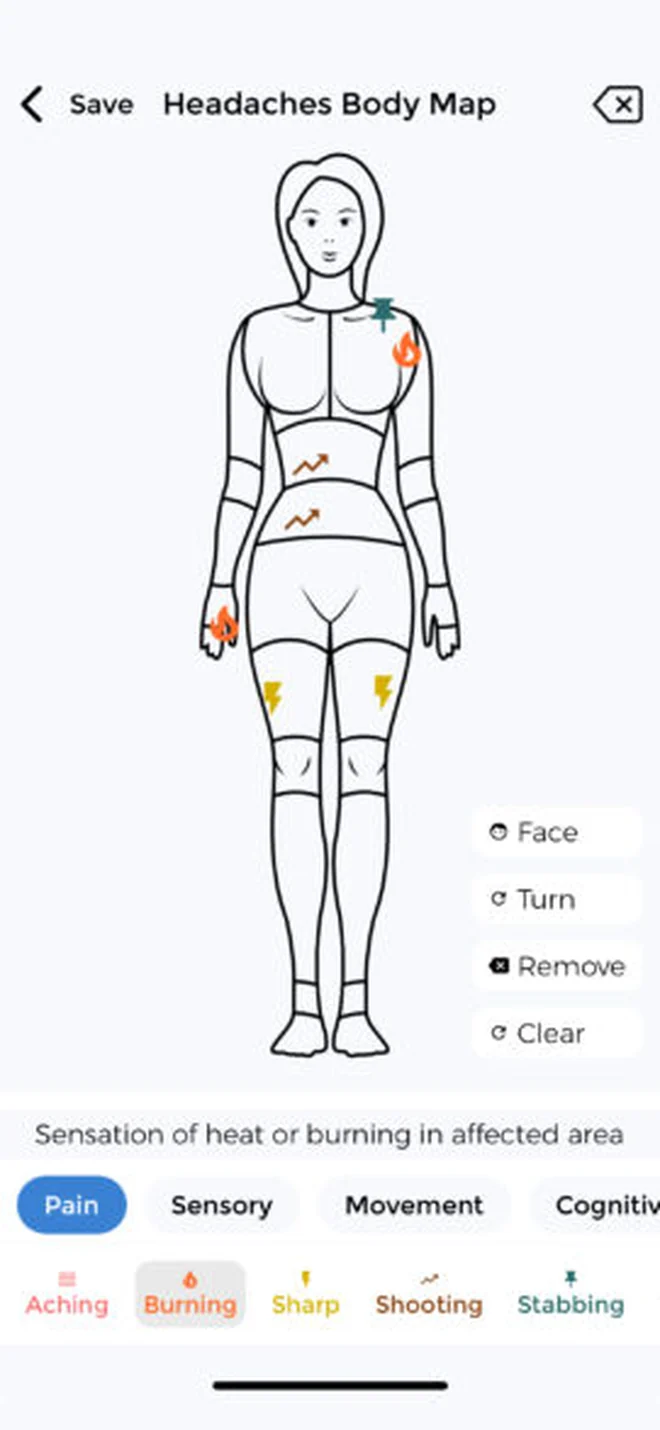
That is all a flare log needs on a hard day. If you want more, the weather is logged for you automatically. If you track your energy, your energy budget and the cost of each activity help you pace the rest of the day. Over time, flare markers appear in your charts, and CareClinic points out links between your symptoms and the factors you track. Then a symptom forecast gives you a flare risk percentage, so you can plan a lighter day before a hard one arrives. The symptom tracker page walks through each step.
In Human Health
First, you pick your symptoms from its list, rate their impact and note possible triggers. Later, its charts show how the flare lines up with your treatments and other entries.
Starting a new medication
In Human Health
You add the treatment, set a daily dose schedule and log each dose. After that, Human Health lets you record treatment outcomes, so you can judge over time whether it is working.
In CareClinic
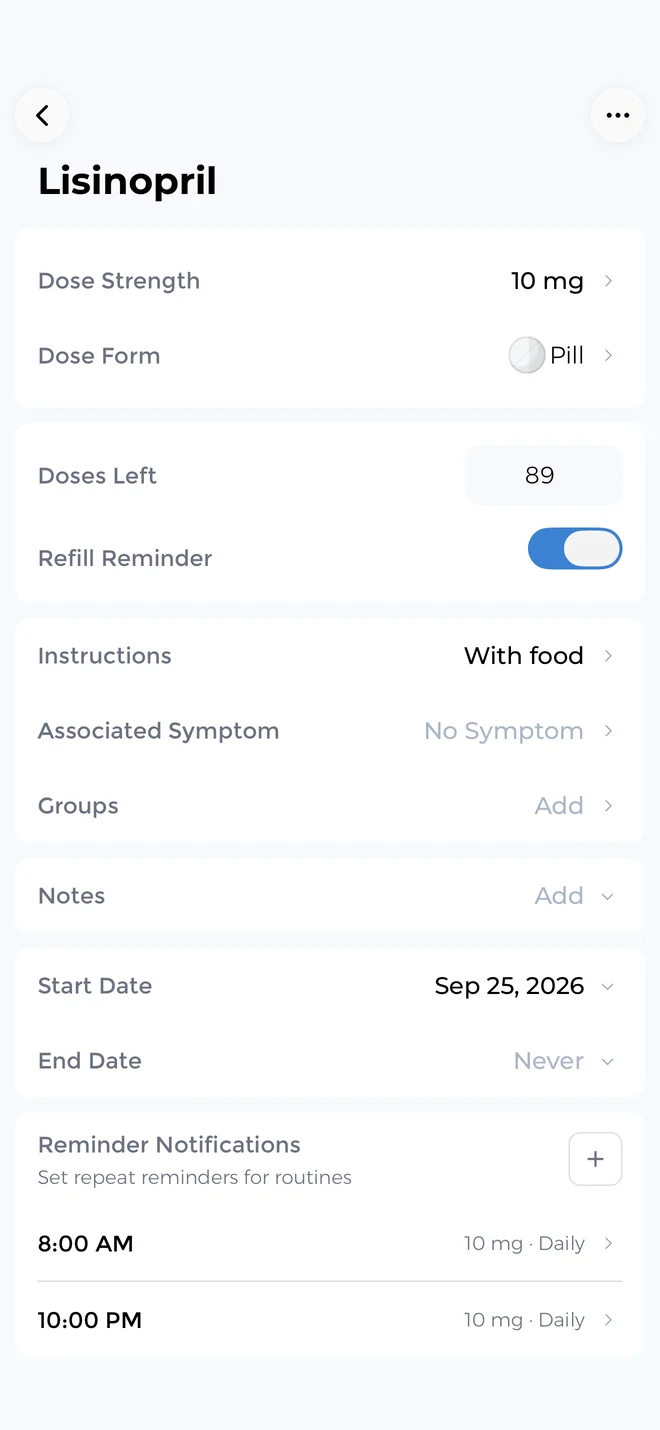
You photograph the bottle or label to add the medication, then set a reminder. Each dose is saved as taken or missed, and a refill alert tells you before you run out. So when your doctor asks how consistent you have been, the answer is already there.
The follow-up matters too. Because CareClinic keeps your doses next to the rest of your log, you can see whether your symptoms, sleep or mood shift after the change. You can also ask Carey how the first few weeks compare with the month before. The medication tracker page has the details.
Getting ready for a specialist visit
In CareClinic
Before the appointment
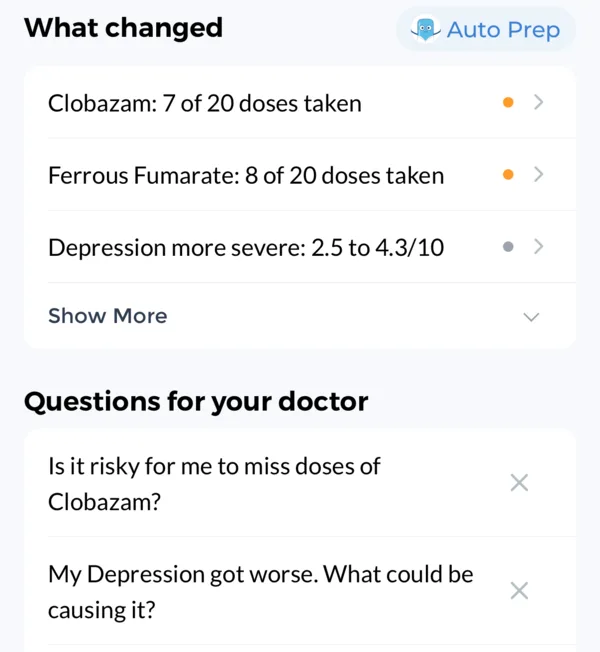
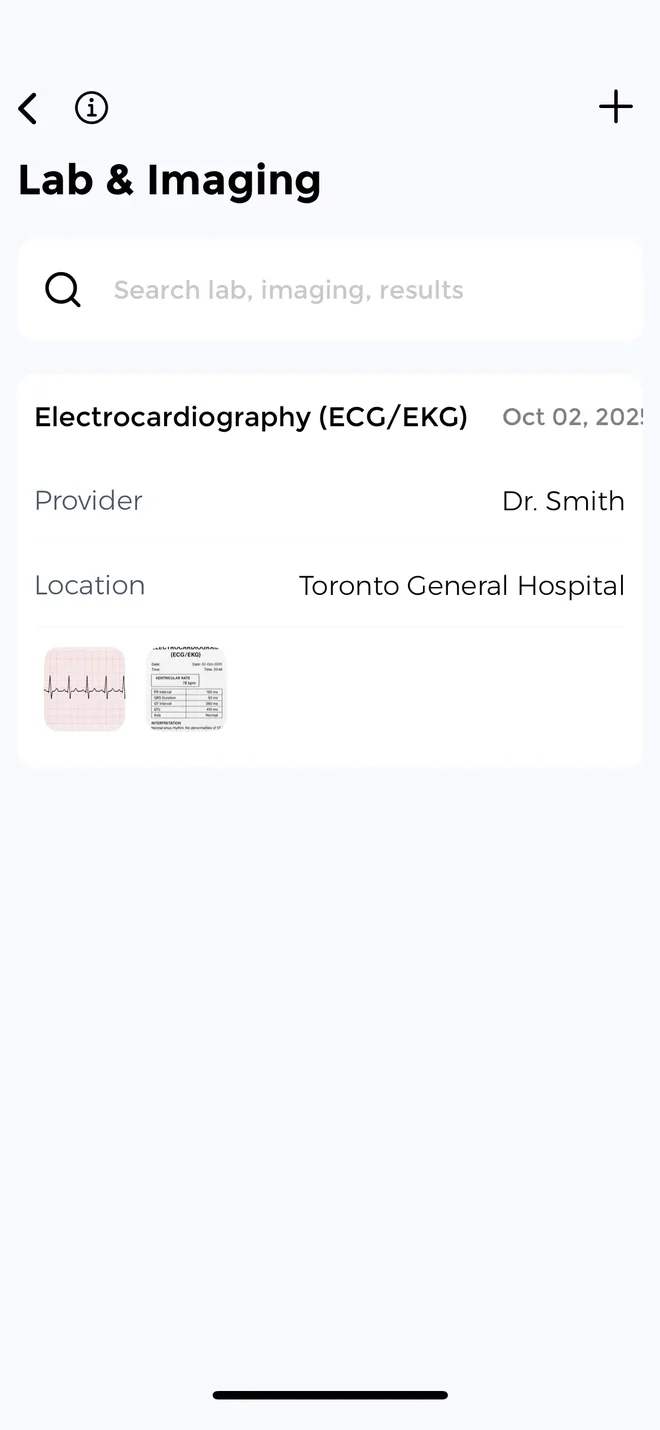
CareClinic has a health record section, which many trackers do not offer. It keeps lab results, imaging, immunizations and medical documents in your personal health record, next to your symptoms and medications. On iPhone, you can also import hospital records from Apple Health Records. Then Carey prepares a visit summary and suggests questions for your doctor, based on what you logged.
In the room
You create a PDF doctor report for the date range you choose, such as the three months since your last visit. If your specialist prefers raw numbers, you can export a CSV instead. Because Carey remembers your history, you can also check a detail on the spot, like when a symptom first showed up.
In Human Health
You build a PDF report for your clinician, while the health timeline keeps test results, diagnoses and journal entries together. Custom reports and file uploads are part of HumanPlus, its paid tier.
A parent tracking for a child
In Human Health
Human Health supports profiles for you and your loved ones. So a parent can log a child's symptoms and treatments from their own phone.
In CareClinic
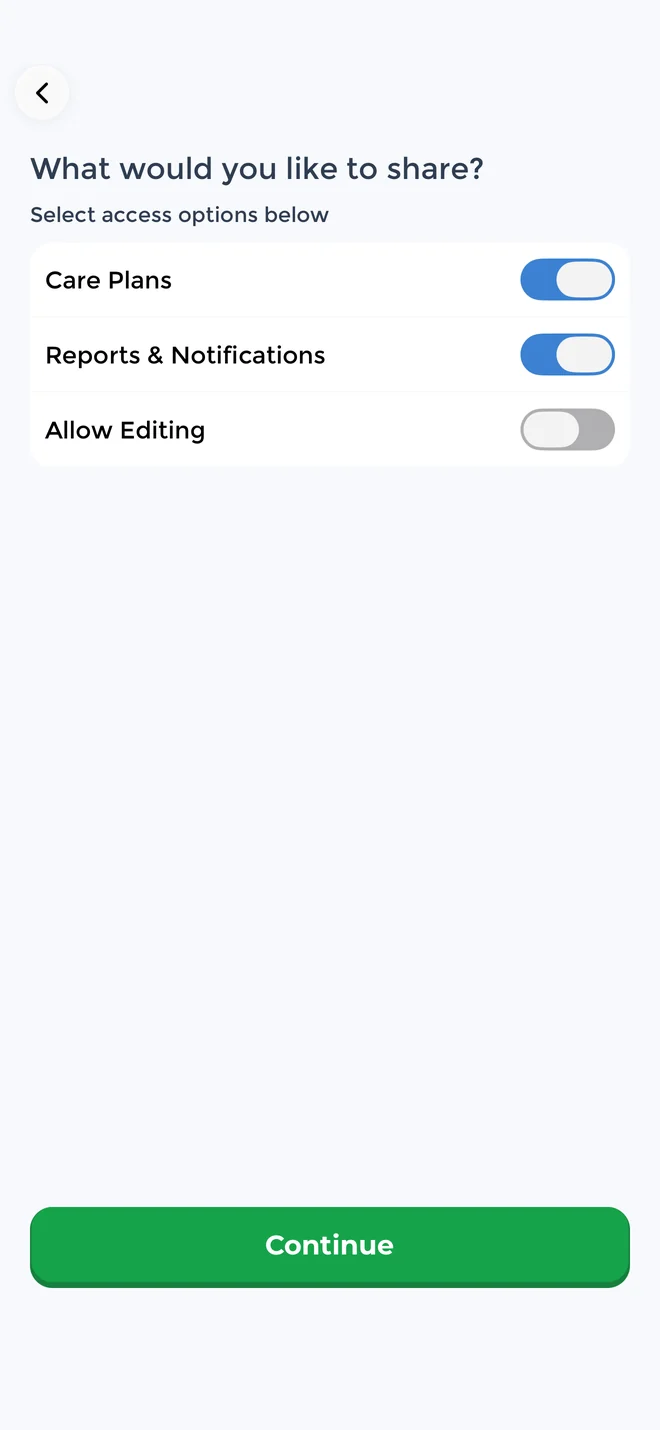
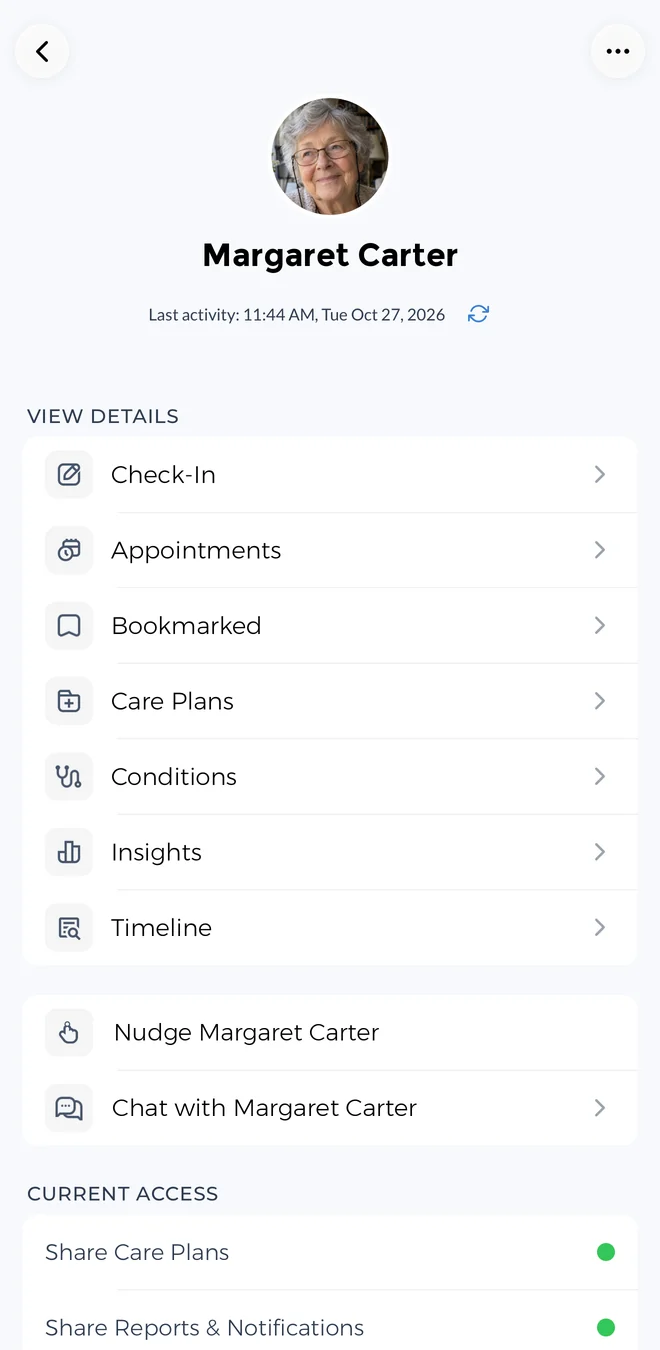
In CareClinic, the Care Team handles this. You add your child as a dependent and then track for them from your own account. When other people help with care, you can invite the other parent, a grandparent or a babysitter by text or link and choose what each person can see.
A caregiver can also follow along on the web without installing the app. Meanwhile, dose reminders and the taken or missed history mean nobody has to text to ask whether the evening dose happened. The caregiver app page explains how sharing works.
Start simple and add trackers later
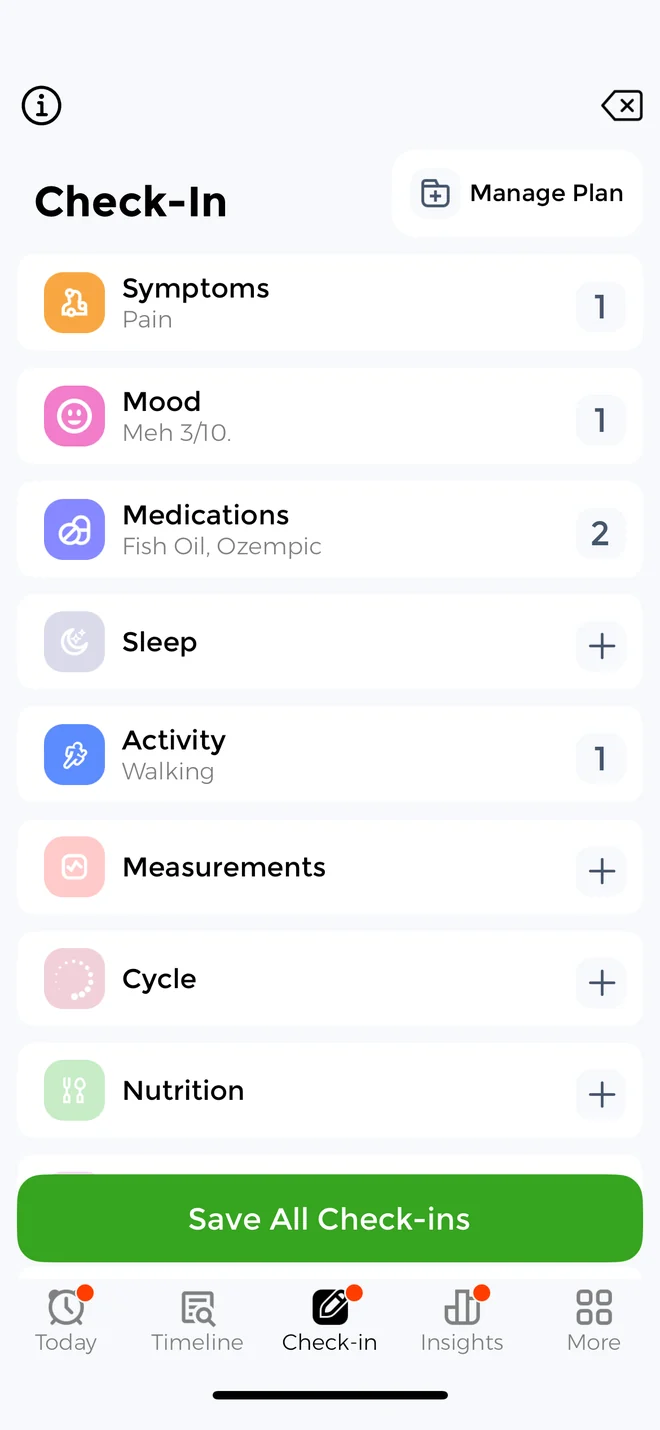
CareClinic does not ask you to set up everything on day one. Instead, you enable only the trackers you need, and the others stay off and out of the way. Later, if a new diagnosis or treatment changes what you need, you can add more trackers or a care plan at that point.
So CareClinic starts simple, yet it also handles more complex care when you need it, such as several conditions, a dependent's profile or your health records. That balance suits people of any age, from teens to older adults and the family members who help them.
Beyond symptoms and medications, here is what each app can track. In CareClinic, you turn on only the ones you need. In this table, not listed means Human Health does not advertise the feature in its public materials.
| Feature | Human Health | CareClinic |
|---|---|---|
| Mood, sleep and journal | Yes | Yes |
| Blood pressure and vitals | Yes | Yes |
| Period and cycle | Period logging | Flow, phases, ovulation and period predictions |
| Energy and pacing | Not listed | Energy budget, activity cost, pacing trends |
| Automatic weather logging | Not listed | Yes |
| Nutrition | Not listed | Meal logging with photo scan |
| Flare forecast | Not listed | Flare risk percentage |
| CBT lessons and soundscapes | Not listed | Yes |
Anything the built-in trackers do not cover, such as a new supplement or a stressful week, can go in as a custom factor that you compare with your symptoms. CareClinic also includes self-assessments and guided care plans for many conditions.
Does the Human Health app cost money?
The core Human Health tracker is free, and so is the download. HumanPlus, the optional paid tier, adds uploaded files and photos, secure record storage and custom reports. You can pay monthly or yearly, and the highest in-app price on the US App Store is $54.99 at the time of writing.
CareClinic is free to use, and you can keep using it for free indefinitely.
| Cost | CareClinic | Human Health |
|---|---|---|
| Download | Free | Free |
| Daily symptom and medication tracking | Free | Free |
| Highest price at the time of writing | Free to use | $54.99 for HumanPlus |
| Devices | iPhone, iPad, Android, web, Mac, Apple Watch | iPhone and Android |
Human Health and CareClinic questions
Reviews and privacy
What do Human Health app reviews say?
Mostly positive. In one Human Health app Reddit thread about symptom tracking, a user said it does the job. If you also want your hospital records or a family member's care in the same app, CareClinic has a health record and a Care Team.
Is the Human Health app safe and private?
Human Health says it is. The company states that it encrypts your data, that it does not sell personal information, and that it is HIPAA aligned and GDPR compliant. Joining its research program is also optional. CareClinic matches each of those points. It is HIPAA compliant, aligned with GDPR and PIPEDA, encrypts your data with AES-256 at rest and TLS in transit, and never sells your health data or uses it for advertising or AI training. It also adds Face ID or a biometric lock and a passcode, and you can delete your account whenever you choose.
Features, devices and alternatives
Does the Human Health app use AI?
Human Health offers personalized insights from your logs, but it does not describe a chat assistant. CareClinic includes Carey, an AI health assistant that answers from your own data and records. You can also talk to Carey by voice, and it can prepare a visit summary with questions for your doctor.
Does Human Health work on Android and iPhone?
Yes. Human Health has apps for iPhone and Android phones, but its public materials do not list an iPad, web or Mac app. CareClinic runs on iPhone, iPad, Android, the web, Mac and Apple Watch.
What is the best Human Health alternative?
CareClinic is a free Human Health alternative that covers the same daily symptom and medication tracking. It starts simple, because you turn on only the trackers you need. Later, you can also keep your health record in the app, plan around a flare forecast, or bring caregivers into your Care Team.
Is Human Health like Bearable?
Yes. Both help you spot patterns between your symptoms and the things you log. If you are weighing Bearable vs Human Health app options, our CareClinic vs Bearable review shows how Bearable compares with CareClinic.
Which chronic illness tracker wins?
Overall, Human Health is a phone app built around its personal health lab idea. You log symptoms and treatments, then chart them together, while uploads and custom reports sit in its paid tier.
For most people living with a chronic illness, CareClinic is the stronger pick. It starts as a simple daily log and stays that way until you need more. Then the health record, Carey and the Care Team are there when you want them, and it is free to use. See how it compares with other trackers in our app comparisons.