A food diary app and a food journal app support the same core task: recording meals and the context around them. Consistent entries can help you review nutrition, symptoms, mood, activity, and progress toward personal goals.
The most useful log is accurate enough to reveal patterns but simple enough to maintain. It should support informed conversations, not diagnose a deficiency or guarantee weight loss.
Food Diary App and Food Journal App: What to Track
Record foods and beverages, portions, preparation methods, toppings, sauces, and the time of the meal. Add context that matters to your goal, such as location, hunger, fullness, mood, symptoms, activity, or sleep.

Meals, Snacks, and Drinks
Be specific. "Chicken" and "fried chicken with sauce" do not have the same nutrition profile. Include small snacks and drinks when they affect the question you are trying to answer.
Portions and Nutrients
Log portions and review calories, protein, carbohydrates, fat, fiber, sodium, and other nutrients when they are relevant. Nutrition databases and scans can contain errors, so review the result and correct it when needed.

Symptoms and Medical Context
If you are investigating digestive symptoms, energy changes, blood glucose, or another health concern, record the symptom and timing. A food log can support a clinician's assessment, but it cannot confirm a food allergy, intolerance, or diagnosis by itself. See the food symptom diary guide for a focused workflow.
If your clinician recommends a short dietary trial, our low histamine diet guide explains food choices, storage and what to record during reintroduction.
Mood, Hunger, and Fullness
Note whether you were hungry, satisfied, stressed, bored, distracted, or eating socially. This context can make a pattern easier to understand without labeling a single choice as good or bad.
Activity and Diet Goals
A food and exercise journal app can show meals and activity on the same timeline. Use realistic goals that describe a behavior, such as preparing lunch at home or adding a planned snack, rather than relying only on a target weight.
Additional Details to Record
Think of CareClinic as your personal food diary. Record not only the foods and beverages you consume, but also preparation methods, toppings, sauces, and condiments.
Log the time and location of your meals. Were you eating alone or with others? At home or on the go? Were you watching TV, working, or relaxing? Noting your mood (happy, bored, stressed) and the environment adds valuable context to your entries.
Rules for Managing Calories with a Food Diary
Be honest and specific. If you ate fried chicken, don't just write 'chicken.' The way food is prepared drastically changes its nutritional value. Log everything, even small snacks or candy, to understand your true calorie intake.
Record meals immediately while they're fresh in your memory. Waiting until the end of the day makes it harder to recall everything accurately.
Discovering the Connection Between Eating and Mood
Many people don't realize how deeply their mood is tied to their diet. Using a food tracker like CareClinic helps highlight emotional eating triggers. Note how you felt during or after eating a certain meal to uncover these links.
CareClinic's meal log feature lets you track mood alongside meals. You can also add notes about stress, binge eating, or weight-checking habits to better understand the emotional impact of your diet. (R)
Recording Symptoms of Medical Conditions
If you're managing a health condition like diabetes or gastritis, use the app to record symptoms and dietary effects. This helps you understand how food impacts your health and lets you make targeted changes.
CareClinic generates detailed health reports that you can share with your doctor. This supports informed decisions about diet and treatment adjustments.
Entering Additional Data into Your Diet Log
Beyond food, your diet is affected by sleep, digestion, medications, and more. CareClinic lets you log:
- Medication and supplements
- Menstrual cycle and hormonal changes
- Skin reactions and inflammation
- Exercise and physical activity
- Sleep quality and energy levels
Tracking this data helps identify patterns like food intolerances, digestive issues, or allergic reactions.
Monitor Progress with Friends and Family
Dieting doesn't have to be a solo journey. CareClinic lets you add a care team, friends, family, or healthcare providers to support you. Share updates, celebrate milestones, and stay motivated together.
Benefits of a Food Journal App
Food journal benefits come from a more complete record of what happened, not from the act of logging alone. A food diary or diet journal can support awareness, nutrition review, mindful eating, and progress discussions.
Awareness
Writing down meals reduces reliance on memory. It can reveal skipped meals, repeated foods, portion patterns, and differences between weekdays and weekends.
Nutrition Review
A digital log can summarize nutrient information and display trends. Treat these values as estimates unless they come from verified labels or clinician-reviewed data.
Mindful Eating
Recording hunger, fullness, mood, and environment encourages a pause before and after eating. The goal is curiosity and awareness, not guilt or rigid control.
Accountability and Progress
A visual record can help you review whether actions align with your goal. Progress can include consistency, symptom understanding, meal regularity, energy, or another outcome chosen with your care team.

Nutrition logs for weight loss goals
A nutrition log answers a narrower question than a food diary app: is this week of eating moving toward the diet goals you set? Used that way it is a diet journal for your weight loss journey, not a verdict on one meal.
Set targets the log can check. Nutrition logging in CareClinic works as a nutrient counter for calories, macronutrients, sugar and sodium, so the daily summary shows the gap between the plan and the day. A fuller nutrition analysis of a meal or a product shows whether added sugar, trans fats or high fructose corn syrup are in the ingredients.
A diet log is easier to keep when the entries stay short:
- Log the three main meals and any snacks, with the date and time.
- Note the circumstances around a meal, such as eating out, rushing, or eating late.
- Keep the record long enough to show a pattern rather than one difficult day.
- Print or share it when a dietitian or clinician needs the picture. That is patient nutrition tracking in its most practical form.
Meal logging is food logging in the plain sense: a description of what was eaten and why. Do not make weight loss the only goal. Healthy eating in moderation with regular activity is the steadier target, and weight loss tends to follow it. The same account works as a food log website, so the online food log kept on a phone stays in step with the web version, where entries can be reviewed, printed or exported.
How Digital Food Tracking Works
Food journal apps may support manual search, saved foods, nutrition-label scanning, meal photos, and custom entries. CareClinic can identify food from a photo or extract nutrients from a label, after which the user reviews the result before adding it.
Photo and Nutrition-Label Logging
Use a clear photo and check the serving size, food name, and nutrients returned. Photo recognition is an estimate. A scan should make entry faster, not remove the review step.
Reports and Trends
Charts can make changes easier to see across days or weeks. Compare the same measure over an appropriate period and avoid treating one day as a trend.
Customization
Choose the fields that serve your goal. A person tracking digestive symptoms may prioritize foods, timing, symptoms, and bowel changes. Someone monitoring sodium may prioritize portions and labels. More fields are not automatically better.
Choosing a Food Journal App
- Confirm that meal entry is quick enough for regular use.
- Check whether custom foods and corrections are supported.
- Look for the nutrient, symptom, activity, and report fields you need.
- Review privacy controls and decide what, if anything, to share.
- Avoid an app that turns every entry into a moral judgment or an unverified diagnosis.
Using CareClinic as a Food Diary App
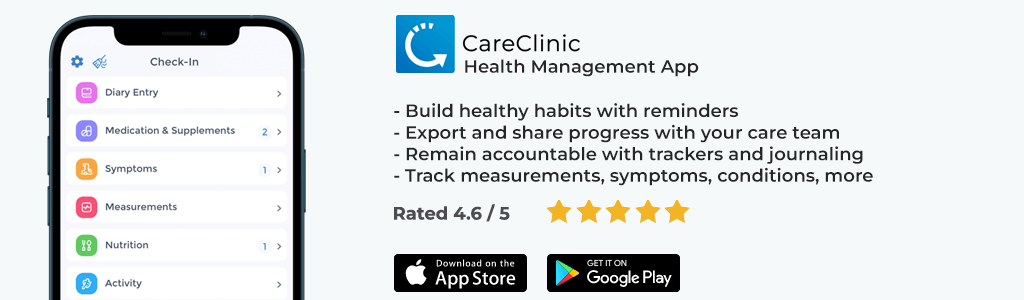
CareClinic lets you place nutrition entries beside symptoms, measurements, mood, activity, sleep, medication, and other health data. You can save foods, add notes, review nutrient summaries, and examine reports over time. Some report features require a paid plan.
- Log meals manually, from a photo, or from a nutrition label.
- Add portion, preparation, location, mood, and symptom context.
- Track hydration, activity, weight, or another relevant measure.
- Review patterns and bring useful information to a dietitian or clinician.
Start a food diary and food journal in CareClinic.
Additional research and reporting by Faye D. M..
Planning Meals Ahead with a Food Journal App
A food journal is usually described as a record of what you already ate. It can work the other way too, as the place where you build the week before it happens.
Start from what is already in the kitchen. Check the fridge and the pantry, note what has to be used first, and plan those items into the first dinner or two. Build the shopping list from the plan instead of from habit, and check the flyer before you commit to it. Planning around what is on sale and in season is the simplest way to lower the grocery bill.
Cook once, eat twice. A roast chicken on Sunday can become soup, salad or sandwiches later in the week. A bunch of cilantro bought for one recipe can be planned into a second dish. Leftover rice becomes fried rice, and roasted vegetables become a frittata. Deciding this in advance is what keeps food from being thrown out.
The plan also removes the hardest part of the evening: deciding what to eat when you are already hungry. If that decision was made on Sunday, dinner is a set of steps rather than a debate.
Keep the plan and the record in the same app. Mark which meals happened, which were skipped and which took longer than expected, then carry that into next week. A plan that is adjusted each week lasts longer than one that is written once and never revisited.